Translate



Hi,
so, there must be a million posts relating to receiving the error above, but I haven't seen one for this specific situation.
OS: Win10 Pro, version 1607, build 14393.1066
Trados Studio 2017 Professional, 14.0.5889.5
I do occasionally use CCleaner (I have seen this to be sometimes a problem)
Steps to repro:
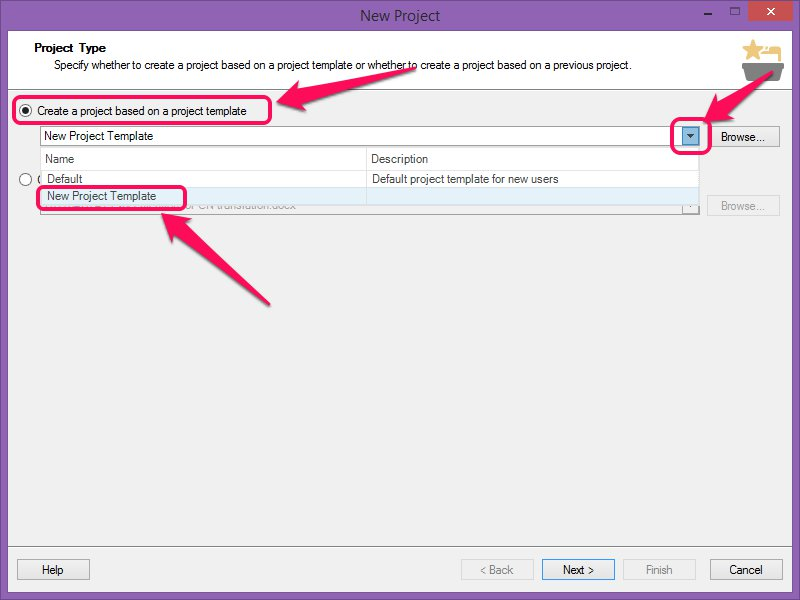
- Begin creating a new project
- Select any existing project that the new one should be based on
- Reach the language selection and pick the languages
- Hit next
- The error dialog appears
The log is as follows:
<SDLErrorDetails time="5/9/2017 10:03:40 AM">
<ErrorMessage>Object reference not set to an instance of an object.</ErrorMessage>
<Exception>
<Type>System.NullReferenceException, mscorlib, Version=4.0.0.0, Culture=neutral, PublicKeyToken=b77a5c561934e089</Type>
<HelpLink />
<Source>Sdl.TranslationStudio.ProjectManagement</Source>
<HResult>-2147467261</HResult>
<StackTrace><![CDATA[ at Sdl.TranslationStudio.ProjectManagement.ProjectWizard.ProjectLanguagesWizardPage.CopyAllLanguageDirectionSettingsFromTemplate()
at Sdl.TranslationStudio.ProjectManagement.ProjectWizard.ProjectLanguagesWizardPage.UpdateProjectLanguages(Boolean validate)
at Sdl.TranslationStudio.ProjectManagement.ProjectWizard.ProjectLanguagesWizardPage.OnNext()
at Sdl.Desktop.Platform.Wizard.AbstractWizard`1.Next()
at Sdl.Desktop.Platform.Wizard.AbstractWizard`1._form_Next(Object sender, CancelEventArgs e)
at Sdl.Desktop.Platform.WinForms.WizardForm._nextButton_Click(Object sender, EventArgs e)
at System.Windows.Forms.Control.OnClick(EventArgs e)
at System.Windows.Forms.Button.OnClick(EventArgs e)
at System.Windows.Forms.Button.WndProc(Message& m)
at System.Windows.Forms.Control.ControlNativeWindow.OnMessage(Message& m)
at System.Windows.Forms.Control.ControlNativeWindow.WndProc(Message& m)
at System.Windows.Forms.NativeWindow.Callback(IntPtr hWnd, Int32 msg, IntPtr wparam, IntPtr lparam)]]></StackTrace>
</Exception>
<Environment>
<ProductName>SDL Trados Studio</ProductName>
<ProductVersion>14.0.0.0</ProductVersion>
<EntryAssemblyFileVersion>14.0.5889.5</EntryAssemblyFileVersion>
<OperatingSystem>Microsoft Windows 10 Pro</OperatingSystem>
<ServicePack>NULL</ServicePack>
<OperatingSystemLanguage>1033</OperatingSystemLanguage>
<CodePage>1252</CodePage>
<LoggedOnUser>DESKTOP-BPQJFEG\sbellezza</LoggedOnUser>
<DotNetFrameWork>4.0.30319.42000</DotNetFrameWork>
<ComputerName>DESKTOP-BPQJFEG</ComputerName>
<ConnectedToNetwork>True</ConnectedToNetwork>
<PhysicalMemory>8266336 MB</PhysicalMemory>
</Environment>
</SDLErrorDetails>
Any suggestion?