Translate



Hi,
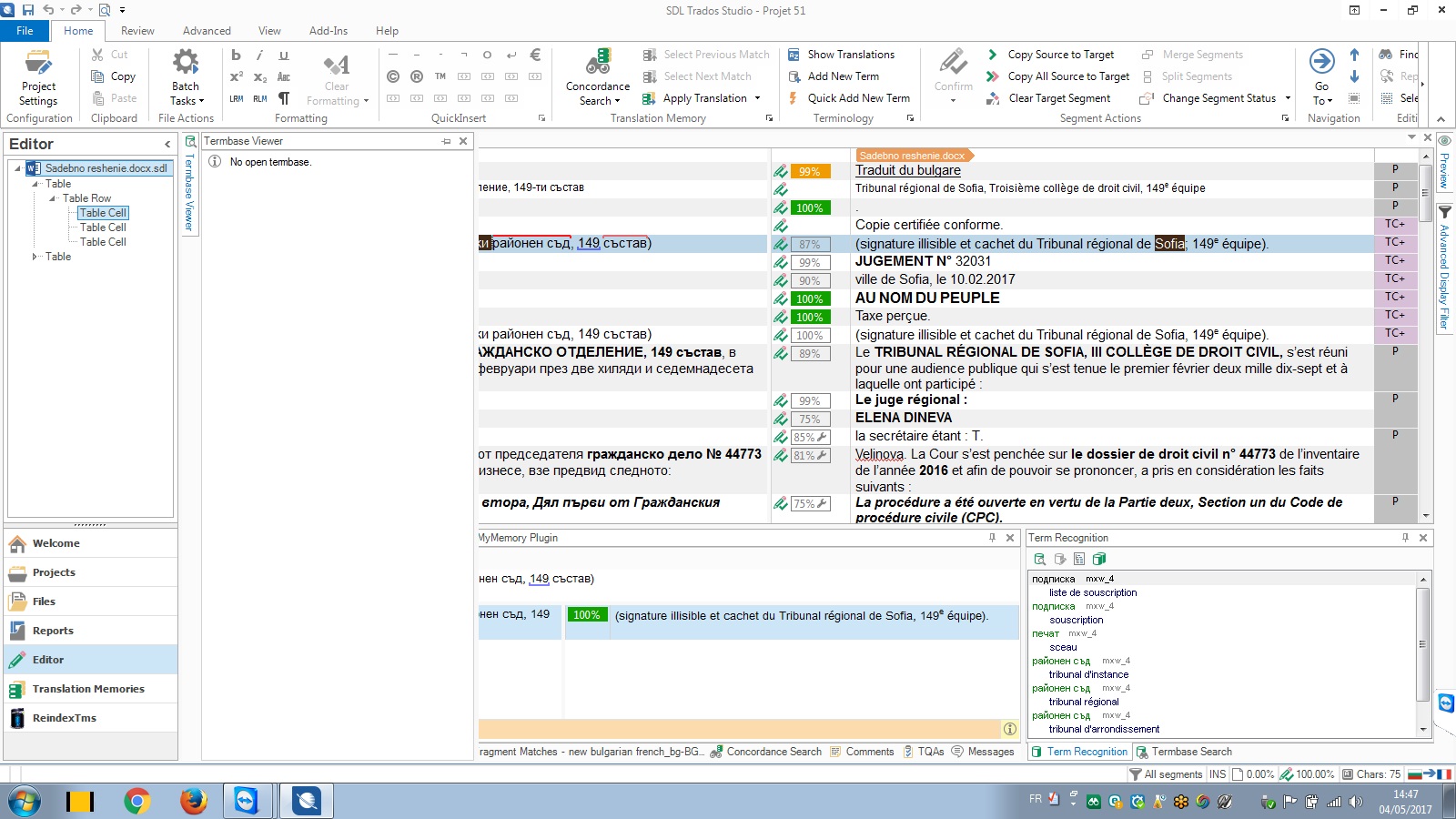
I am getting the error message "object reference not set to an instance of an object" whenever I try add a term into the termbase in Studio 2017.
I reset the window layout, ran a repair and even reinstalled the whole program and updated it, but nothing helped.
Can anyone suggest a solution please?
<SDLErrorDetails time="28/04/2017 17:19:31">
  <ErrorMessage>Object reference not set to an instance of an object.</ErrorMessage>
  <Exception>
    <Type>System.NullReferenceException, mscorlib, Version=4.0.0.0, Culture=neutral, PublicKeyToken=b77a5c561934e089</Type>
    <HelpLink />
    <Source>Sdl.MultiTerm.Core.Common</Source>
    <HResult>-2147467261</HResult>
    <StackTrace><![CDATA[   at Sdl.MultiTerm.Core.Common.DataContainers.TermbaseStatus..ctor(ITermbaseInfo info)
   at Sdl.MultiTerm.Client.MiniEditor.MiniEditorControl..ctor(ITermbaseInfo activeTermbase, ITermHit activeTerm)
   at Sdl.TranslationStudio.Editor.Terminology.TermbaseViewer.MultiTermViewerWinFormsUI.AddTerm(ITermbaseInfo termbaseInfo, String source, String target)
   at Sdl.TranslationStudio.Editor.Terminology.TermbaseViewer.MultiTermViewerWinFormsUI.AddTerm(String source, String target)
   at Sdl.TranslationStudio.Editor.Terminology.TermbaseViewer.TermBaseViewPartX.TerminologyProviderViewerAddTerm(String source, String target)
   at Sdl.TranslationStudio.Editor.Terminology.TermbaseViewer.TermBaseViewPartX.AddTerm(ITerminologyProvider termbase, String source, String target)
   at Sdl.TranslationStudio.Editor.Terminology.EditorTermbaseUtils.AddTerm(IEditorService editorService, ITranslatableDocument translatableDocument, String sourceText, String targetText)
   at Sdl.TranslationStudio.Editor.Terminology.Actions.AbstractAddNewTermAction.AddTerm()
   at Sdl.TranslationStudio.Editor.Terminology.Actions.QuickAddNewTerm.Execute()
   at Sdl.Desktop.Platform.Implementation.CommandBars.StaticAction.Execute()
   at Sdl.Desktop.Platform.Implementation.CommandBars.ActionService.<>c__DisplayClass3.<ExecuteAction>b__2()
   at Sdl.Desktop.Platform.Implementation.Services.Log.Resources(Object message, Action action)
   at Sdl.Desktop.Platform.Implementation.CommandBars.ActionService.ExecuteAction(IAction action, ActionOrigin origin, Boolean allowToggle)
   at Sdl.Desktop.Platform.WinForms.IgCommandBarAction.Execute()
   at Sdl.Desktop.Platform.WinForms.IgCommandBarAction._lazyButtonTool_ToolClick(Object sender, ToolClickEventArgs e)
   at Infragistics.Win.UltraWinToolbars.ToolBase.OnToolClick(ToolClickEventArgs e)
   at Infragistics.Win.UltraWinToolbars.UltraToolbarsManager.OnToolClick(ToolClickEventArgs e)
   at Infragistics.Win.UltraWinToolbars.UltraToolbarsManager.FireEvent(ToolbarEventIds id, EventArgs e)
   at Infragistics.Win.UltraWinToolbars.ToolBase.OnToolClick()
   at Infragistics.Win.UltraWinToolbars.ToolMenuItem.OnClick()
   at Infragistics.Win.UltraWinToolbars.PopupMenuItemUIElement.DoClickProcessing(MouseEventArgs e)
   at Infragistics.Win.UltraWinToolbars.PopupMenuItemUIElement.OnMouseUp(MouseEventArgs e)
   at Infragistics.Win.TextUIElementBase.OnMouseUp(MouseEventArgs e)
   at Infragistics.Win.ControlUIElementBase.ProcessMouseUpHelper(Object sender, MouseEventArgs e)
   at Infragistics.Win.ControlUIElementBase.ProcessMouseUp(Object sender, MouseEventArgs e)
   at Infragistics.Win.Utilities.ProcessEvent(Control control, ProcessEvent eventToProcess, EventArgs e)
   at Infragistics.Win.UltraWinToolbars.PopupControlBase.OnMouseUp(MouseEventArgs e)
   at System.Windows.Forms.Control.WmMouseUp(Message& m, MouseButtons button, Int32 clicks)
   at System.Windows.Forms.Control.WndProc(Message& m)
   at System.Windows.Forms.Control.ControlNativeWindow.OnMessage(Message& m)
   at System.Windows.Forms.Control.ControlNativeWindow.WndProc(Message& m)
   at System.Windows.Forms.NativeWindow.Callback(IntPtr hWnd, Int32 msg, IntPtr wparam, IntPtr lparam)]]></StackTrace>
  </Exception>
  <Environment>
    <ProductName>SDL Trados Studio</ProductName>
    <ProductVersion>14.0.0.0</ProductVersion>
    <EntryAssemblyFileVersion>14.0.5821.4</EntryAssemblyFileVersion>
    <OperatingSystem>Microsoft Windows 7 Enterprise </OperatingSystem>
    <ServicePack>Service Pack 1</ServicePack>
    <OperatingSystemLanguage>1033</OperatingSystemLanguage>
    <CodePage>1252</CodePage>
    <LoggedOnUser>Michel-PC\Michel</LoggedOnUser>
    <DotNetFrameWork>4.0.30319.42000</DotNetFrameWork>
    <ComputerName>MICHEL-PC</ComputerName>
    <ConnectedToNetwork>True</ConnectedToNetwork>
    <PhysicalMemory>3067428 MB</PhysicalMemory>
  </Environment>
</SDLErrorDetails>