You are currently working on UAT 

studio 2015 error: unknown exception

I use studio 2015. Today I was working on a large file when it crashed. This has happened before and usually I just have to wait it out and it all comes back. This time  my whole computer crashed and I had to force shutdown. The computer came back fine, but when I opened SDL, I got this:
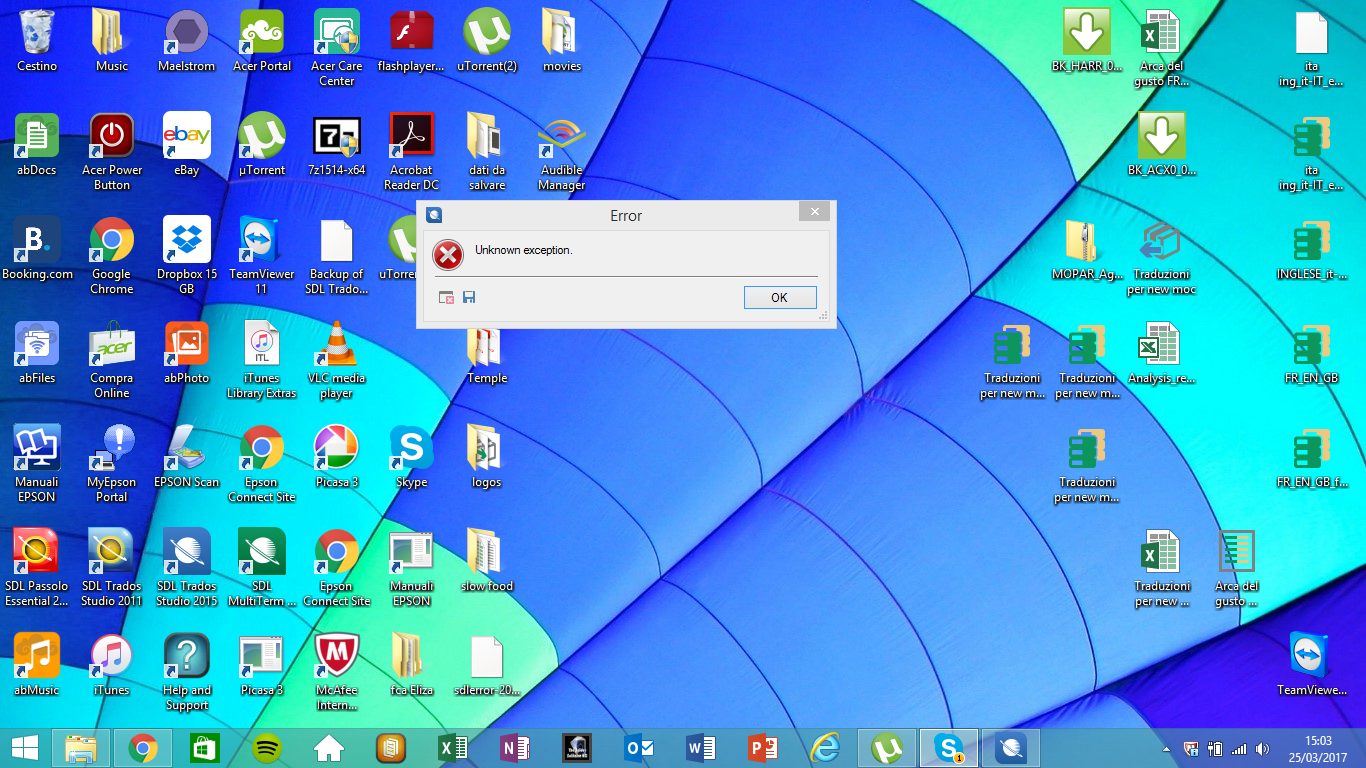
Does anyone know what this is and how it can be corrected?

Thanks in advance for any help

Parents Reply Children
  • Hi Paul thanks for getting back, it's a real hair-on-fire situation as you might imagine. The stacktrace I got was:

    <SDLErrorDetails time="25/03/2017 11:26:21">
    <ErrorMessage>Unknown exception.</ErrorMessage>
    <Exception>
    <Type>System.Runtime.InteropServices.COMException, mscorlib, Version=4.0.0.0, Culture=neutral, PublicKeyToken=b77a5c561934e089</Type>
    <ErrorCode>-2147221164</ErrorCode>
    <HelpLink />
    <Source>WinMgmt</Source>
    <HResult>-2147221164</HResult>
    <StackTrace><![CDATA[ at System.Runtime.InteropServices.Marshal.ThrowExceptionForHRInternal(Int32 errorCode, IntPtr errorInfo)
    at System.Runtime.InteropServices.Marshal.ThrowExceptionForHR(Int32 errorCode)
    at System.Management.ManagementObjectCollection.ManagementObjectEnumerator.MoveNext()
    at Sdl.TranslationStudio.Common.LicenseUtils.IsPartOfDomain()
    at Sdl.TranslationStudio.Common.LicenseUtils.get_HasDcLicenceCheckFailed()
    at Sdl.TranslationStudio.Common.Licencing.LicensingService.ShouldShowLicenseManager()
    at Sdl.TranslationStudio.Common.Licencing.LicensingService.StartupLicenseCheck()
    at Sdl.Desktop.Platform.Implementation.Studio.Run()
    at Sdl.TranslationStudio.Application.Launcher.RunApplication()]]></StackTrace>
    </Exception>
    <Environment>
    <ProductName>SDL Trados Studio</ProductName>
    <ProductVersion>12.0.0.0</ProductVersion>
    <EntryAssemblyFileVersion>12.2.5082.0</EntryAssemblyFileVersion>
    <LoggedOnUser>TEMPLE\Temple</LoggedOnUser>
    <DotNetFrameWork>4.0.30319.36366</DotNetFrameWork>
    <ComputerName>TEMPLE</ComputerName>
    <ConnectedToNetwork>True</ConnectedToNetwork>
    </Environment>
    </SDLErrorDetails>


    Does that help?

  • Hi Temple,

    It looks as though the problem is coming from your Windows local system account. You didn't say whether you tried the reset I suggested, but on the basis of this stack I think you should reinstall, or repair the Studio installation.

    I also think that if this kind of thing happens often then you should consider a reinstall of your operating system.

    Regards

    Paul

    Paul Filkin | RWS

    Design your own training!
    You've done the courses and still need to go a little further, or still not clear? 
    Tell us what you need in our Community Solutions Hub