
 Translate



After installing the new SR3 update and after following the installation steps, when I try to open SDL Trados Studio SR3, it loads first some Stuff and then I get this error message:
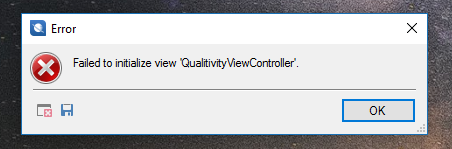
Failed to initialize view 'QualitivityViewController'
Any idea on how this can be fixed?
I really need to keep working. Sadly I did the big mistake of not doing a backup or img before updating...
<SDLErrorDetails time="21.03.2017 13:55:07">
<ErrorMessage>Failed to initialize view 'QualitivityViewController'.</ErrorMessage>
<Exception>
<Type>Sdl.Desktop.Platform.StudioException, Sdl.Desktop.Platform, Version=4.0.0.0, Culture=neutral, PublicKeyToken=c28cdb26c445c888</Type>
<HelpLink />
<Source>Sdl.Desktop.Platform</Source>
<HResult>-2146233088</HResult>
<StackTrace><
at Sdl.Core.PluginFramework.Integration.ExtensionBuilderFactory.Build[TResult](IExtension extension, ExtensionArguments arguments, Boolean useCache)
at Sdl.Core.PluginFramework.Integration.ExtensionBuilderFactory.<>c__DisplayClass1`2.<Build>b__0(IExtension extension)
at System.Linq.Enumerable.WhereSelectEnumerableIterator`2.MoveNext()
at System.Collections.Generic.List`1..ctor(IEnumerable`1 collection)
at System.Linq.Enumerable.ToList[TSource](IEnumerable`1 source)
at Sdl.Core.PluginFramework.Integration.ExtensionBuilderFactory.Build[TAttribute,TResult](ExtensionArguments arguments, Boolean useCache)
at Sdl.Core.PluginFramework.Integration.ExtensionsFactory.Create[TAttribute,TResult](ExtensionArguments arguments, Boolean useCache)
at Sdl.Desktop.Platform.Implementation.StudioWindow.Init()
at Sdl.Desktop.Platform.Implementation.Studio.CreateWindowInternal(Boolean setActive)
at Sdl.Desktop.Platform.Implementation.Studio.Run()
at Sdl.TranslationStudio.Application.Launcher.RunApplication()]]></StackTrace>
<InnerException>
<Type>System.IO.FileLoadException, mscorlib, Version=4.0.0.0, Culture=neutral, PublicKeyToken=b77a5c561934e089</Type>
<FileName>System.Data.SQLite, Version=1.0.60.0, Culture=neutral, PublicKeyToken=db937bc2d44ff139</FileName>
<FusionLog>WRN: Assembly binding logging is turned OFF.
To enable assembly bind failure logging, set the registry value [HKLM\Software\Microsoft\Fusion!EnableLog] (DWORD) to 1.
Note: There is some performance penalty associated with assembly bind failure logging.
To turn this feature off, remove the registry value [HKLM\Software\Microsoft\Fusion!EnableLog].
</FusionLog>
<HelpLink />
<Source>Qualitivity.QY</Source>
<HResult>-2146234304</HResult>
<StackTrace><![CDATA[ at QY.Database.Query.InitializeSettings(String database_path, List`1 viewSettings, List`1 backupSettings, List`1 generalSettings, List`1 trackerSettings)
at Studio.Time.Tracker.QualitivityViewController.Initialize(IViewContext context)
at Sdl.Desktop.IntegrationApi.AbstractViewController.Sdl.Desktop.IntegrationApi.Internal.IViewController.Initialize(IViewContext context)
at Sdl.Desktop.IntegrationApi.Internal.Adaptors.InternalDockingViewAdaptor.OnInit(IViewSite site, ISettingsGroup settings)
at Sdl.Desktop.Platform.AbstractView.Init(IViewSite site, ISettingsGroup settings)
at Sdl.Desktop.Platform.Implementation.StudioWindow.EnsureViewSite(IViewReference viewReference)]]></StackTrace>
</InnerException>
</Exception>
<Environment>
<ProductName>SDL Trados Studio</ProductName>
<ProductVersion>12.0.0.0</ProductVersion>
<EntryAssemblyFileVersion>12.3.5262.0</EntryAssemblyFileVersion>
<OperatingSystem>Microsoft Windows 10 Pro</OperatingSystem>
<ServicePack>NULL</ServicePack>
<OperatingSystemLanguage>1033</OperatingSystemLanguage>
<CodePage>1252</CodePage>
<LoggedOnUser>Hans-PC\Hans</LoggedOnUser>
<DotNetFrameWork>4.0.30319.42000</DotNetFrameWork>
<ComputerName>HANS-PC</ComputerName>
<ConnectedToNetwork>True</ConnectedToNetwork>
<PhysicalMemory>8078120 MB</PhysicalMemory>
</Environment>
</SDLErrorDetails>
