
 Translate



Dear experts,
I am using SDL Trados 2017, for a project with multiple "xlf" files in different directories.
The project can be built without Problems but when I try to open a project file (any file), the following error message appears:
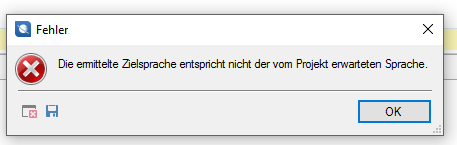
Erroe message translation: "The detected target language does not match the expected project language"
I have tried to build the project with:
a. langauge pair given as "de" and "en" in XML file (this was the original language setting in the source file)
b. language pair changed as "de(DE)" and "en(GB)" in XML file
in both cases the a.m. error message apperas.
If however, I translate a single file, then the language pair setting "de" and "en" in source file works. One can translate.
Unfortunately, SDL Trados 2015 had the same problem but at that time after changing the language descriptions (as given "b" above) one could proceeed with the translation. This doesn't seem to work in Trados 2017.
How can this problem be overcome? Please advice.
Thanks and best regards
Shyam


