Simple xml, no idea about xpath for it

I have a xml file with this structure:

<?xml version='1.0' encoding='UTF-8'?>
<objektliste xmlns="">
    <uebersetzungen key="2234506" attribute="7505">
        <thumbnail>2234506.jpg</thumbnail>
        <text sprache="1043">Sample text.</text>
        <text sprache="2057">Sample text.</text>
        <text sprache="1033">Sample text.</text>
        <text sprache="1036">Sample text.</text>
        <text sprache="1031">Sample text.</text>
        <text sprache="1040">Sample text.</text>
        <text sprache="1034">Sample text.</text>
        <text sprache="1053">Sample text.</text>
    </uebersetzungen>
</objektliste>

Now I just need to translate the lines with text sprache="1043"

I tried both //* non translatabe and //text/[@sprache"=1043"] always translatable or //* not translatable and //uebersetzungen/text/[@sprache="1043"], but neither works Disappointed

Has anyone here an idea, what shall I put in Xpath to get it working?

_________________________________________________________

When asking for help here, please be as accurate as possible. Please always remember to give the exact version of product used and all possible error messages received. The better you describe your problem, the better help you will get.

Want to learn more about Trados Studio? Visit the Community Hub. Have a good idea to make Trados Studio better? Publish it here.

Parents Reply
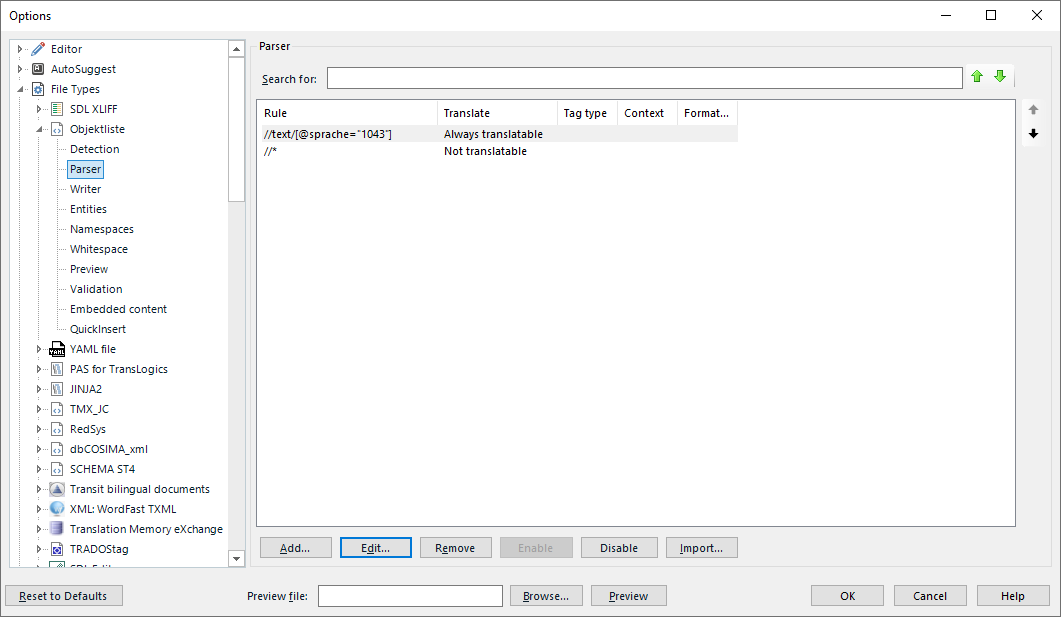
  • The thin is, that it is so:

    Trados Studio parser options window showing a rule for always translatable text with the regex for language code 1043.

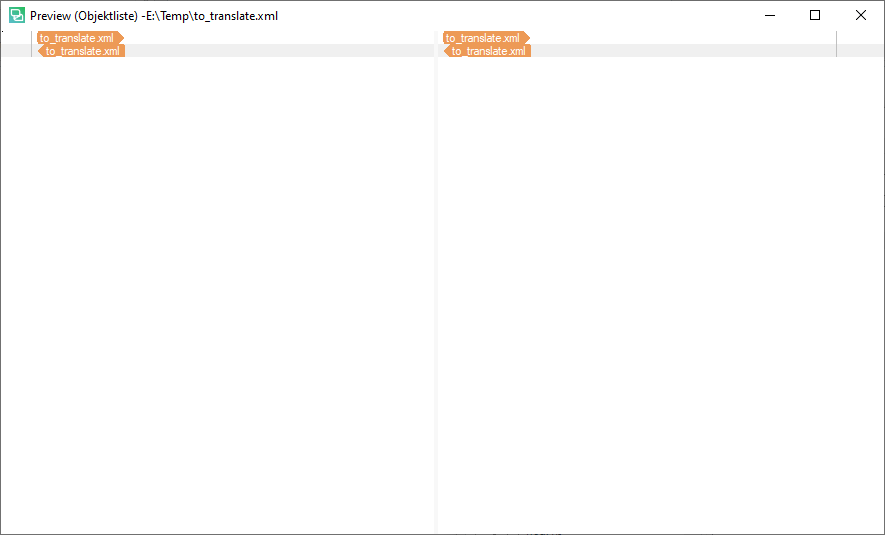
    Now, when I go to preview, I see this:

    Preview window in Trados Studio displaying two segments of text labeled 'to_translate xml' without any visible errors or warnings.

    And this is what bothers me... The regex \\text\[@sprache="1043"] is correct, as I can visualize this in a Xpath visualizer and get only text with sprache="1043" shown. But Studio seems to completely ignore this...

    _________________________________________________________

    When asking for help here, please be as accurate as possible. Please always remember to give the exact version of product used and all possible error messages received. The better you describe your problem, the better help you will get.

    Want to learn more about Trados Studio? Visit the Community Hub. Have a good idea to make Trados Studio better? Publish it here.
    emoji


    Generated Image Alt-Text
    [edited by: Trados AI at 4:15 AM (GMT 0) on 5 Mar 2024]
Children
  • Well, this is weird... I have now edited the file type, removed //*, added a position //text[@sprache="1043"] for each language, than defined all "sprache" but 1043 as non translatable and that worked.
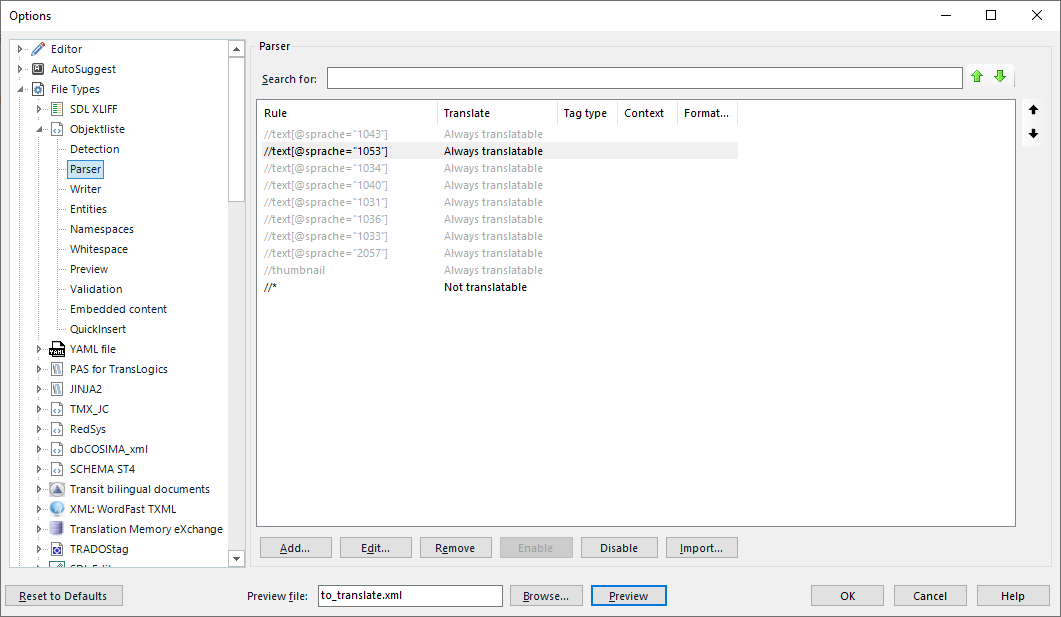
    So I added //* as non translatable and disabled all but 1043 - it worked again. So now I have this:

    Trados Studio screenshot showing file type options with rules for language codes set to always translatable, except for '*' set as not translatable.

    And this is what was needed - depending on the language the proper element can be enabled or disabled.

    Thank you for your time looking into this issue.

    _________________________________________________________

    When asking for help here, please be as accurate as possible. Please always remember to give the exact version of product used and all possible error messages received. The better you describe your problem, the better help you will get.

    Want to learn more about Trados Studio? Visit the Community Hub. Have a good idea to make Trados Studio better? Publish it here.
    emoji


    Generated Image Alt-Text
    [edited by: Trados AI at 4:16 AM (GMT 0) on 5 Mar 2024]
  • Yep, there was an extra slash after "text" in your original XPath, that made the XPath incorrect.

    It should be //text[@sprache="1043"].

  • That should be it - however I previously test bot with and without slash to no avail. Whatever happened, the problem is solved.

    _________________________________________________________

    When asking for help here, please be as accurate as possible. Please always remember to give the exact version of product used and all possible error messages received. The better you describe your problem, the better help you will get.

    Want to learn more about Trados Studio? Visit the Community Hub. Have a good idea to make Trados Studio better? Publish it here.