
Cannot load glossary file. "Invalid character in coding"....

I've switched to MultiTerm 2024 recently. Now i cannot load an existing database file in the administration/management area. Ir get the following error message:
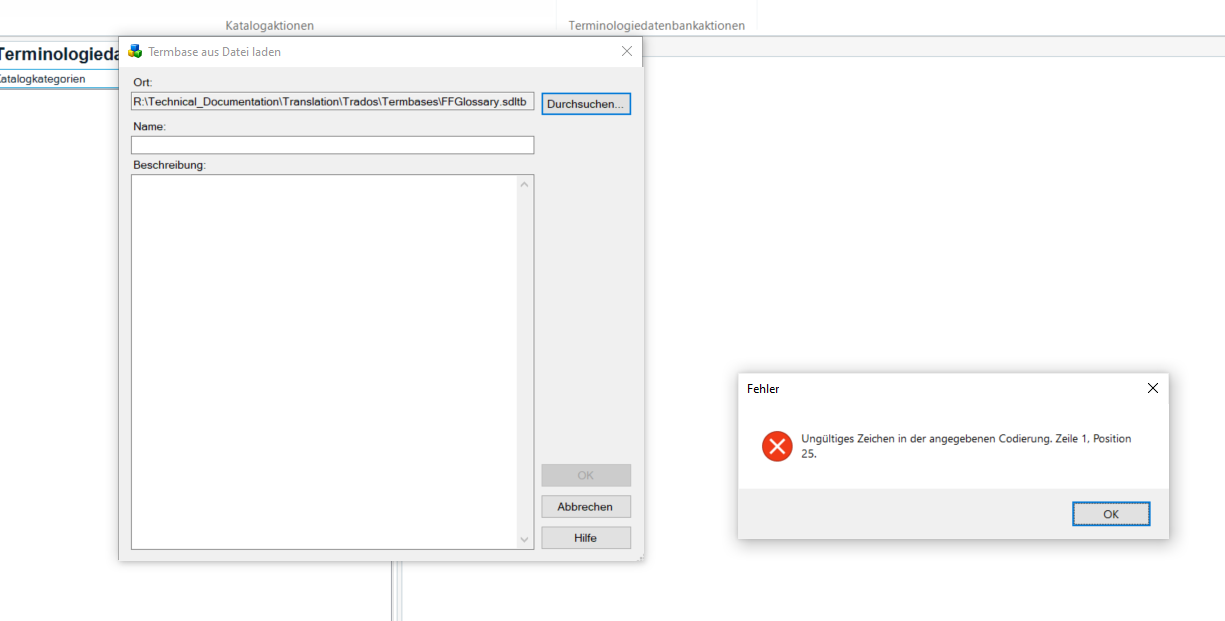
Screenshot showing the MultiTerm 2024 interface with a dialog box titled 'Termbase aus Datei laden' and an error message in German stating 'Ungultiges Zeichen in der angegebenen Codierung. Zeile 1, Position 25.'

"Invalid character in defined coding. Line 1 position 25..."

I can still open the file in the "Terms" view and edit entries there. I tried to open the file in ultraedit or similar to find the character but that doesn't work. 

So where does this error come from and how can I solve it? 

Thanks :) 

yve


Generated Image Alt-Text
[edited by: RWS Community AI at 3:01 PM (GMT 1) on 3 Jul 2025]

emoji
Parents
  • If this is still causing you grief, one thing you can try is just re-creating the termbase with the new version of MultiTerm. To do so, do a full export of the termbase from the older Multiterm version and then create a new termbase in Desktop 2024. You can even base the settings on the old one (including catalog items for Export, Import, etc.) during the creation process. Import the export file with all your terms and you're finished. Hope this helps!

    emoji
Reply
  • If this is still causing you grief, one thing you can try is just re-creating the termbase with the new version of MultiTerm. To do so, do a full export of the termbase from the older Multiterm version and then create a new termbase in Desktop 2024. You can even base the settings on the old one (including catalog items for Export, Import, etc.) during the creation process. Import the export file with all your terms and you're finished. Hope this helps!

    emoji
Children
No Data
