Impossible to find established terms in MultiTerm 2021

Hello,

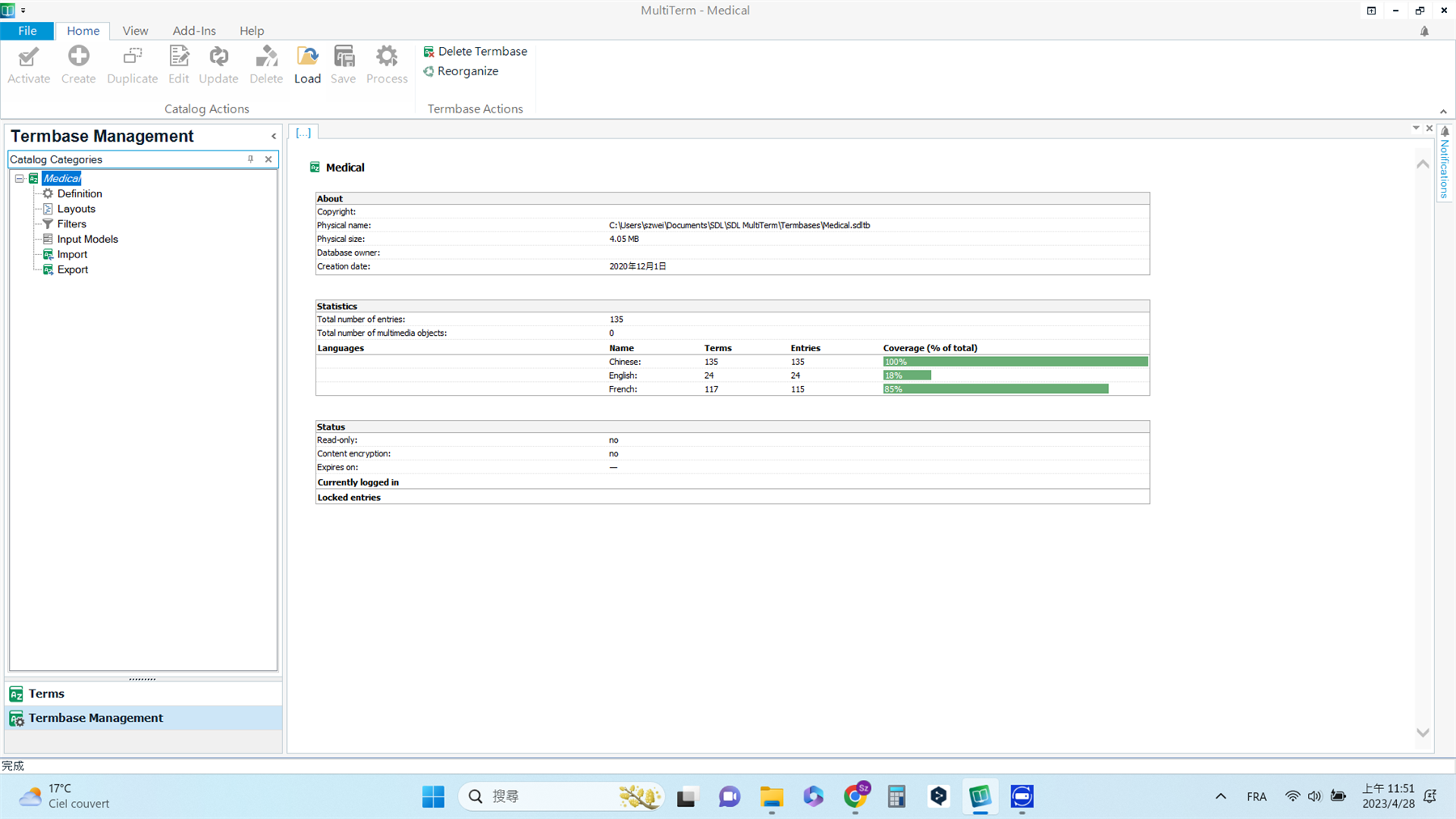
I have established several termbases on MultiTerm since two years ago. Haven't been using it for a couple of months, I tried to open some estabished termbases by selecting them, I could not find the terms that I created...

I have created more than a hundred terms but I just saw one term in each termbase. What happened?

Could you help me to solve the problem, please?

Thank you in advance!

Kind regards,

Sz-Wei

emoji
Parents
  •  

    I have created more than a hundred terms but I just saw one term in each termbase. What happened?

    A bit tricky to answer that question since we have no idea what you might have done (working with multiple termbases, forgot where the one you used is after so long etc.)

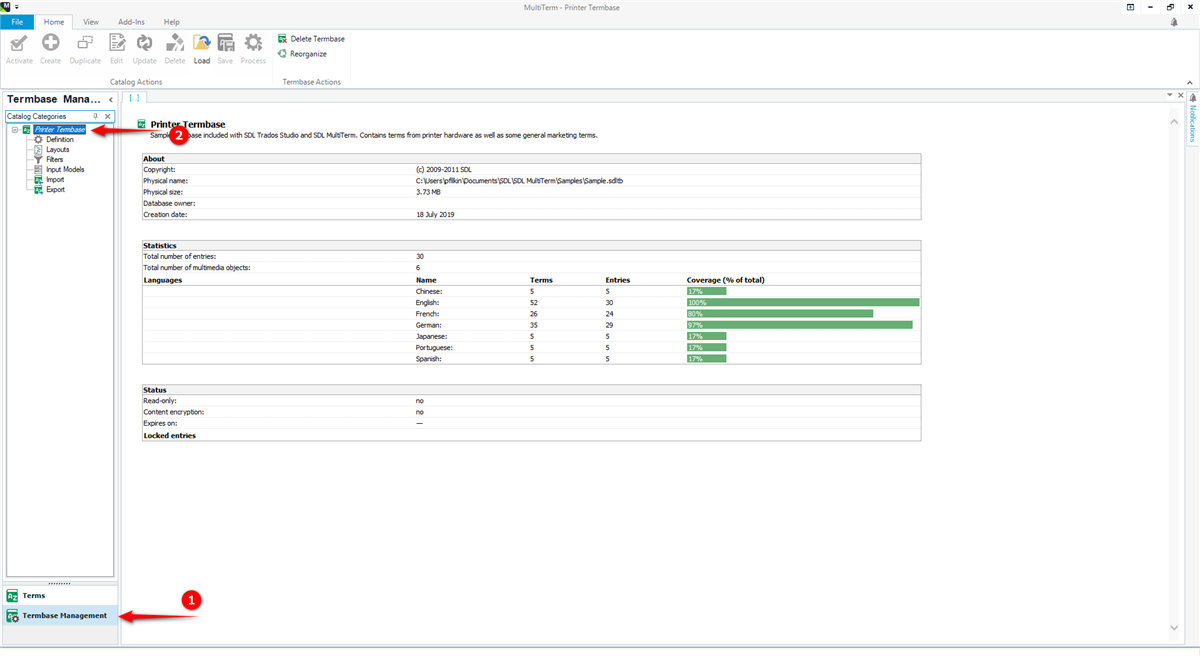
    Perhaps you can open the termbase and then share a screenshot like this from your "Termbase Management" view?

    Trados Studio screenshot showing Termbase Management view with a selected Printer Termbase. Statistics reveal 30 total entries and language coverage percentages. Red arrow points to Termbase Management tab.

    1. click on "Termbase Management"
    2. click on the name of your termbase at the top of the "Catalog Categories"

    Paul Filkin | RWS

    Design your own training!
    You've done the courses and still need to go a little further, or still not clear? 
    Tell us what you need in our Community Solutions Hub

    emoji


    Generated Image Alt-Text
    [edited by: Trados AI at 2:18 PM (GMT 0) on 5 Mar 2024]
Reply
  •  

    I have created more than a hundred terms but I just saw one term in each termbase. What happened?

    A bit tricky to answer that question since we have no idea what you might have done (working with multiple termbases, forgot where the one you used is after so long etc.)

    Perhaps you can open the termbase and then share a screenshot like this from your "Termbase Management" view?

    Trados Studio screenshot showing Termbase Management view with a selected Printer Termbase. Statistics reveal 30 total entries and language coverage percentages. Red arrow points to Termbase Management tab.

    1. click on "Termbase Management"
    2. click on the name of your termbase at the top of the "Catalog Categories"

    Paul Filkin | RWS

    Design your own training!
    You've done the courses and still need to go a little further, or still not clear? 
    Tell us what you need in our Community Solutions Hub

    emoji


    Generated Image Alt-Text
    [edited by: Trados AI at 2:18 PM (GMT 0) on 5 Mar 2024]
Children