interface between Excel and Word

Is it possible to integrate MultiTerm (2019) data that was exported to Excel - in Word in order to get automatic term suggestions or corrections in Word on the base of the MultiTerm data exported to Excel? In other words: Is it possible to create an interface between Excel and Word? Perhaps the RWS team offers a solution for this request. Thank you very much for your help!

emoji
Parents
  • I have made that one, several million years ago.

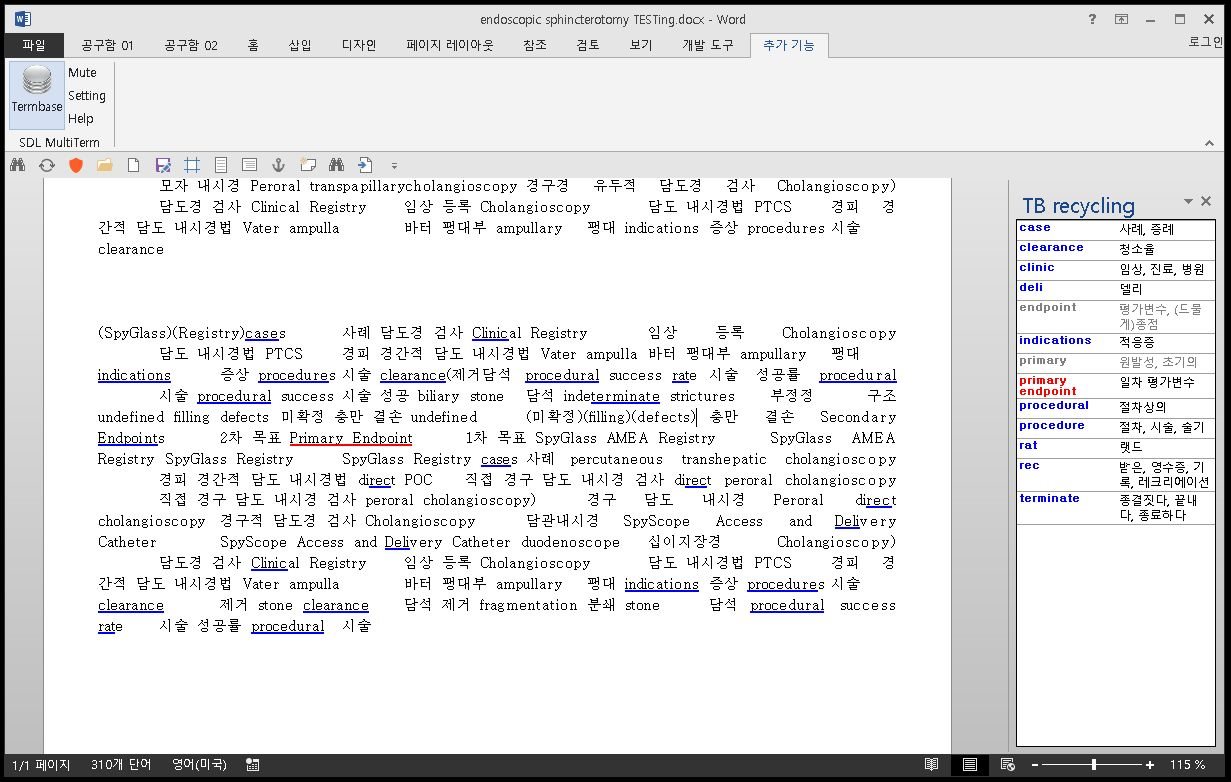
    It uses SDL TB (or Excel term file) drectly, of course "exportedTB.xml" too.

    It goes like this..

    Screenshot of Trados Studio with a Word document open showing text in English and Korean, and a 'TB recycling' panel with terms like 'case', 'clearance', and 'procedure'.

    emoji


    Generated Image Alt-Text
    [edited by: Trados AI at 2:10 PM (GMT 0) on 5 Mar 2024]
  • Hello Kelly Edward,

    thank you very much for your reply. So, does it mean that you have already created an interface that generates automatic term suggestions and corrections as indicated above?

    The sceenshot itself doesn't really clarify how it works. - It shows a bilingual text, but I need it to write monolingual texts. While writing a text, I would like to get automatic term suggestions and corrections. Does your app fulfill this function?

    emoji
  • currently it is ForYourEyesOnly
    -partly because "TB Editing functionality" is alreday provided at Trados itself or MultiTerm tool, that is quite good enough
    -but, TB is usually quite fixed contents, that's main reason I guess.

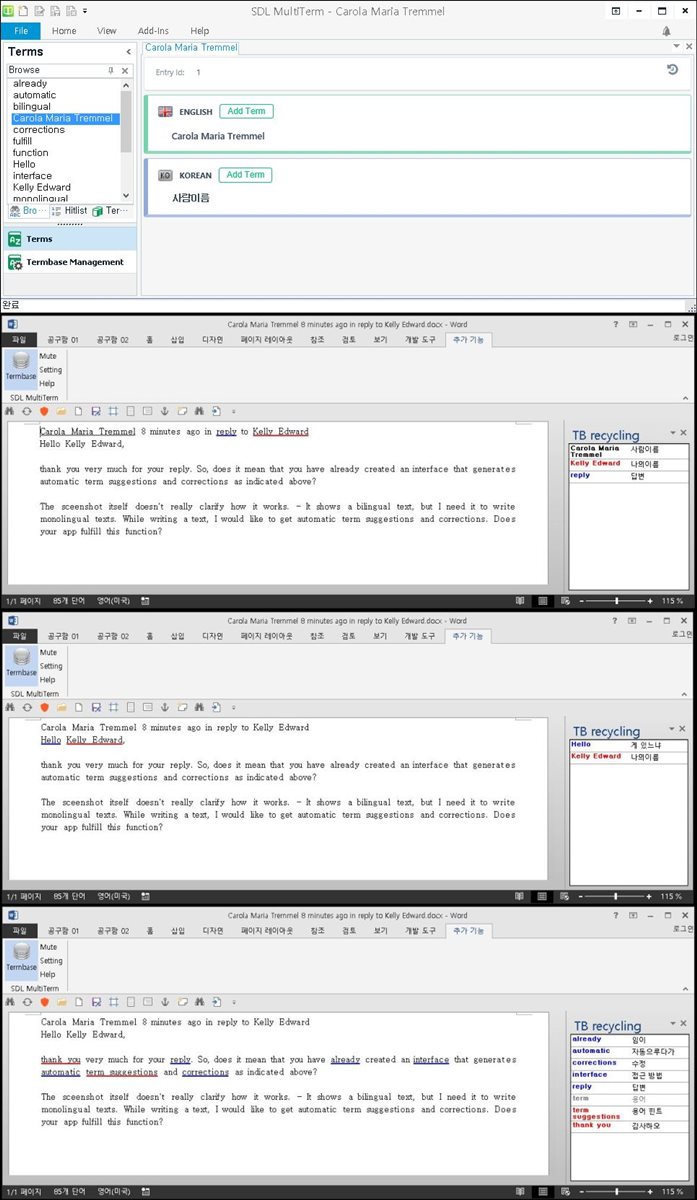
    It works SentenceLevel, you click a sentence it shows you TB search results.

    Screenshot of SDL MultiTerm with a list of terms including 'already', 'automatic', 'bilingual', and 'function'. A term 'Carola Maria Tremmel' is highlighted with options to add in English and Korean.

    ah, it's a  Paid Service . Of course..

    emoji


    Generated Image Alt-Text
    [edited by: Trados AI at 2:10 PM (GMT 0) on 5 Mar 2024]
  • If I'm right, your interface suggests the equivalents in other languages of each sentence like the Trados Studio tool, which is really good.

    Originally, I was searching for a tool that doesn't suggest the equivalents, but the terms of the database in the same language in which I'm writing a text and while writing the text (the first letters of a term) so that you only need to press Enter to get the full term expression stored in the database.

    And in case I'm writing a "forbidden" term in Word, the tool should indicate that this term is forbidden and suggest me instead the recommended one which then can be pasted by a simple click oder Enter.

    I'm not sure if your tool works like that.

    However, I like the idea of getting equivalents in other languages if you have to translate a text in Word. Is it possible to enter the equivalents by click? -

    How much does it cost? Just to get an idea and to compare with other offers.

    Thank you!

    emoji
Reply
  • If I'm right, your interface suggests the equivalents in other languages of each sentence like the Trados Studio tool, which is really good.

    Originally, I was searching for a tool that doesn't suggest the equivalents, but the terms of the database in the same language in which I'm writing a text and while writing the text (the first letters of a term) so that you only need to press Enter to get the full term expression stored in the database.

    And in case I'm writing a "forbidden" term in Word, the tool should indicate that this term is forbidden and suggest me instead the recommended one which then can be pasted by a simple click oder Enter.

    I'm not sure if your tool works like that.

    However, I like the idea of getting equivalents in other languages if you have to translate a text in Word. Is it possible to enter the equivalents by click? -

    How much does it cost? Just to get an idea and to compare with other offers.

    Thank you!

    emoji
Children