
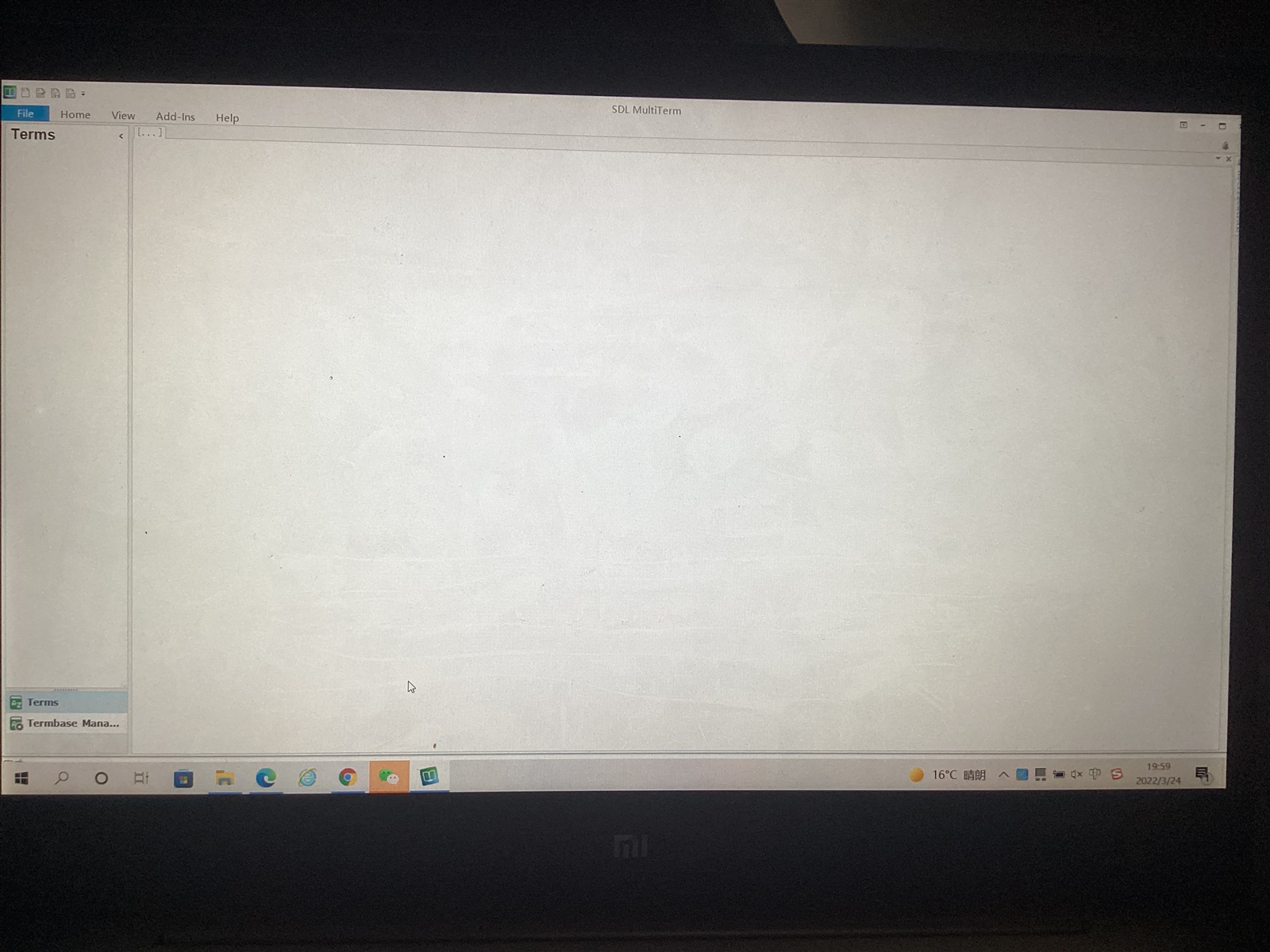
Hi, when I create a new termbase in my file with my SDL Multiterm, but I cannot add terms in this new termbase in the Multiterm and there is blank in my SDL Multiterm. Could anybody help me? Thanks.

Screenshot of SDL MultiTerm with an empty 'Terms' section and no visible error messages.


Generated Image Alt-Text
[edited by: Trados AI at 2:09 PM (GMT 0) on 5 Mar 2024]

emoji
Parents
  • From your "screenphoto" it looks as though you have two problems:
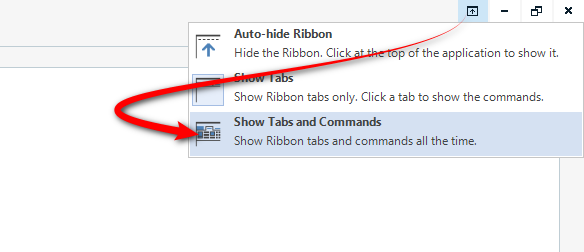
    1. you have hidden the ribbon.  You can resolve this here:
      Trados Studio screenshot showing the Auto-hide Ribbon option with an arrow pointing to 'Show Tabs and Commands' to resolve hidden ribbon issue.

    2. you don't seem to have opened a termbase.  

    If you have an open termbase, which you need to be able to add terms, you would see something like this with the termbase name across the top and the termbase showing:
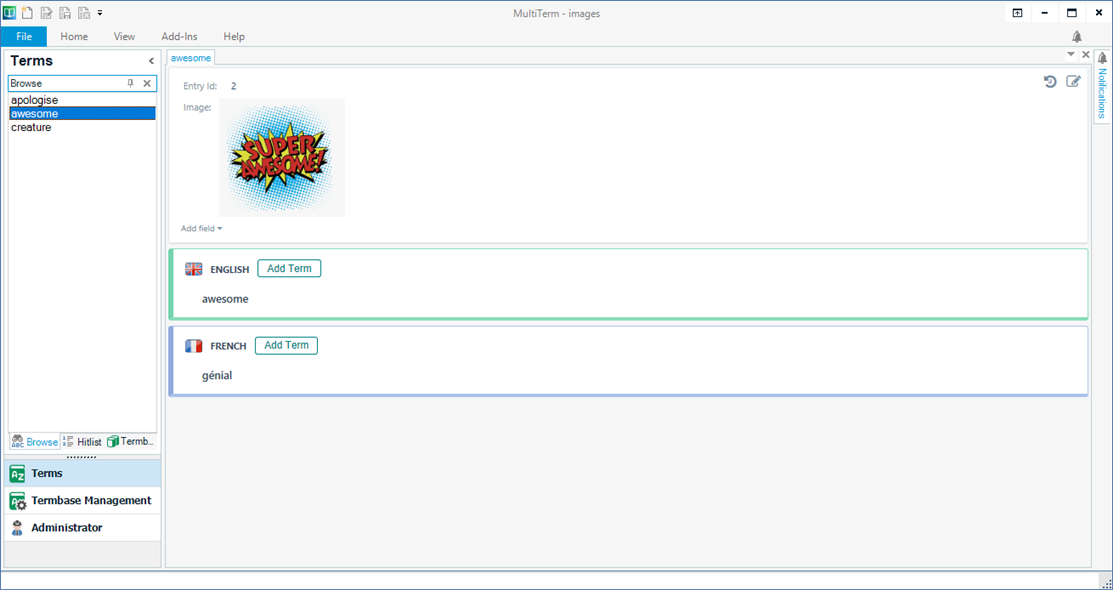
    Trados Studio termbase screenshot with terms listed in English and French, but no termbase name visible indicating a termbase is not opened.

    And if you expose the ribbon it'll look like this and then it will be obvious how to add terms:
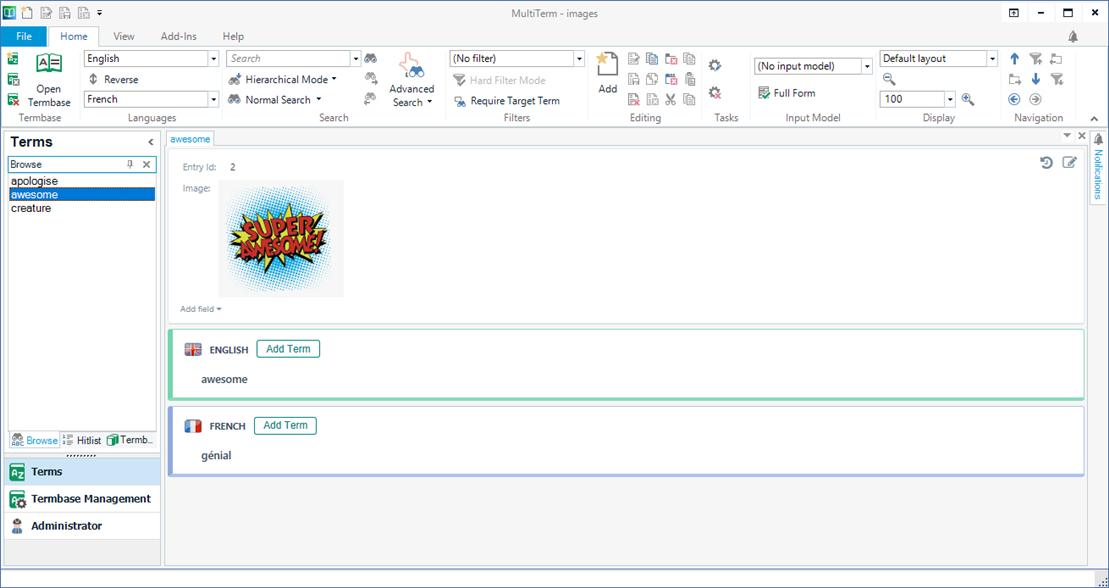
    Trados Studio screenshot with the ribbon exposed showing options for term addition and termbase management, indicating how to add terms.

    Paul Filkin | RWS

    Design your own training!
    You've done the courses and still need to go a little further, or still not clear? 
    Tell us what you need in our Community Solutions Hub

    emoji


    Generated Image Alt-Text
    [edited by: Trados AI at 2:09 PM (GMT 0) on 5 Mar 2024]
Reply
  • From your "screenphoto" it looks as though you have two problems:

    1. you have hidden the ribbon.  You can resolve this here:
      Trados Studio screenshot showing the Auto-hide Ribbon option with an arrow pointing to 'Show Tabs and Commands' to resolve hidden ribbon issue.

    2. you don't seem to have opened a termbase.  

    If you have an open termbase, which you need to be able to add terms, you would see something like this with the termbase name across the top and the termbase showing:

    Trados Studio termbase screenshot with terms listed in English and French, but no termbase name visible indicating a termbase is not opened.

    And if you expose the ribbon it'll look like this and then it will be obvious how to add terms:

    Trados Studio screenshot with the ribbon exposed showing options for term addition and termbase management, indicating how to add terms.

    Paul Filkin | RWS

    Design your own training!
    You've done the courses and still need to go a little further, or still not clear? 
    Tell us what you need in our Community Solutions Hub

    emoji


    Generated Image Alt-Text
    [edited by: Trados AI at 2:09 PM (GMT 0) on 5 Mar 2024]
Children
