Where can I find the "setting" file for source/target languages of TB?

I use Korean/English pair always.

When I try to make a new TB, German/English pair is default always.

That is quite inconvenient.

I'd like to change this setting. 

Can you tell me which is the setting file ?

Thanks
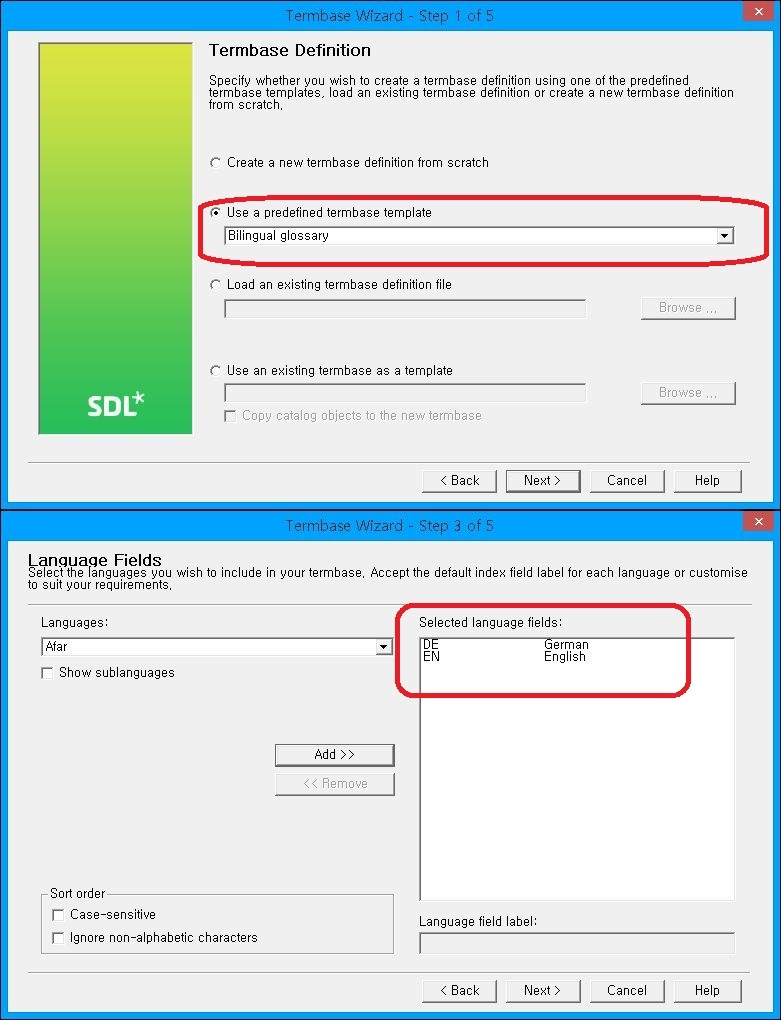
Screenshot of Trados Studio Termbase Wizard Step 1 of 5 showing 'Use a predefined termbase template' selected with 'Bilingual glossary' in the dropdown menu.


Generated Image Alt-Text
[edited by: Trados AI at 2:08 PM (GMT 0) on 5 Mar 2024]
emoji
Parents
  • I don't think you can change this one as it's a predefined template.

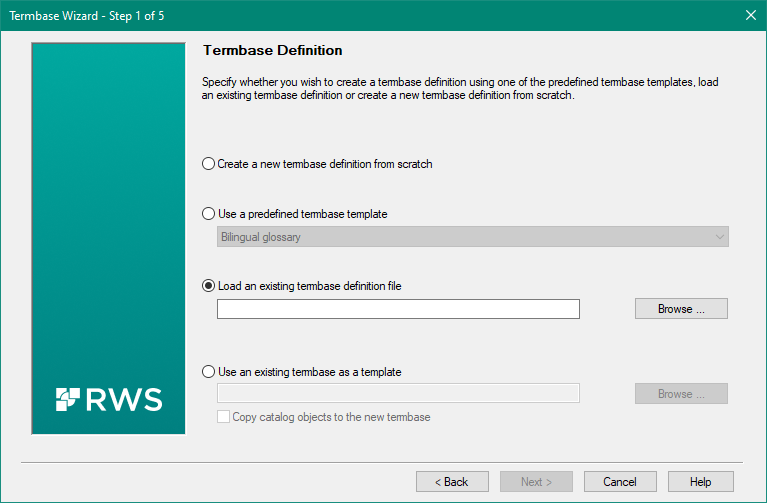
    However, all you have to do is go through the set up, change your languages, and once the termbase is created export the termbase definition.  Then when you create a termbase in future you can use this option instead:

    Screenshot of Trados Studio Termbase Wizard Step 1 of 5, showing options to create a termbase definition from scratch, use a predefined template, load an existing definition file, or use an existing termbase as a template.

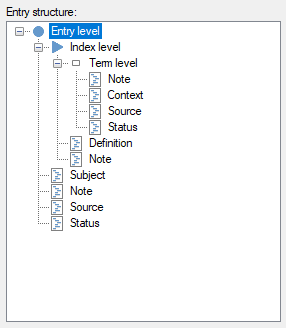
    I think this may be better anyway as you can also avoid the rest of the predefined settings if they are not useful for you.  Do you use all of these?

    Screenshot of Trados Studio showing the entry structure for a termbase with index level and term level, including fields for note, context, source, status, definition, subject, and additional notes.

    Paul Filkin | RWS

    Design your own training!
    You've done the courses and still need to go a little further, or still not clear? 
    Tell us what you need in our Community Solutions Hub

    emoji


    Generated Image Alt-Text
    [edited by: Trados AI at 2:08 PM (GMT 0) on 5 Mar 2024]
Reply
  • I don't think you can change this one as it's a predefined template.

    However, all you have to do is go through the set up, change your languages, and once the termbase is created export the termbase definition.  Then when you create a termbase in future you can use this option instead:

    Screenshot of Trados Studio Termbase Wizard Step 1 of 5, showing options to create a termbase definition from scratch, use a predefined template, load an existing definition file, or use an existing termbase as a template.

    I think this may be better anyway as you can also avoid the rest of the predefined settings if they are not useful for you.  Do you use all of these?

    Screenshot of Trados Studio showing the entry structure for a termbase with index level and term level, including fields for note, context, source, status, definition, subject, and additional notes.

    Paul Filkin | RWS

    Design your own training!
    You've done the courses and still need to go a little further, or still not clear? 
    Tell us what you need in our Community Solutions Hub

    emoji


    Generated Image Alt-Text
    [edited by: Trados AI at 2:08 PM (GMT 0) on 5 Mar 2024]
Children