
"No results available" in Term Recognition window even though the entries exist in the termbase and I can see them when I perform a termbase search

Former Member
Former Member

Im running SDL Trados Studio 2019 SR2 15.2.7.2849 and SDL Multiterm 2019 15.0.6.56482, both u`pdated to the latest versions

For example in Segment 146 term "Wasserfilter" is not displayed in the term recognition window:
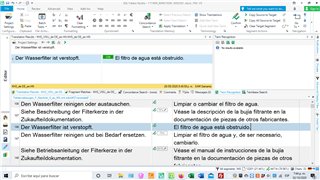
SDL Trados Studio 2019 interface showing a segment with the term 'Wasserfilter' not highlighted in the term recognition window.

But if I search "Wasserfilter" the termbase search window shows the entry:
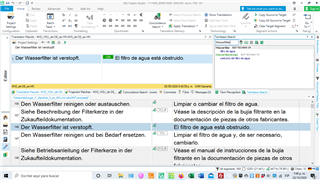
SDL Multiterm 2019 search window displaying the entry for 'Wasserfilter' after a manual search.

How can I solve this problem?


Generated Image Alt-Text
[edited by: Trados AI at 2:20 PM (GMT 0) on 5 Mar 2024]

emoji
Parents
  • I am having the same problem in Studio 2019 15.2.8.3007. Multiterm often doesn't work and reorganization doesn't work either. Very annoying and I hope Trados finally finds a solution. I had the same problem in Studio 2017 and upgraded to 2019 hoping that it would solve the problem. Unfortunately, it didn't. No doubt, I will be advised to upgrade to the latest Studio version.I don't like opening and closing Studio, as I often work on several projects, which subsequently need to be reopened.

Reply
  • I am having the same problem in Studio 2019 15.2.8.3007. Multiterm often doesn't work and reorganization doesn't work either. Very annoying and I hope Trados finally finds a solution. I had the same problem in Studio 2017 and upgraded to 2019 hoping that it would solve the problem. Unfortunately, it didn't. No doubt, I will be advised to upgrade to the latest Studio version.I don't like opening and closing Studio, as I often work on several projects, which subsequently need to be reopened.

Children