Issue with Language Cloud since I installed Studio 2017

Hi,

ever since I installed Studio 2017, I have issues with the Language Cloud. It shows very little translation results and most of the time they are unrelated translations. I went through the Migration Tool with the Tutorial and was asked to unindtall version 2015, which I regret now... Can you tell me what's wrong?

Thanks

Michel

Parents
  • Hello Michel,

    There seems to be a few different things getting mixed up here.  

    • By Language Cloud I am assuming you are referring to Machine Translation.
    • By Translation Results... I expected you to say Machine Translation but I'm not entirely sure
    • By Migration tool I assume you are referring to the AppStore application to move some resources from one version to another

    I think it would help if you could elaborate a little on what you mean by "unrelated translations".  Can you share a screenshot so we have a better idea of what the problem is here.

    Regards

    Paul

    Paul Filkin | RWS

    Design your own training!
    You've done the courses and still need to go a little further, or still not clear? 
    Tell us what you need in our Community Solutions Hub

  • Hi Paul,

    Sorry for not being clear enough.

    OK here goes:

    Definitely talking about Machine Translation that used to show me Translation results in 2015 and seems totally mixed up in 2017. I followed the instructions on the Migration Tool tutorial to move from 2015 to 2017. Showed that everything migrated OK, but not sure anymore.

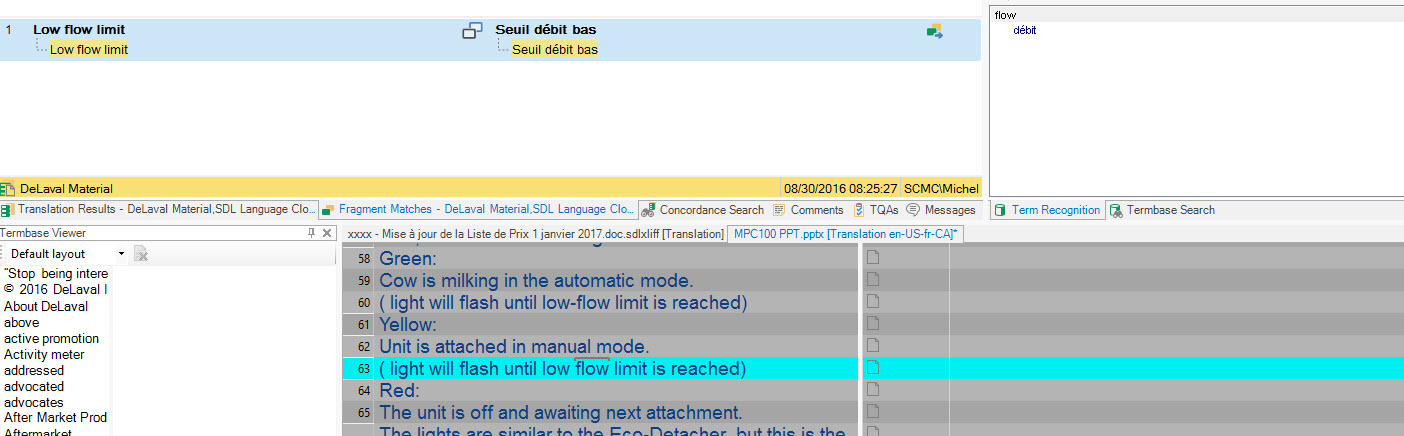
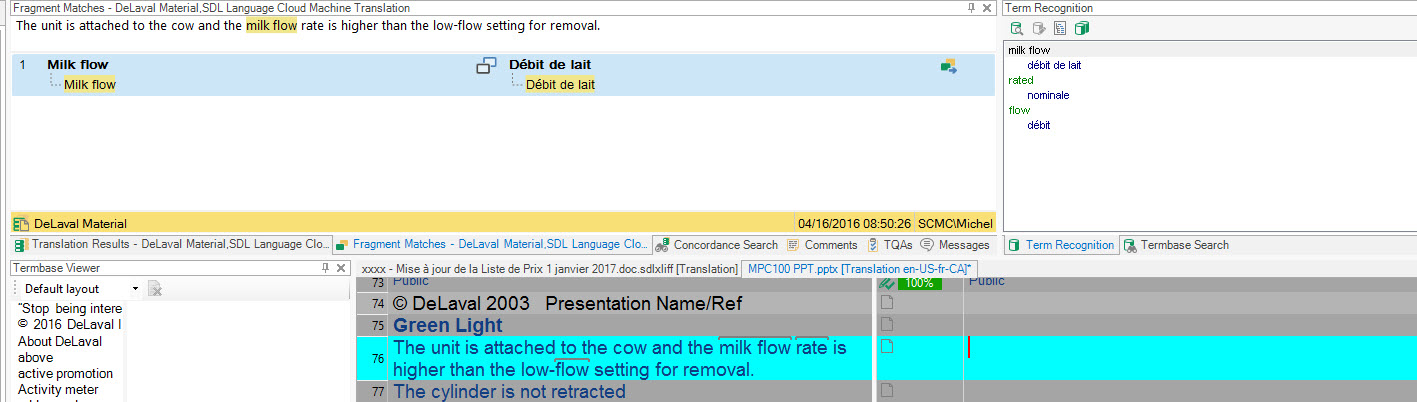
    The unrelated translations are as shown below:

    Source version:
    Thoroughly pre-rinse claws / liners with potable water.


    Translation results presented are below:
    Pre-rinse (ENGLISH) Arrêt (FRENCH


    Feels like the Language Cloud is not operating at all…

    Thanks for your help!
  • Hi Michel,

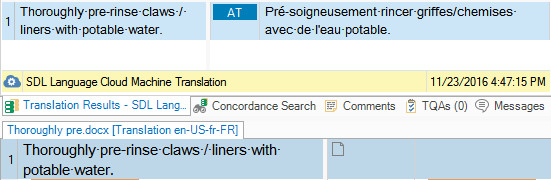
    I tested this and Studio 2017 returns this via the baseline engine:

    I have no idea how good that is, but it does at least seem to be returning an acceptable MT result.  So, let's come back to your issue.

    Michel Cote said:
    I followed the instructions on the Migration Tool tutorial to move from 2015 to 2017. Showed that everything migrated OK

    This has nothing to do with Language Cloud.  This app only moves your Translation Memories, Customer Lists, plugins etc. from one version to another.  So this part is not relevant I think.

    The unrelated translations are as shown below:

    Source version:
    Thoroughly pre-rinse claws / liners with potable water.

    Translation results presented are below:
    Pre-rinse (ENGLISH) Arrêt (FRENCH

    This is the relevant part and it seems to be related to your Translation Memories.  So a couple of questions:

    1. What language pairs exactly are you using?  fr(FR), en(GB) etc.  Not just French and English.
    2. Can you show a screenshot of what you are seeing so we can see if this identifies where the translations are coming from?
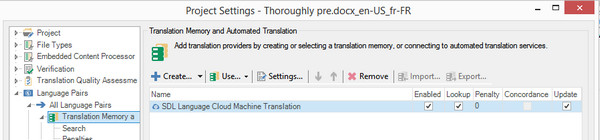
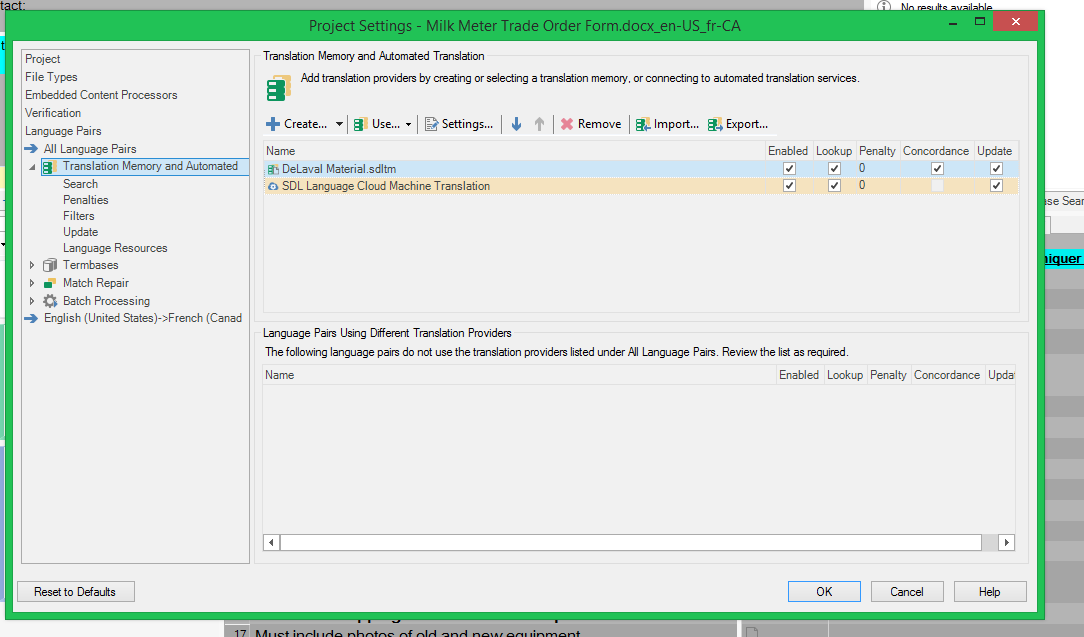
    3. Can you show a screenshot of this view in your project settings so we can see what you have setup for your project?

    Paul Filkin | RWS

    Design your own training!
    You've done the courses and still need to go a little further, or still not clear? 
    Tell us what you need in our Community Solutions Hub

  • Hi Paul,

    if I use Snagit for a creen shot it doesn't show up in the reply. My Language pairs are English United States and French Canada
  • Oh but AdaptiveMT shows English United States and French France
  • Hi Michel,

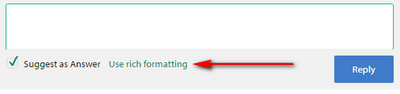
    You can't copy and paste images.  You have use the rich formatting options when you reply and insert images you saved to your desktop first:

    Knowing your language pairs is useful as we identified a bug today relating to using Language Cloud in Studio 2017 with French Canadian.  the number, for your reference, is LTB-1611, and hopefully we'll resolve this fairly quickly.

    So perhaps this is the root of your problem with no Language Cloud results for projects with this pair?  Still good to see your TM results window screenshots though so we can perhaps figure out where your TM results are coming from.

    Regards

    Paul

    Paul Filkin | RWS

    Design your own training!
    You've done the courses and still need to go a little further, or still not clear? 
    Tell us what you need in our Community Solutions Hub

  • That is what I just remembered. Does AdapativeMT even have a French canada possibility? When I configured it that was the only French available. Could that be causing the issue or should Machine Translation show me French France anyway?
  • That is what I just remembered. Does AdapativeMT even have a French canada possibility? When I configured it that was the only French available. Could that be causing the issue or should Machine Translation show me French France anyway?

    If not, can I have the possibility of reinstalling Studio 2015 in the meantime?
  • It should do... will be fixed soon. Could be the cause of your problems with MT, but not with the bas results. They must be coming from a TM so it would be good to see what this issue is.

    Paul Filkin | RWS

    Design your own training!
    You've done the courses and still need to go a little further, or still not clear? 
    Tell us what you need in our Community Solutions Hub

Reply Children