Language Weaver login issues

I have followed the instructions about how to use MT in Trados as per video link further below (kindly provided by Fran, at RWS Trados team), but when I get to the point where I need to log in at Language Weaver site, it says that I am not authorized to use LW, even though I have a permanent licence of Trados Studio 2024, which comes with free LW (ideally Edge, but happy to use Cloud if its the only option offered).

Also, I have added MT in my file, but this does not trigger pretranslation as soon as I open the file, and I have already ticked the box in Options - Edit - Automation to allow MT.

Finally, I am not allowed to Use Cloud-based Resources, but I can only add AnyTime Cloud-based Resources. 

Your help will be very much appreciated.

Gemma

https://www.youtube.com/watch?v=AhP-Q1m9gyk

emoji
  •  

    I assume you are EU based (aka not US)?

    Initial thing to try, can you log into https://portal.languageweaver.com/login?

    With regards to 

    ideally Edge, but happy to use Cloud if its the only option offered)

    Unless you work for an organisation that has Edge installed within their domain and you are allowed to use it, everyone will be using Cloud.

    That said, I dont understand this

    I am not allowed to Use Cloud-based Resources, but I can only add AnyTime Cloud-based Resources.

    Use cloud based resources is no different to AnyTM Cloud based resource expect that the language pairs may reflect in a different direction/flavour
    And if you are not allowed to use Cloud based resources - then it does not not matter how you access Language Weaver it would not be allowed 

    Looking past this "may you may you not use cloud"  - in Trados Studio there are 2 ways in which you can get access to Language Cloud.

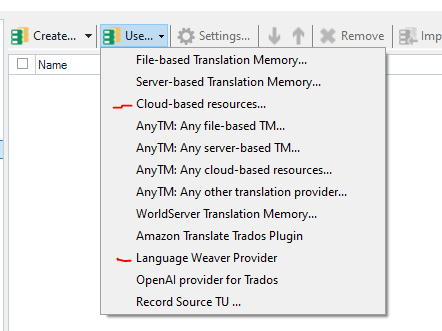
    Through the plugin "Language Weaver Provider" or via "Cloud-based resources"

    Screenshot of Trados Studio showing a list of translation memory options with 'Cloud-based resources...' and 'Language Weaver Provider' highlighted in red, indicating an error or warning.

    Once you clarify where you stand on using cloud, can you try log into either or of these 2 listings after you have verified if you have a valid Language Weaver account as mentioned above?

    Lyds

    Oana Nagy | QA Engineer | RWS Group

    emoji


    Generated Image Alt-Text
    [edited by: RWS Community AI at 10:12 PM (GMT 1) on 18 Jul 2024]
  • Hi Lyds,

    Thank you for taking the time to help me here.

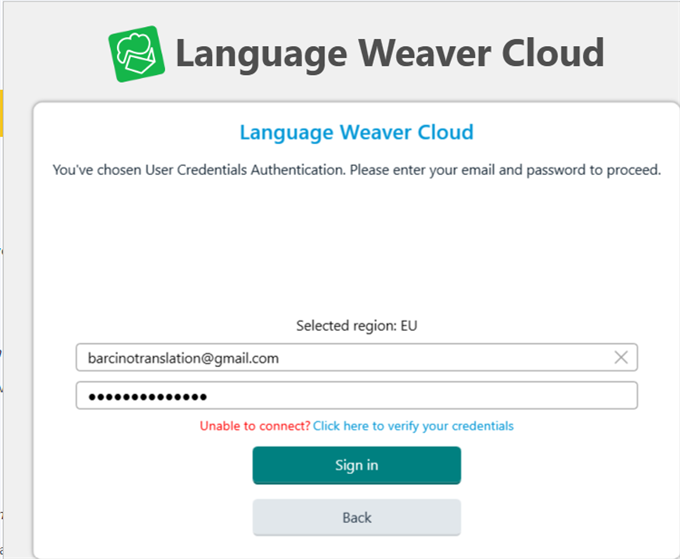
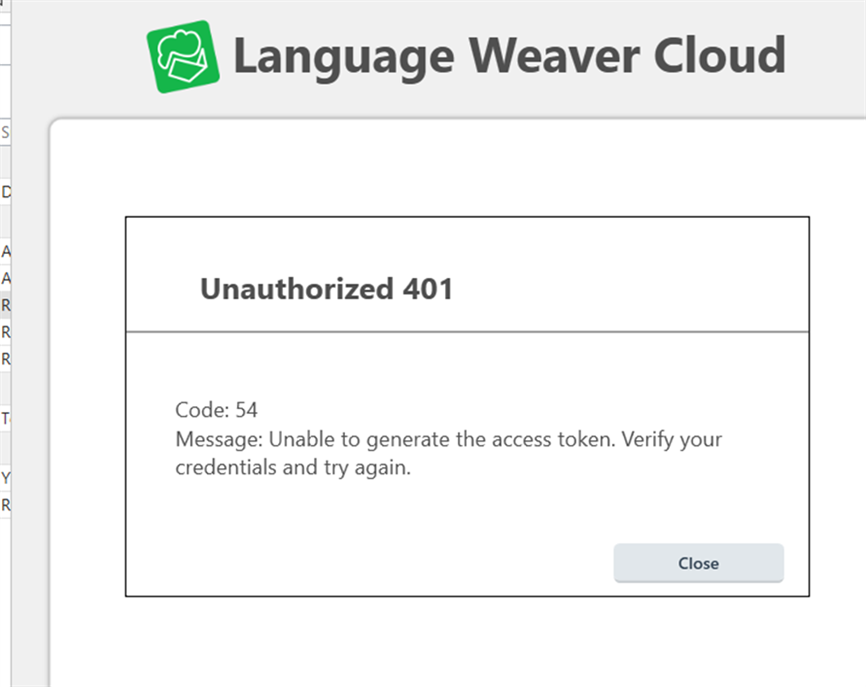
    I am EU based, yes. I have used the option to log in to Language Weaver as EU based and entered my user id and password. It does not accept it.

    I think that it is like if don't have a valid Language Weaver account, even though I have a permanent licence for Trados Studio 2024 and I can log into my Studio account with no problem.

    See below several screenshots to help you see my problem:

    Language Weaver Cloud login screen with an email entered and a message indicating an inability to connect with a link to verify credentials.   Error message from Language Weaver Cloud stating 'Unauthorized 401' with a code 54 indicating an inability to generate the access token.

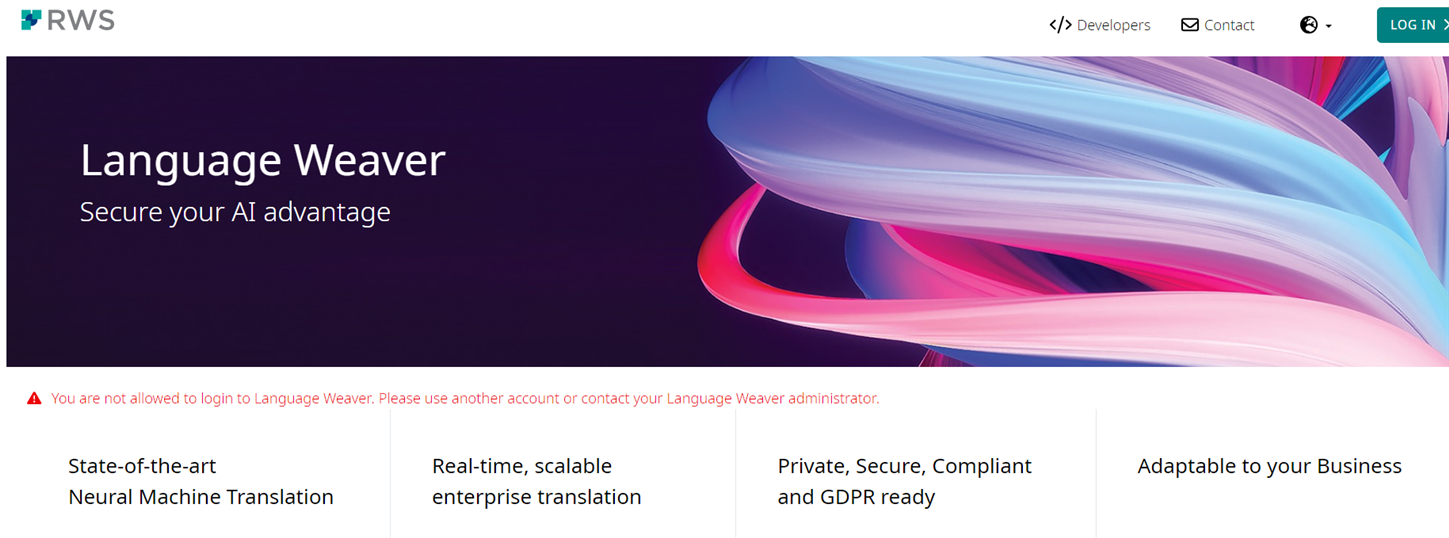
    When I click on "Click here to verify your credentials" , and I log in with my Trados Studio 2024 user id and password, I get the following:


    Language Weaver website with a red warning message stating the user is not allowed to login and should contact the administrator.

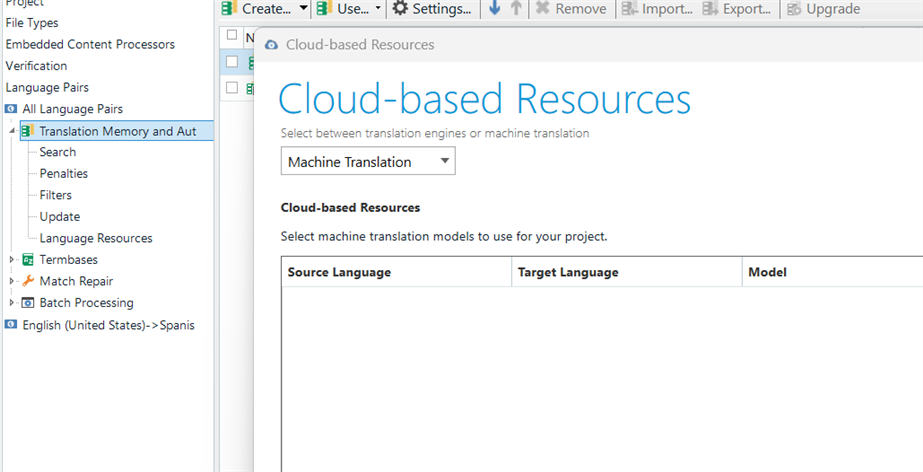
    Then, in Studio 2024, when selecting MT, I do not see anything available under All Language Pairs - Translation Memory and MT - Cloud-based resources:

    Trados Studio 2024 interface showing an empty list under Cloud-based Resources for Machine Translation with no available models.

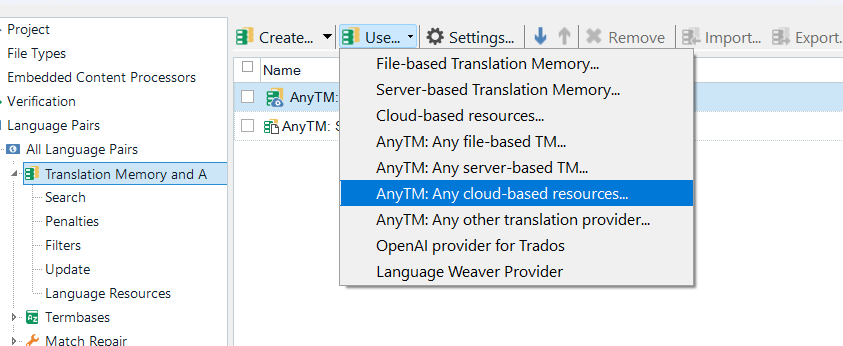
    So the only option that works is by selecting the one below, which pulls out a translation engine I created in the cloud. 

    Dropdown menu in Trados Studio 2024 with options for AnyTM, including 'Any cloud-based resources...' and 'Language Weaver Provider'.

    But then, that does not work either, although I have those resources active, they do not apply any MT on my file:

    Trados Studio 2024 showing a created translation engine 'AnyTM: SAP EN-ES.sdlitm' in the cloud, but indicating it is not applying MT to the file.

    Your help will be really appreciated.

    emoji


    Generated Image Alt-Text
    [edited by: RWS Community AI at 12:09 PM (GMT 1) on 22 Jul 2024]
  • We will be pleased to help you with this problem so have logged a support case on your behalf. We do prioritise customers who have a support contract so please keep in mind it could take up to 48 hours, especially over a weekend, but rest assured we will contact you as soon as we can. You will be contacted at the email address used for this Community. Support Case Id : 00860570 .

    Oana Nagy | QA Engineer | RWS Group

    emoji
  • Thank you, Lydia! Looking forward to hearing from the team and being able to use LW soon.

    emoji
  • Hello Lydia,

    I have exactly the same problem Gemma has encountered.

    You can check the problem in the post I made here :

    community.rws.com/.../176583

    Julien

    emoji