How can I get a dictionary to work in Language Cloud?

I'm trying out Language Cloud for the first time. With the trial version I have converted a TB into a Language Cloud dictionary (by importing the tbx), and can see that the new dictionary has 1000+ entries in it. 

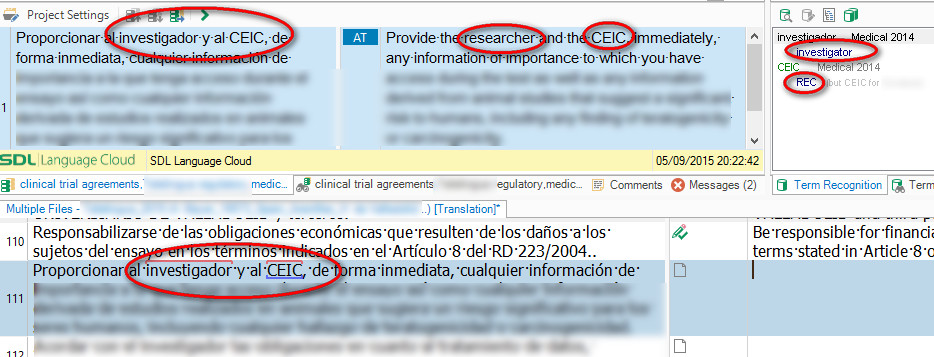
But I don't see my terminology implemented in the AT suggestion from Language Cloud, which is running in my current project. What am I doing wrong?
Thanks,

Emma

Parents
  • Hi Emma,

    Are you using the default machine translation engine or the Life Sciences engine? We have seen that sometimes the terms are not applied when using an industry-specific engine and we hope to have a resolution for this shortly.

    David Pooley | Senior Product Manager | RWS

  • Hi David and Paul,
    I'm not using the Life Science engine (because it's not available into English, unfortunately), so I'm just testing with the default version.
    I hadn't thought of logging a support ticket for this, Paul, as I won't be able to use my TBs when the trial version runs out.
    Not to worry, I was just wondering whether I'd missed something obvious or whether I'd found a bug.
    Thanks anyway,
    Emma
  • Hi Emma,

    Just tried to see if your dictionary works and it seems it does. I have tried it in Translator in your online account.

    I've noticed that for some English terms there are 2 Spanish translations. Language Cloud will use the first one it encounters.

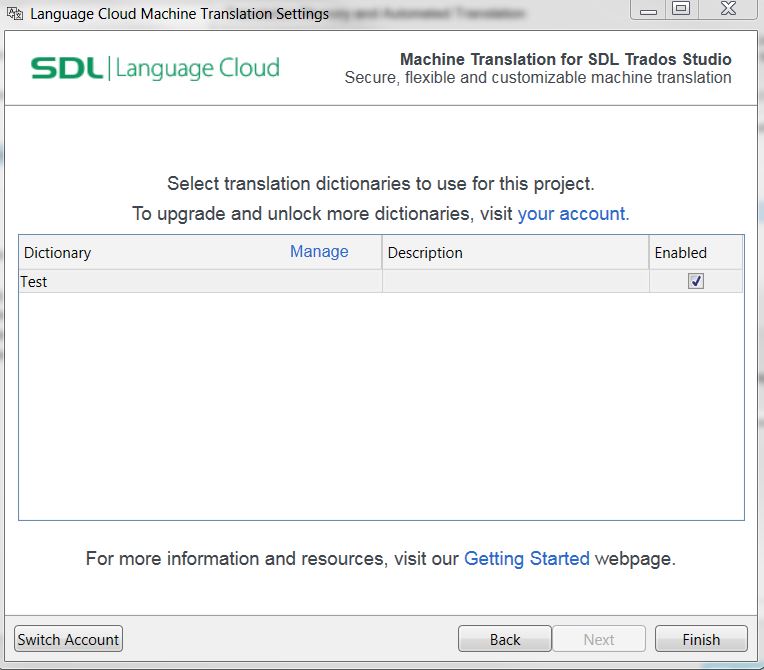
    Just make sure that in Studio you activate the dictionary in LC Settings. See screenshot. 

    Let me know if you manage to use the dictionary you uploaded to Language Cloud account. 

    Also the dictionary in Language Cloud was meant to work like a term-base or glossary and not like a TM. So it works best for entries of one word. If there are longer entries, or entire sentences, it might segment the text differently, so it might not recognize that there is one of your terms.

    Kind regards, 

    Radu

Reply
  • Hi Emma,

    Just tried to see if your dictionary works and it seems it does. I have tried it in Translator in your online account.

    I've noticed that for some English terms there are 2 Spanish translations. Language Cloud will use the first one it encounters.

    Just make sure that in Studio you activate the dictionary in LC Settings. See screenshot. 

    Let me know if you manage to use the dictionary you uploaded to Language Cloud account. 

    Also the dictionary in Language Cloud was meant to work like a term-base or glossary and not like a TM. So it works best for entries of one word. If there are longer entries, or entire sentences, it might segment the text differently, so it might not recognize that there is one of your terms.

    Kind regards, 

    Radu

Children