Pop-up message about SDLMachineTranslationCloud

I have pop up warnings when I launch Studio. The Version is Studio 2021 SR2.
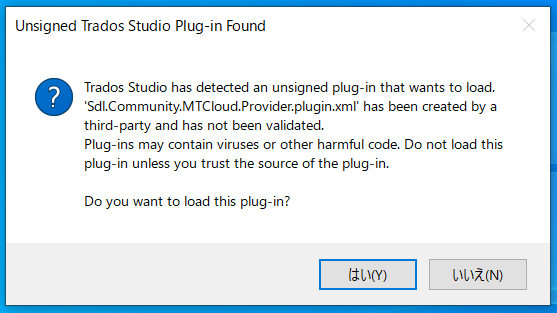
Warning pop-up for unsigned Trados Studio plug-in 'Sdl.Community.MTCloud.Provider.plugin.xml' with options to load or not load the plug-in.

I know SDLMachineTranslationCloud is an old product term and Its since been rebranded to Language Weaver Cloud.

Then, why do I get this message? 

Here are Plug-ins.
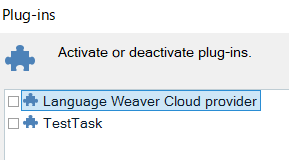
Trados Studio plug-ins menu showing 'Language Weaver Cloud provider' and 'TestTask' as available plug-ins.

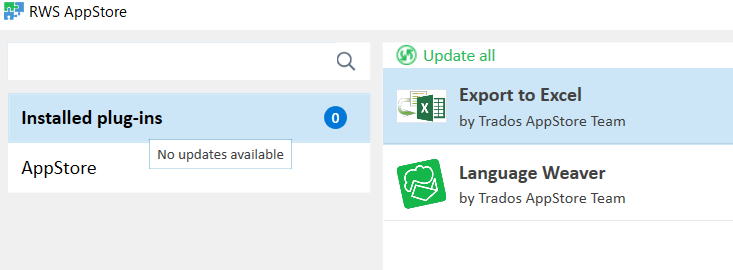
RWS AppStore screen showing 'Language Weaver' and 'Export to Excel' as installed plug-ins with no updates available.

How do I confirm what kind of plug-ins I have?

Should I remove above plug-ins and install again?

Thank you,

Mari


Generated Image Alt-Text
[edited by: Trados AI at 6:13 AM (GMT 0) on 5 Mar 2024]

emoji
Parents
  • Hi  ,

    It is likely that you had an old plugin still in the plugins folder or used a beta version, that was not yet signed and made live.

    Now, to get rid of it, simply follow the below steps:

    1. Close Studio.

    2. Go to:

    c:\Users\[USERNAME]\AppData\Roaming\SDL\SDL Trados Studio\16\Plugins\Packages\
    c:\Users\[USERNAME]\AppData\Roaming\SDL\SDL Trados Studio\16\Plugins\Unpacked\

    3. Remove/Delete the plugin called "Language Weaver"

    4. Restart Studio and check if you still get the message. If you don't, please go ahead and re-install the app from the private appstore.

    Hope it helps!

    Oana Nagy | QA Engineer | RWS Group

    emoji
Reply
  • Hi  ,

    It is likely that you had an old plugin still in the plugins folder or used a beta version, that was not yet signed and made live.

    Now, to get rid of it, simply follow the below steps:

    1. Close Studio.

    2. Go to:

    c:\Users\[USERNAME]\AppData\Roaming\SDL\SDL Trados Studio\16\Plugins\Packages\
    c:\Users\[USERNAME]\AppData\Roaming\SDL\SDL Trados Studio\16\Plugins\Unpacked\

    3. Remove/Delete the plugin called "Language Weaver"

    4. Restart Studio and check if you still get the message. If you don't, please go ahead and re-install the app from the private appstore.

    Hope it helps!

    Oana Nagy | QA Engineer | RWS Group

    emoji
Children