 Translate


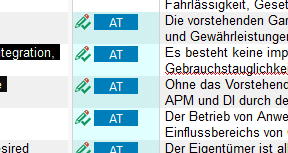
My company created the Project and in the File, the segment says Automated Translation. How do I eliminate the AT from my projects? Do this affects the memories?
Generated Image Alt-Text
[edited by: Trados AI at 6:10 AM (GMT 0) on 5 Mar 2024]


My company created the Project and in the File, the segment says Automated Translation. How do I eliminate the AT from my projects? Do this affects the memories?
My company created the Project and in the File, the segment says Automated Translation. How do I eliminate the AT from my projects?
As your company did this why would you want to remove it?
Do this affects the memories?
Not really. When you update your TM you'll have an entry in your TM for the confirmed source and target... that's it.
But if you really want to remove it... here's a couple of simple ways:
https://appstore.rws.com/language/app/trados-batch-anonymizer/1072/
https://appstore.rws.com/language/app/sdlxliff-anonymizer/580/
Paul Filkin | RWS
Design your own training!
You've done the courses and still need to go a little further, or still not clear?
Tell us what you need in our Community Solutions Hub


Just want to point out that AT status does affect the TM entries.
If you register AT without any modification, these matches will NOT be used during analysis as they keep the AT status in the TM.
This is actually a serious issue if you have a lot of segments with AT status in your TM and wondering why your matching rates are so low.
Just want to point out that AT status does affect the TM entries.
If you register AT without any modification, these matches will NOT be used during analysis as they keep the AT status in the TM.
This is actually a serious issue if you have a lot of segments with AT status in your TM and wondering why your matching rates are so low.

If you register AT without any modification, these matches will NOT be used during analysis as they keep the AT status in the TM.
This is deliberate behaviour to ensure that you are aware an unconfirmed machine translation entry was added to your TM. So if you update a TM with machine translation entries that have not been given a "Translated" status, so still "Draft", then they will remain as NMT in your TM. If they are set to "Translated" then it doesn't matter whether they are edited or not, they will be added to the TM without the NMT status.
Paul Filkin | RWS
Design your own training!
You've done the courses and still need to go a little further, or still not clear?
Tell us what you need in our Community Solutions Hub
