Sign in to SDL Language Cloud and NMT

Dear Team,

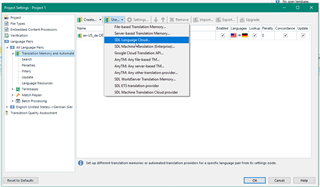
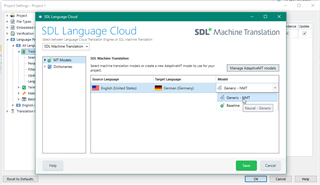
I attended the SDL Roadshow in London yesterday and I understood that Language Cloud was now working and, as I never managed to sign in successfully since I got the licence earlier this year, I thought this would now be resolved. I just tried now and I am still unable to sign in. I really would like to start using NMT and I believe I need to go to Language Cloud for this purpose. Any reasons why I am not able to sign in? In my first attempt, it now opens up a screen promoting the new SDL site (beta), if I click on the menu above, and click on SDL Language Cloud, it crashes. If I close it down and open up again, then it does not even open up this screen anymore, it simply fails to open anything. Thanks to advise.

Parents Reply
  • Hi Steven,

    Thank you very much for getting back to me so quickly.

    I followed your clear instructions and I think I get stuck on the same issue.

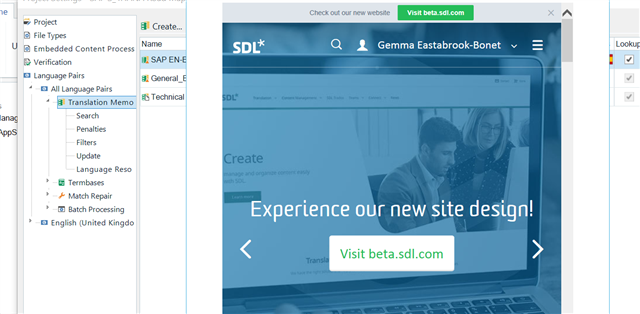
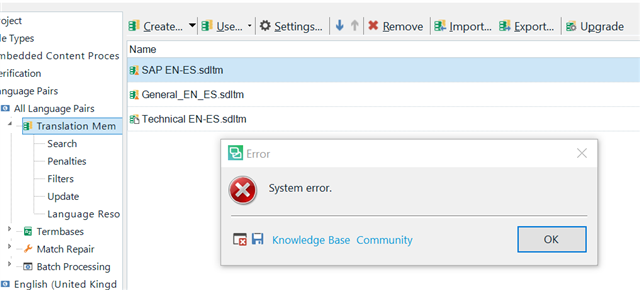
    When it is time to click on SDL Language Cloud I now get this screen advertising the new beta version of the site, there is nothing else I can do. Or, if I go further and click on Software - SDL Language Cloud, I now get an error message.

    Screenshot of Trados Studio with an overlay advertisement for the new beta site, prompting to visit beta.sdl.com.

    Trados Studio error dialog box displaying 'System error.' with options for Knowledge Base and Community.

    Thanks again for your time and help here!

    Gemma

    emoji


    Generated Image Alt-Text
    [edited by: Trados AI at 5:24 AM (GMT 0) on 5 Mar 2024]
Children