SDL Language Cloud

I have installed Studio 2019 SR1 and now when I try to check SDL Language Cloud in project settings I get the message that I am not subscribed and I am prompted to visit my account, and when I do so the account shows as active with the number of characters I am allowed for the month.

Anyone has similar problems?


Thanks for letting me know.


Jose Fernandes

Parents
  • Hi 

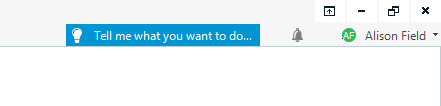
    Try signing out of the Language Cloud in Studio as shown below, then signing in again:

    Trados Studio interface with a search bar saying 'Tell me what you want to do...' and a user icon labeled 'Alison Field'.

    A full description of how to do this is on the SDL Knowledge pages, here:

    Cloud Machine Translation glitch solution

    If that doesn't sort it, you can get help with SDL Language Cloud problems, here:

    Submit New Language Cloud Case

    Fill out your details accurately so they can get back to you, with a brief description of the issue.

    All the best,

    Alison

    emoji


    Generated Image Alt-Text
    [edited by: Trados AI at 5:11 AM (GMT 0) on 5 Mar 2024]
  • Hello,
    The Windows Authentication does not come for me as I am using my personal desktop. Despite following the steps Trados is unable to connect to the Language Cloud.
    In the TM selection window Language Cloud is shown but without the Language Pair. In the Editor window, I get the message ...unable to connect to the Language Cloud.

    I have logged a case (though not from your very useful link above) yesterday. Strangely, I get emails suggesting the same solutions which Paul and you have suggested (and the link provided by both of you). Have written to them that I have tried and it is still not working.

    Thank God for experts like you, Paul, and the community here. Hopefully, the problem is solved. Thanks.
Reply
  • Hello,
    The Windows Authentication does not come for me as I am using my personal desktop. Despite following the steps Trados is unable to connect to the Language Cloud.
    In the TM selection window Language Cloud is shown but without the Language Pair. In the Editor window, I get the message ...unable to connect to the Language Cloud.

    I have logged a case (though not from your very useful link above) yesterday. Strangely, I get emails suggesting the same solutions which Paul and you have suggested (and the link provided by both of you). Have written to them that I have tried and it is still not working.

    Thank God for experts like you, Paul, and the community here. Hopefully, the problem is solved. Thanks.
Children