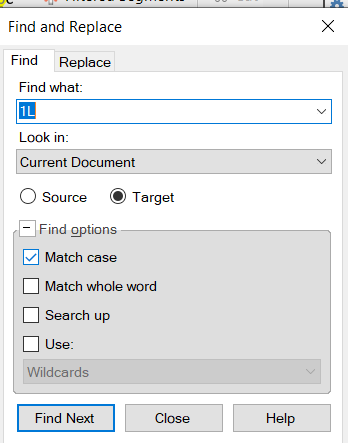
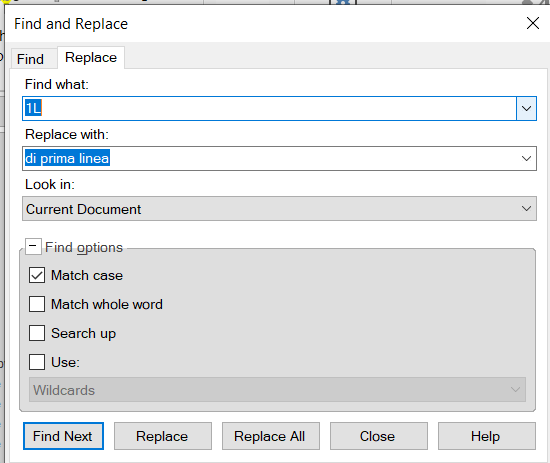
Find&Replace window on top again

Hello, possibly to @PaulFilkin, who helped me on this issue a few months ago,
I'm in trouble again with the F&R window that remains stuck on top of any page in my PC. Could be after the last Trados update?

I tried to repeat the AutoHotkey actions that were recommended to me, but to no avail. In addition to that, my antivirus is telling me that the script has a virus.

Can someone help?

Thanks in advance

emoji
Parents Reply
  •  

    To be honest I didn't keep track of this.  So here's the one I have running in my own AHK... perhaps this is what you need?

    ;------------------------------------------------------------------------------
    ; Ensure "Find and Replace" window is always on top when Trados Studio is active
    ; and not always on top when Trados Studio is not active
    ;------------------------------------------------------------------------------
    
    #Requires AutoHotkey v2.0
    
    global isOnTop := false
    
    $^f:: triggerFindOrReplace("Find")
    $^h:: triggerFindOrReplace("Replace")
    
    triggerFindOrReplace(action) {
        global isOnTop
        findTitle := "Find and Replace"
    
        if (action = "Find") {
            Send '^f'
        } else if (action = "Replace") {
            Send '^h'
        }
    
        If WinWaitActive(findTitle " ahk_exe SDLTradosStudio.exe", "", 2) {
            ; Ensure Always on Top when the window is active in Studio
            if !isOnTop {
                WinSetAlwaysOnTop(1, findTitle " ahk_exe SDLTradosStudio.exe")
                isOnTop := true
            }
        }
    }
    
    ; Check the active window every 100 milliseconds
    SetTimer(CheckActiveWindow, 100)
    
    CheckActiveWindow() {
        global isOnTop
        findTitle := "Find and Replace"
    
        if WinActive("ahk_exe SDLTradosStudio.exe") {
            if WinExist(findTitle " ahk_exe SDLTradosStudio.exe") {
                if !isOnTop {
                    WinSetAlwaysOnTop(1, findTitle " ahk_exe SDLTradosStudio.exe")
                    isOnTop := true
                }
            }
        } else {
            ; If Trados Studio is not active, remove the Always on Top status
            if isOnTop and WinExist(findTitle " ahk_exe SDLTradosStudio.exe") {
                WinSetAlwaysOnTop(0, findTitle " ahk_exe SDLTradosStudio.exe")
                isOnTop := false
            }
        }
    }

    Paul Filkin | RWS

    Design your own training!
    You've done the courses and still need to go a little further, or still not clear? 
    Tell us what you need in our Community Solutions Hub

    emoji
Children