Translate


;;;;;;;;;;;;;;;;;;;;;;;;;;;;;;;;;;;;;;;;;;;;;;;;;;;;;;;;;;;;;;;;;;;;;;;;;;;;;;;;;;;;;;;;;;;;;;;;;;;;;;;;;;;;;;;;;
; This code has very specific (special) single purpose only.
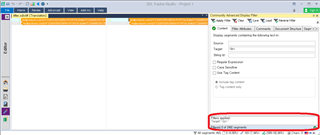
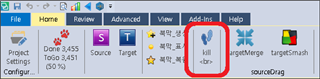
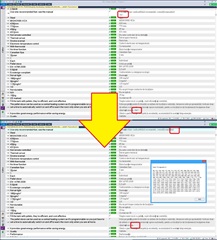
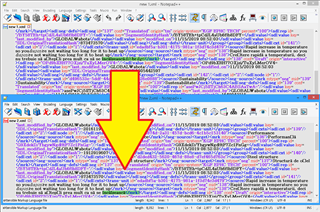
; It removes all "<br>"s, which is located at the end of Target segment(s).
; Occasionally it has "LF(Line feed-Return)" in front of it, it removed too.
;;;;;;;;;;;;;;;;;;;;;;;;;;;;;;;;;;;;;;;;;;;;;;;;;;;;;;;;;;;;;;;;;;;;;;;;;;;;;;;;;;;;;;;;;;;;;;;;;;;;;;;;;;;;;;;;;
; You select a "Folder" then it process all the "sdlxliffs" within it.
; Not visit child folders (not recursive)
;;;;;;;;;;;;;;;;;;;;;;;;;;;;;;;;;;;;;;;;;;;;;;;;;;;;;;;;;;;;;;;;;;;;;;;;;;;;;;;;;;;;;;;;;;;;;;;;;;;;;;;;;;;;;;;;;
; This code does not make any "BackUps" so..
; you'd better to make a "BackUp Folder" just in case before you do_It
;;;;;;;;;;;;;;;;;;;;;;;;;;;;;;;;;;;;;;;;;;;;;;;;;;;;;;;;;;;;;;;;;;;;;;;;;;;;;;;;;;;;;;;;;;;;;;;;;;;;;;;;;;;;;;;;;
In attaced zip folder there are two (2) files
- one is AutoHotkey source code (.ahk)
- the other is OneClickExecutable file (.exe) - You just click it, no needed AutoHotkey at all of course
Enjoy
Problem_Solved.zip
Generated Image Alt-Text
[edited by: Trados AI at 4:19 AM (GMT 0) on 5 Mar 2024]