Translate


[2nd Edit starts]
I have mad a workaround. It makes all the changes which made by this codes to its orignal status, as if nothings have happened.
So, all the workaround procedures made perfect, I guess. Enjoy !!
[2nd Edit ends]
[1st Edit starts]
It has a better one, a kind of updated
https://community.sdl.com/product-groups/translationproductivity/f/autohotkey/27314/to-make-a-good-use-of-cadf-excel-cell-shading-rekon-ii
[1st Edit ends]
It stems from this post.
Excluding cells in Excel based on fill colour
community.sdl.com/.../excluding-cells-in-excel-based-on-fill-colour
SDL Trados Studio blinds to MS Excel cell shading and cell numbers.
I have tested this tiny code and make it a little bit better.
tested only with very simple project. - One MS Excel file project.
that is all I have and all I wanted
1.
MS Excel has cell shadings, it has two WorkSheets.
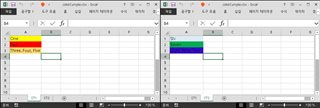
2.
Of course, SDL Trados Studio's default DSI is Dummy. (no cell numbers, no shadings at all)
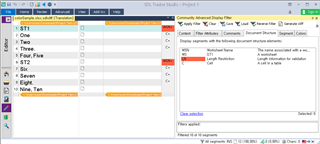
3.
You just ClickOnce this code.
-of couse, firstly close the document (do not have to quit SDL Trados Studio itself)
-it makes a "BAK" file, just in case (located at the same folder - target folder)
4.
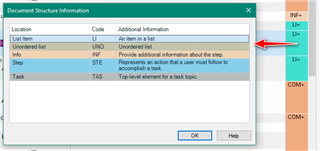
Now, You are seeing "Advanced DSI", full of colors and full of information.
-Dear SDL please delete that useless " + " signs.
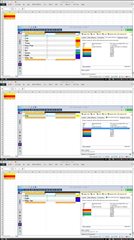
As You can see, You can use "Advanced Community Display Filter" perfectly.
Enjoy
Attached
-AutoHotkey source code and a sample MS Excel color file.