
Move mouse pointer with a keystroke

I sometimes find myself having to stop typing to move the mouse to avoid triggering tooltips that are active where I last left my mouse pointer, usually in the segment status column:
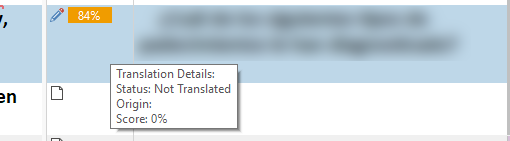
Trados Studio tooltip showing Translation Details with Status: Not Translated, Origin, and Score 0%.

The script below uses the Insert key to move the mouse pointer out of the way, to a position where it does no harm while I'm typing:

Insert:: ;move mouse pointer out of the way
MouseMove, 1300, 8 ;use your own coordinates here
return

And this one brings the mouse pointer back to the cursor position by pressing the Insert and Home keys:

Insert & Home:: ;move mouse pointer to cursor position
MouseMove, % A_CaretX, % A_CaretY
return


Generated Image Alt-Text
[edited by: Trados AI at 4:06 AM (GMT 0) on 5 Mar 2024]

emoji
Parents
  • This is brilliant,  ! Works perfectly. It's so frustrating (and interrupts the thought process) when the active segment is covered by the tooltip.
     I'd be interested to know how this script could be useful in Word or a PDF?

    Cheers,

    Emma

  • Dear Emma,

    It is useful in a Word or PDF file because sometimes the mouse pointer stays right over the text where you are typing/reading.

    I had to make a little change in the script to avoid conflicts. So my script is like this:

    ;---------------–––––––––––––––––-––––––––––––––––––––––––––––
    ;Use Shift(Right) to move mouse pointer to the top of the screen
    ;Use Ctrl(Right) to move mouse pointer to cursor position
    ;---------------–––––––––––––––––-––––––––––––––––––––––––––––

    RShift:: ;move mouse pointer out of the way
    MouseMove, 1300, 8
    return

    RCtrl::
    MouseMove, % A_CaretX, % A_CaretY
    return
    ;---------------–––––––––––––––––-––––––––––––––––––––––––––––

    Abrazos,
    Sílvia
Reply
  • Dear Emma,

    It is useful in a Word or PDF file because sometimes the mouse pointer stays right over the text where you are typing/reading.

    I had to make a little change in the script to avoid conflicts. So my script is like this:

    ;---------------–––––––––––––––––-––––––––––––––––––––––––––––
    ;Use Shift(Right) to move mouse pointer to the top of the screen
    ;Use Ctrl(Right) to move mouse pointer to cursor position
    ;---------------–––––––––––––––––-––––––––––––––––––––––––––––

    RShift:: ;move mouse pointer out of the way
    MouseMove, 1300, 8
    return

    RCtrl::
    MouseMove, % A_CaretX, % A_CaretY
    return
    ;---------------–––––––––––––––––-––––––––––––––––––––––––––––

    Abrazos,
    Sílvia
Children