Translate


IMPORTANT NOTIFICATION:
The RWS AppStore > Wiki is no longer being maintained. For the latest updates and changes being published, please visit the official RWS AppStore, where you will find supporting information such as documentation & change log details that is associated to each app.
Alternatively if you are using Trados Studio 2022 SR2, you will find the same information within the Integrated AppStore.
The SDLXLIFF to Legacy Converter allows you to quickly export SDLXLIFF files to the following formats.
- Word 97-2003 (.doc)
- Word documet (.docx)
- TRADOStag documents (.ttx)
- TMX 1.4 .tmx
The application also allows you to import from-
- Word 97-2003 (.doc)
- Word documet (.docx)
- TRADOStag documents (.ttx)
- RTF (.rtf)
This tool is especially useful for translators that do not use Studio, so that the translator can work in the legacy file formats.
Using the application
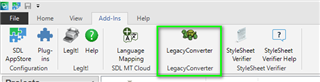
Once downloaded and installed, you will find the app (2017 or higher) in the Add-Ins tab
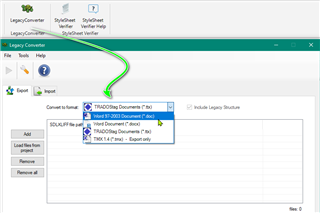
After starting the application, you can now load single files or all of those within a project-
Select the output format
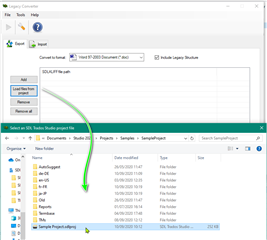
Load the files or project
Start conversion
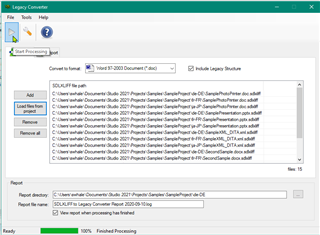
Once the files have finished processing, a report is generated
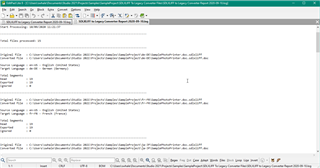
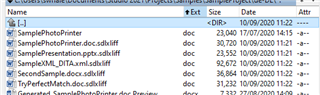
and the converted files in the target folder
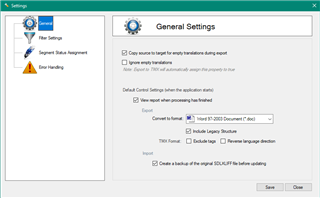
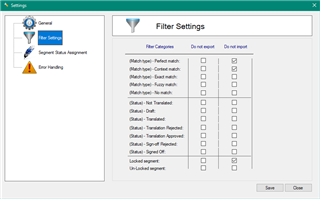
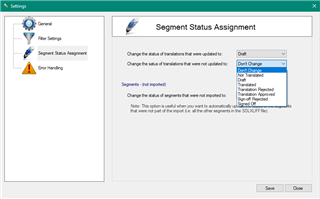
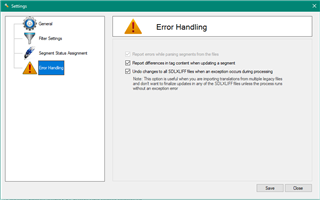
Settings