 Translate


Hello Dev Team
AI Professional plugin
kindly update it with the latest OpenAI models (GPT4o . o3 mini)
thanks
added a link
[edited by: Muhammad Khateeb at 7:38 AM (GMT 0) on 5 Feb 2025]


Hello Dev Team
kindly update it with the latest OpenAI models (GPT4o . o3 mini)
thanks


Hi Muhammad Khateeb , it should be possible to simply type the name of the model in the field directly if it is not listed. This does work for OpenAI provider for Trados https://appstore.rws.com/Plugin/249 , but not sure if this is also the case for AI Professional one that you are using; can you check?
Patrick Andrew Hartnett | Developer Experience | Team Lead | RWS Group

Trados 2022 SR2
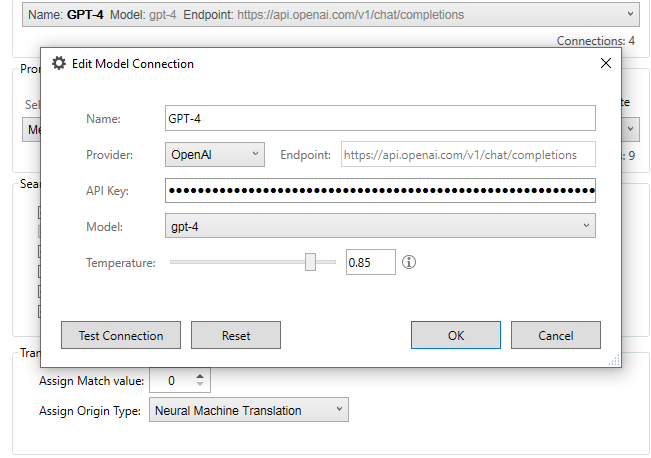
it is not - enabled to type the model name


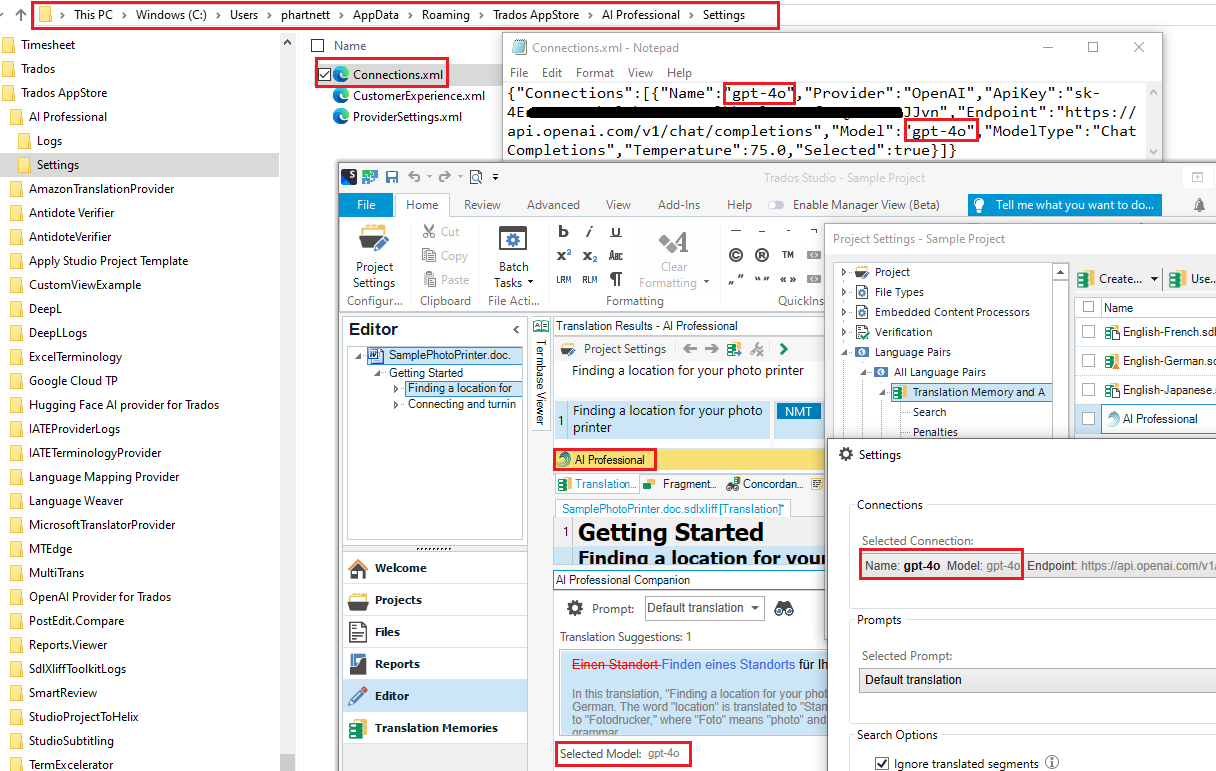
Hi Muhammad Khateeb , you're right. Don't let the UI feature stop you from using the latest models. You can simply update the configuration file directly.
As opposed to writing down the instructions... make reference to the following snapshot; it paints the picture of how to achieve this :-)
1. Update the configuration file with the model information + apikey etc...
2. Launch Studio and from the AI Professional settings -> select the connection from the Selected Connection dropdown menu (without opening the actual connection dialog)
Patrick Andrew Hartnett | Developer Experience | Team Lead | RWS Group

Hi Muhammad Khateeb , you're right. Don't let the UI feature stop you from using the latest models. You can simply update the configuration file directly.
As opposed to writing down the instructions... make reference to the following snapshot; it paints the picture of how to achieve this :-)
1. Update the configuration file with the model information + apikey etc...
2. Launch Studio and from the AI Professional settings -> select the connection from the Selected Connection dropdown menu (without opening the actual connection dialog)
Patrick Andrew Hartnett | Developer Experience | Team Lead | RWS Group
Thank you for this trick
if you have extra time, update the plugin itself, adding also Claude models.
Best
Hi Muhammad Khateeb , we don't have any plans to update the AI Professional plugin.
We have already enabled connecting to the latest reasoning models o1 & o3-mini from the OpenAI provider for Trados. However, this supports Trados Studio 2024 +; not sure if this is applicable in yr case.
Patrick Andrew Hartnett | Developer Experience | Team Lead | RWS Group
Yes just to confirm, AI Assistant in Studio 2024 has replaced AI Professional in 2022, and we are updating AI Assistant as part of Studio 2024 and future versions. We recommend a Studio subscription so that you are always on the latest version and don't need to purchase an upgrade. But classic upgrades are of course also available. Thanks, Daniel
Daniel Brockmann
Team Trados @ RWS