Translate


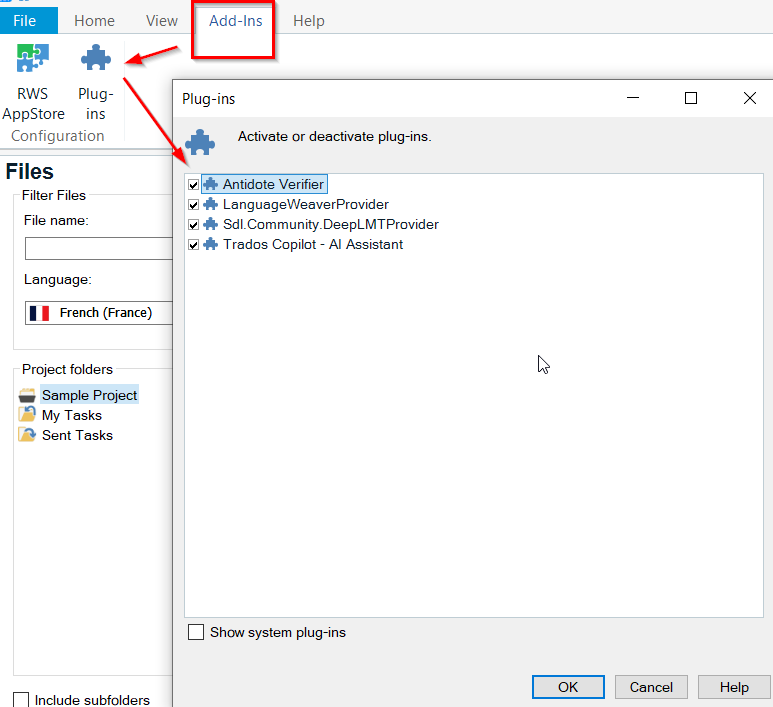
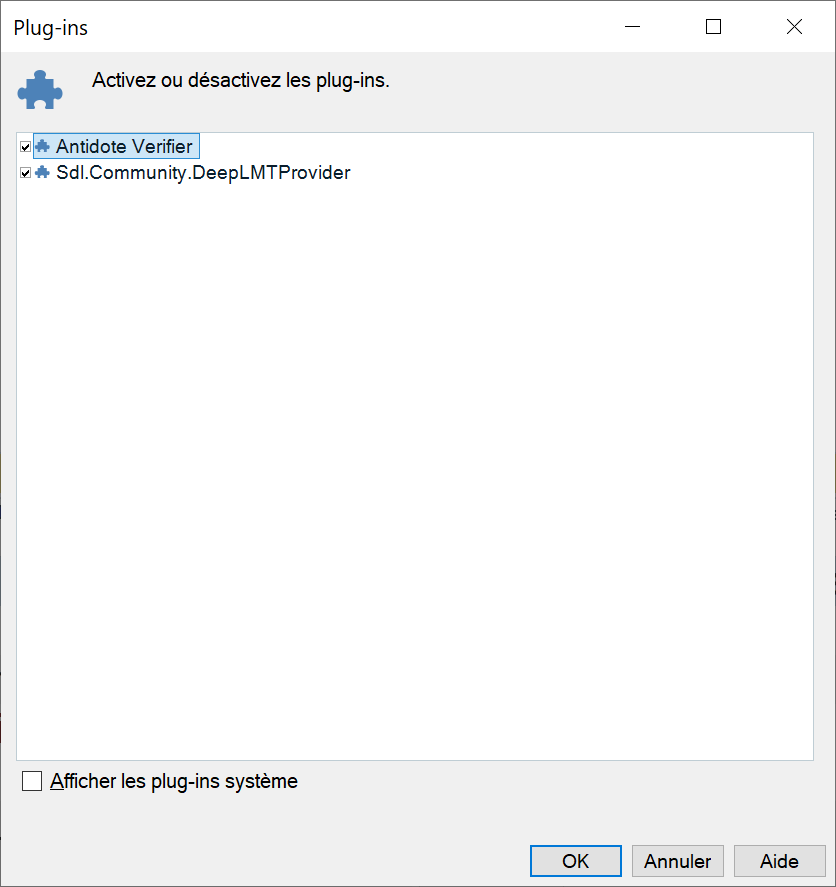
I upgraded from Studio 2022 to Studio 2024 this morning. Installed DeepL and Antidote Verifier plugins. DeepL works fine. Anidote (https://appstore.rws.com/Plugin/3?tab=support) does not. I obtain the following message when I click on the "Corrector" button. Any ideas? I regret the update at this early stage seeing as deinstalling and reinstalling 2022 is not possible.
This XML file does not appear to have any style information associated with it. The document tree is shown below.
<SDLErrorDetails time="2024-06-26 08:18:09">
<ErrorMessage>Impossible de charger le fichier ou l'assembly 'System.Diagnostics.DiagnosticSource, Version=7.0.0.2, Culture=neutral, PublicKeyToken=cc7b13ffcd2ddd51' ou une de ses dépendances. Le fichier spécifié est introuvable.</ErrorMessage>
<Exception>
<Type>System.IO.FileNotFoundException, mscorlib, Version=4.0.0.0, Culture=neutral, PublicKeyToken=b77a5c561934e089</Type>
<FileName>System.Diagnostics.DiagnosticSource, Version=7.0.0.2, Culture=neutral, PublicKeyToken=cc7b13ffcd2ddd51</FileName>
<FusionLog>AVT : la journalisation de liaison d'assembly est désactivée. Pour activer la journalisation des échecs de liaison d'assembly, attribuez la valeur 1 à la valeur de Registre [HKLM\Software\Microsoft\Fusion!EnableLog] (DWORD). Remarque : une certaine perte de performance est associée à l'enregistrement dans le journal des échecs de liaison d'assembly. Pour désactiver cette fonctionnalité, supprimez la valeur de Registre [HKLM\Software\Microsoft\Fusion!EnableLog]. </FusionLog>
<HelpLink/>
<Source>Serilog</Source>
<HResult>-2147024894</HResult>
<StackTrace>
<![CDATA[ à Serilog.Core.Logger.Write(LogEventLevel level, Exception exception, String messageTemplate, Object[] propertyValues) à Serilog.Core.Logger.Write(LogEventLevel level, String messageTemplate) à Serilog.Log.Information(String messageTemplate) à Sdl.Community.AntidoteVerifier.AntidoteCorrectorAction.Execute() à Sdl.Desktop.IntegrationApi.AbstractAction.Sdl.Desktop.IntegrationApi.Extensions.Internal.IAction.Execute() à Sdl.Desktop.IntegrationApi.Internal.Adaptors.InternalActionAdaptor.Execute() à Sdl.Desktop.Platform.Implementation.CommandBars.SimpleActionExecuter.Execute(ActionData actionData) à Sdl.Desktop.Platform.Implementation.ResourceLoggingInternalCommandExecuter`1.ExecuteWithResourceLogging(TCommandData commandData, String message) à Sdl.Desktop.Platform.Implementation.CommandBars.ActionService.ExecuteAction(IAction action, ActionOrigin origin, Boolean allowToggle) à Sdl.Platform.UI.IgCommandBarAction.Execute() à Sdl.Platform.UI.IgCommandBarAction._lazyButtonTool_ToolClick(Object sender, ToolClickEventArgs e) à Infragistics.Win.UltraWinToolbars.ToolBase.OnToolClick(ToolClickEventArgs e) à Infragistics.Win.UltraWinToolbars.UltraToolbarsManager.OnToolClick(ToolClickEventArgs e) à Infragistics.Win.UltraWinToolbars.UltraToolbarsManager.FireEvent(ToolbarEventIds id, EventArgs e) à Infragistics.Win.UltraWinToolbars.ToolBase.OnToolClick() à Infragistics.Win.UltraWinToolbars.ButtonToolUIElement.DoClickProcessing(MouseEventArgs e) à Infragistics.Win.UltraWinToolbars.ButtonToolUIElement.OnMouseUp(MouseEventArgs e) à Infragistics.Win.ControlUIElementBase.ProcessMouseUpHelper(Object sender, MouseEventArgs e) à Infragistics.Win.ControlUIElementBase.ProcessMouseUp(Object sender, MouseEventArgs e) à Infragistics.Win.Utilities.ProcessEvent(Control control, ProcessEvent eventToProcess, EventArgs e) à Infragistics.Win.UltraWinToolbars.UltraToolbarsDockArea.OnMouseUp(MouseEventArgs e) à System.Windows.Forms.Control.WmMouseUp(Message& m, MouseButtons button, Int32 clicks) à System.Windows.Forms.Control.WndProc(Message& m) à System.Windows.Forms.Control.ControlNativeWindow.OnMessage(Message& m) à System.Windows.Forms.Control.ControlNativeWindow.WndProc(Message& m) à System.Windows.Forms.NativeWindow.Callback(IntPtr hWnd, Int32 msg, IntPtr wparam, IntPtr lparam) ]]>
</StackTrace>
</Exception>
<Environment>
<ProductName>Trados Studio</ProductName>
<ProductVersion>Studio18</ProductVersion>
<EntryAssemblyFileVersion>18.0.0.1013</EntryAssemblyFileVersion>
<OperatingSystem>Microsoft Windows 10 Professionnel</OperatingSystem>
<ServicePack>NULL</ServicePack>
<OperatingSystemLanguage>1036</OperatingSystemLanguage>
<CodePage>1252</CodePage>
<LoggedOnUser>TSF-PC-LENP73\Sebastien</LoggedOnUser>
<DotNetFrameWork>4.0.30319.42000</DotNetFrameWork>
<ComputerName>TSF-PC-LENP73</ComputerName>
<ConnectedToNetwork>True</ConnectedToNetwork>
<PhysicalMemory>16505480 MB</PhysicalMemory>
</Environment>
</SDLErrorDetails>