Batch Tasks | MT QE Report

Hi,

I have a file translated with an MT engine and now I want to run the MT QE Report task. However, although the tasks is completed sucesfully, I don't see any reports. All the segments inside the file are translated and confirmed.
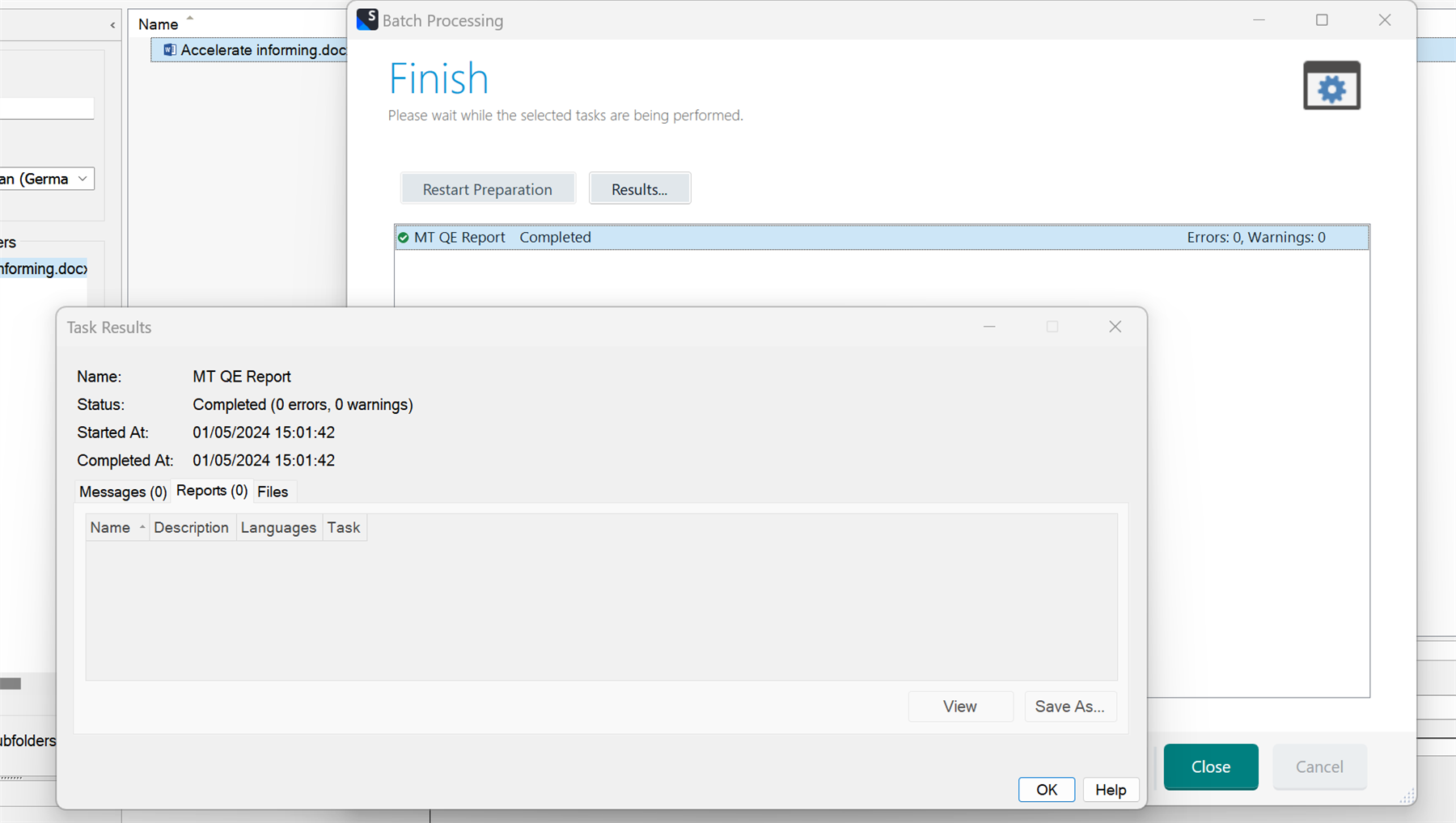
Trados Studio Batch Processing window showing 'Finish' with a message 'Please wait while the selected tasks are being performed.' The MT QE Report task is highlighted as completed with 0 errors and 0 warnings. Task Results section shows the MT QE Report task completed successfully with no messages, reports, or files.


Generated Image Alt-Text
[edited by: Trados AI at 12:04 PM (GMT 1) on 1 May 2024]
emoji
  •  QE as you may know refers to Quality Estimations with the values of either Adequate, Good, Poor etc and fall part of the Language Weaver set of features.

    You say your files have been translated?
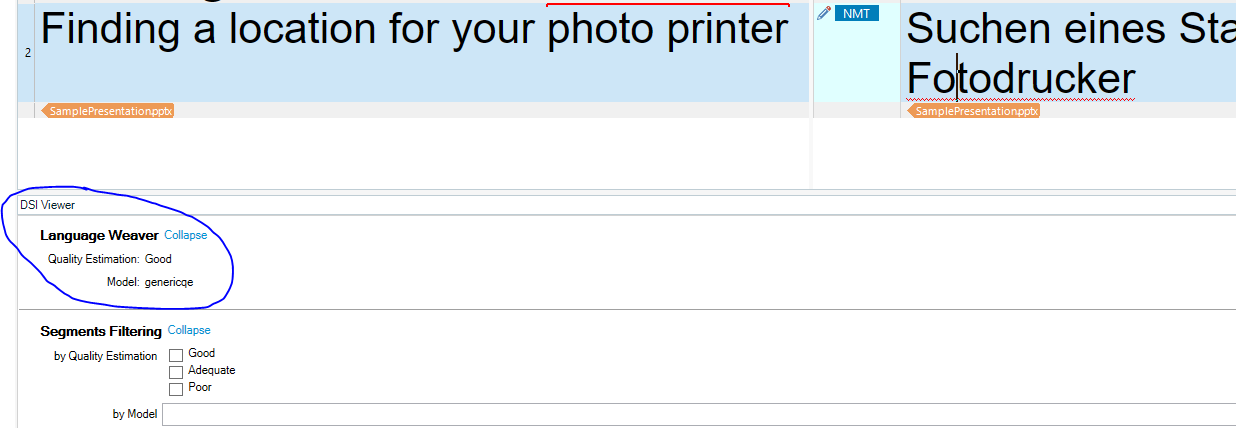
    If you use the DSI Viewer, do you see QE values associated to your translation?

    See my screen print where segment 2 offers a QE value of good

    Screenshot of Trados Studio DSI Viewer showing a segment with a Language Weaver Quality Estimation of 'Good' and model 'genericqe'.


    If not that would explain why the report is not being processed.

    To assist further ensure the following:

    • You have QE models active when using LW NMT
    • Run batch task  "Apply Language Weaver Metadata" to be sure that regardless of how you translate (meaning interactively per segment or via batch task) LW meta data is being applied
    • Then run your QE Report

    I hope this helps

    Lyds

    Oana Nagy | QA Engineer | RWS Group

    emoji


    Generated Image Alt-Text
    [edited by: Trados AI at 5:44 PM (GMT 1) on 1 May 2024]
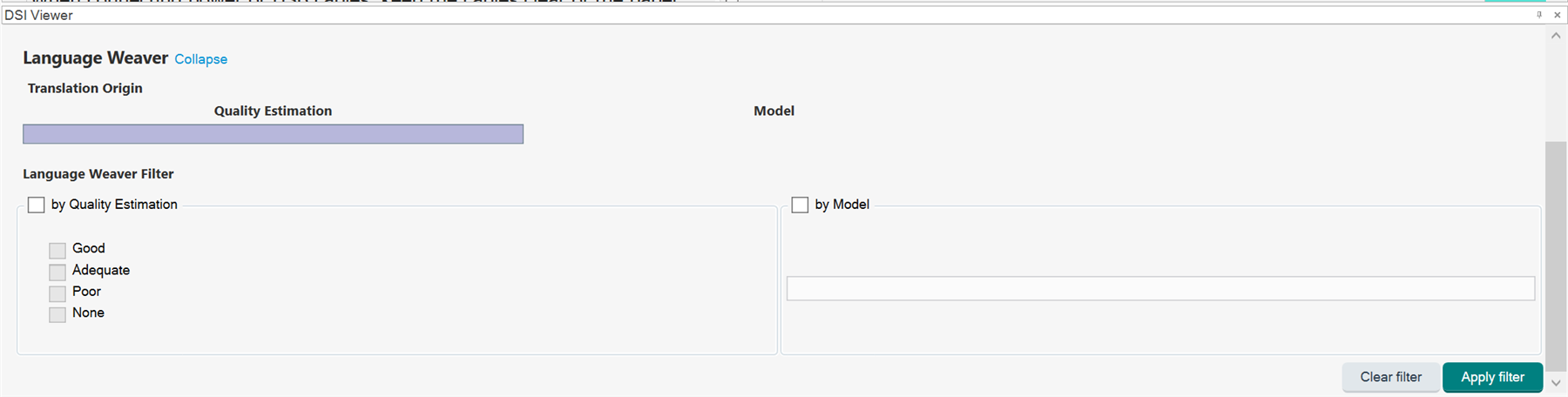
  • Thanks for the explanation  , I see as below under DSI Viewer. I don't see the automated QE part you circled.

    Screenshot of Trados Studio DSI Viewer showing Language Weaver section with Translation Origin and Quality Estimation tabs, and filters for Quality Estimation and Model.

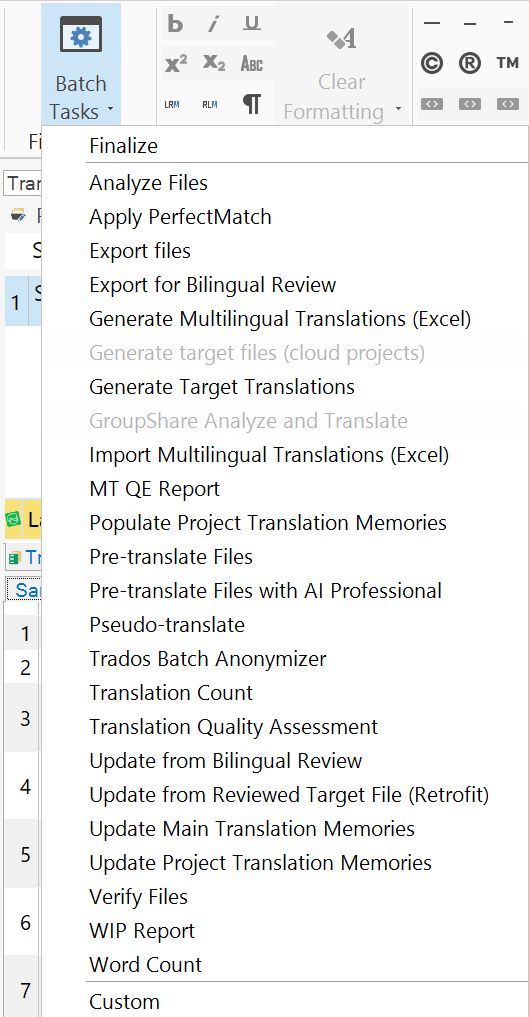
    How should I have QE models active when using LW? Also, I don't see  "Apply Language Weaver Metadata" under Batch Tasks.

    Screenshot of Trados Studio interface displaying Batch Tasks dropdown menu with various options, but missing 'Apply Language Weaver Metadata' task.

    emoji


    Generated Image Alt-Text
    [edited by: Trados AI at 6:16 AM (GMT 1) on 3 May 2024]