Pre/post-lookup in MT Enhanced Trados Plugin: how to get newly added terms to work immediately?

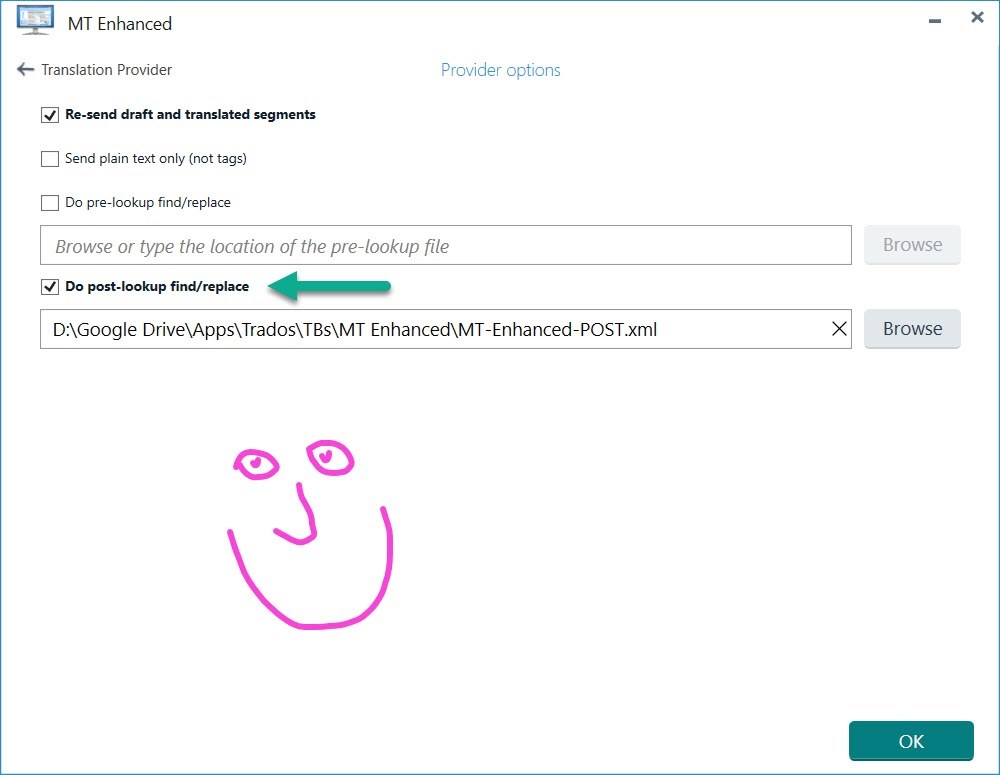
So I am trying to use the pre/post-lookup feature in the MT Enhanced Trados Plugin. Basically, to quickly change incorrectly translated terms by adding them to the XML file, as per the instructions. However, it is not clear to me exactly what I need to do to get the newly added terms to work (immediately).

  • Does the XML file need to be closed?
  • Do I need to restart Trados Studio?
  • Does it work better or worse with Lookup enabled? (Options > Editor > Automation > Enable LookAhead)
  • etc.

Basically, I usually use GT4T, which allows you to quickly add term pairs with a shortcut to a small glossary, which then works immediately the next time you use GT4T.

For example, one idea I had was to create a small AutoHotkey script which would allow me to quickly add term pairs to the XML file via a small GUI/shortcut. However, before I try to do this I wanted to know exactly what is best in terms of the the newly added terms working immediately.

emoji
  •  

    Without testing it I would guess at this:

    Does the XML file need to be closed?

    Yes.

    Do I need to restart Trados Studio?

    No.

    Does it work better or worse with Lookup enabled? (Options > Editor > Automation > Enable LookAhead)

    Lookahead will always cause problems for you if you are expecting changes to a result in a recently cached segment.

    For example, one idea I had was to create a small AutoHotkey script which would allow me to quickly add term pairs to the XML file via a small GUI/shortcut.

    It's a good idea... but could be problematic without a refresh somewhere.  I guess... if you're prepared to validate this stuff we can take a look and add an enhancement to improve this feature in the future.

    Paul Filkin | RWS

    Design your own training!
    You've done the courses and still need to go a little further, or still not clear? 
    Tell us what you need in our Community Solutions Hub

    emoji
  • Thanks for the info Paul!

    Incidentally, if I disable LookAhead (via Options > Editor > Automation > Enable LookAhead), will this immediately work in my current project? Or do I need to create a new project with it already disabled?

    Indeed, it's needing to refresh somewhere that I am wondering about. I'll have a fiddle and report back here. An enhancement to improve this feature would be very welcome, as I think it's a killer feature (if implemented right).

    Google Translate + GT4T's ability to quickly add custom terms = a very powerful combo when translating patents in my daily work.

    emoji
  • Wow, OK, so I am currently testing it. I find that pre-lookup find/replace sometimes causes strange issues, so I'm using post-lookup find/replace, which is actually working amazingly well. And I don't even need to close the XML file! It works immediately after a segment refresh (i.e., clicking up to the previous segment and back down).

    I think the reason pre-lookup find/replace works less well is that by inserting target language bits into the src, you can then end up with strange translations, whereas with post-lookup find/replace, it literally just does a F&R on the final translation. 

    emoji
  • My latest discovery is that it is often best to add shorter terms to your post-lookup F/R XML file as regular expressions, since otherwise the F&R operation will insert these shorter terms into longer ones, resulting in gobbledygook. 

    For example, if I use:

    <EditItem Enabled="true" EditItemType="plain_text">
    <FindText>nis</FindText>
    <ReplaceText>uitsparing</ReplaceText>
    </EditItem>

    I get this:

    "De tweede holte heeft bij voorkeur een cilindrische of couitsparingche vorm."

    ~~~~~

    If I use:

    <EditItem Enabled="true" EditItemType="regular_expression">
    <FindText>\bnis\b</FindText>
    <ReplaceText>uitsparing</ReplaceText>
    </EditItem>
    </Items>

    I get this:

    "De tweede holte heeft bij voorkeur een cilindrische of conische vorm."

    emoji