
Passolo 2016 client constantly crashes.

We are using the SDL Passolo 2016 and it is constantly crashing lately when trying to update/import/generate literally anything on one of our projects (.NET forms).

I am at the latest version on Windows 10 which is the 16.0.412.0

The Windows event viewer creates that entry but it doesn't say much.
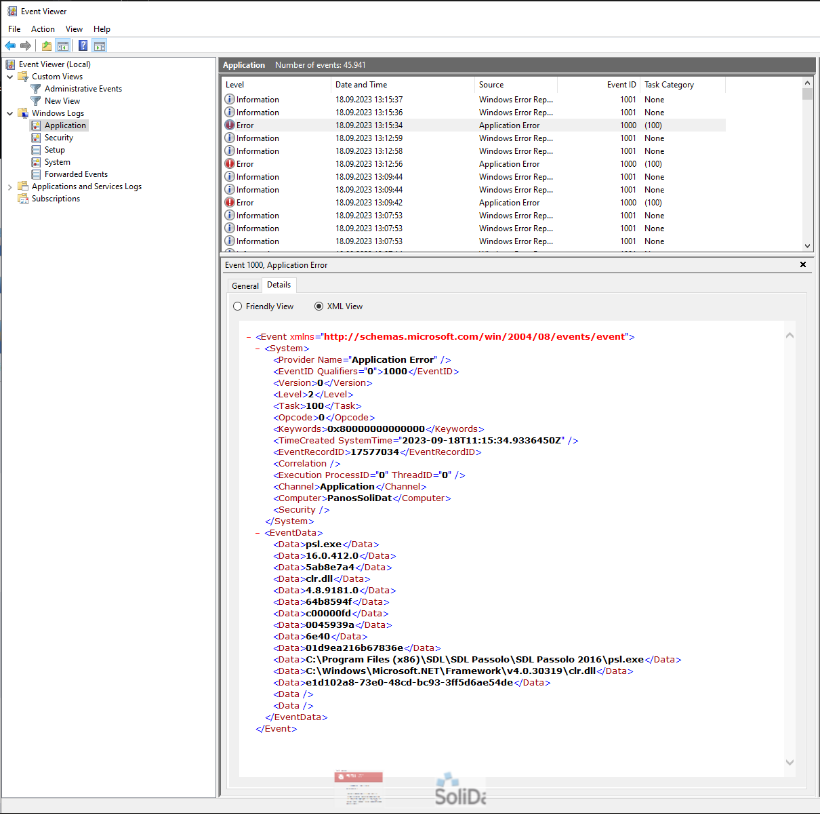


Could you please help me through that?

Thank you in advance!

emoji
Parents Reply Children
  • Good morning Birgit,

    today, I'm not even able to run a review - with only some options set - for one single string list without getting a "System.OutOfMemoryException" and Passolo crashing shortly after this exception. The memory usage at that time is only about 600 to 700 MB.
    Passolo is in this case installed on a Dell Latitude 3420 with Windows 10 Enterprise and 32 GB RAM.

    Have you've been able to pin down the crashes to only some circumstances (updating string lists, running a review, leveraging string lists,...), so we could eventually get a little closer to the root couse of this issue?

    Any help is very much appreciated. Wink
    Thank you very much in advance for sharing your findings.

    Best regards and have a nice day.
    Nils

    emoji
  • With support we have found at least one incorrect registry entry for the Passolo version - please contact support. With this incorrect entry, Passolo crashed with every click in text lists.
    However, we still get the message “Passolo is running low” when starting to check text lists.

    emoji
  • Hello  ,

    thank you very much for your hint about the incorrect registry entry. I've updated our open support case with a hint to this community thread. Maybe, RWS support will compare our cases and get closer to the root cause.

    And maybe, other users are affected by this issue, too and will write down their findings, here, too.

    Btw., are you facing the issue on different pc or only on one? And are you using notebooks, too?

    Best regards and have a nice day.
    Nils

    emoji

