How to use Resource Display with Excel when using Text Rendere setup

Hi, I am setting up a Text Renderer settings for Excel in Passolo 2018, but when I try to use the Resource Display to see the box, it is not possible, Passolo says:
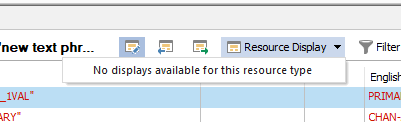
Screenshot of Passolo 2018 showing a toolbar with various icons and a dropdown menu labeled 'Resource Display' with a message 'No displays available for this resource type'.

Is there a way to configure display for Excel?

Thanks

Jouni


Generated Image Alt-Text
[edited by: RWS Community AI at 3:17 PM (GMT 0) on 14 Nov 2024]
emoji
Parents
  • Assuming that you imported Excel columns containing font and max. width information into the project. Then follow these steps:

    • Call Tools – TextRenderer – Prepare…
    • Call Tools – TextRenderer – Setup and create the mapping list for the font aliases imported from Excel with real fonts definitions
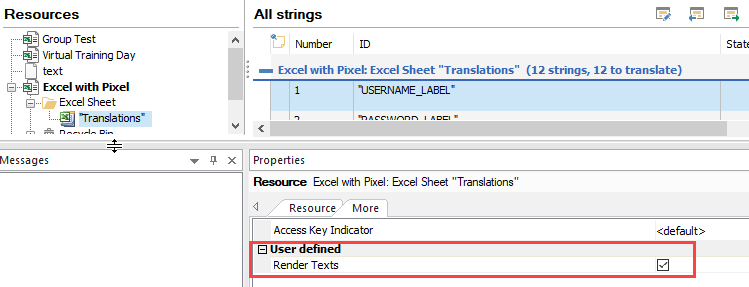
    • Open the source list in Passolo, select the resource in the tree view that should be rendered, then open the More tab in the Properties windows and activate the resource to be rendered.

    • Save the source list and update the translation list.

    Then it should work.

    emoji
Reply
  • Assuming that you imported Excel columns containing font and max. width information into the project. Then follow these steps:

    • Call Tools – TextRenderer – Prepare…
    • Call Tools – TextRenderer – Setup and create the mapping list for the font aliases imported from Excel with real fonts definitions
    • Open the source list in Passolo, select the resource in the tree view that should be rendered, then open the More tab in the Properties windows and activate the resource to be rendered.

    • Save the source list and update the translation list.

    Then it should work.

    emoji
Children