Closing current tab!?

Hi everyone!

I'm using lastest Passolo 2016 Translator Edition, and I have one question over and over in every single version of Passolo:
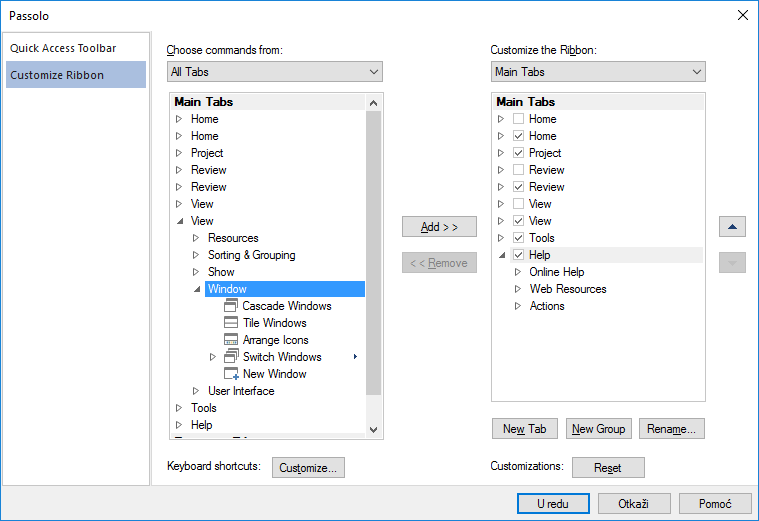
How can I create keyboard shorcut for closing current tab?!

In Windows familliar applications it is CTRL+W, but when I have tried to add this Keyboard shortcut, I couldn't find an option for closing current tab.
Any help?

Thanks in advance,
Nemanja

Parents
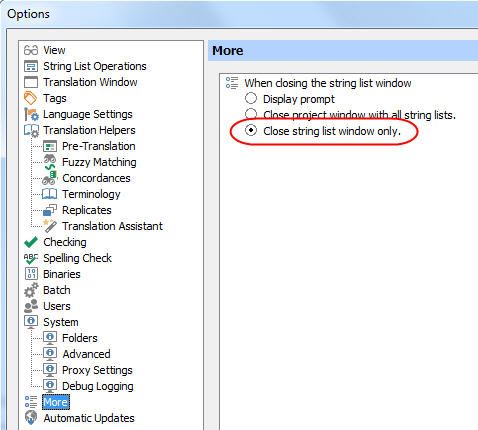
  • There is already a predefined keyboard shortcut that closes the current tab. As with any other standard windows multiple document application (MDI) you can close the document with Ctrl+F4. In Passolo we have documents (bundles and projects) and the language tabs, so we introduced a setting many years ago that allows you to setup the behavior of the Ctrl+F4 keyboad shortcut. If you go to the More page in the Options you can activate the option

    and select Close string list window only. When then using Ctrl+F4, it will close the tab.

Reply
  • There is already a predefined keyboard shortcut that closes the current tab. As with any other standard windows multiple document application (MDI) you can close the document with Ctrl+F4. In Passolo we have documents (bundles and projects) and the language tabs, so we introduced a setting many years ago that allows you to setup the behavior of the Ctrl+F4 keyboad shortcut. If you go to the More page in the Options you can activate the option

    and select Close string list window only. When then using Ctrl+F4, it will close the tab.

Children