Passolo SDK 2022 - CPAIProject - Access the String Lists from an CPAIProject

I'm developing a tools plugin using the Passolo SDK 2022. When the project opens, I receive a CPAIProject object via the OnProjectEvent handler. I'm trying to access the project's String Lists from this object, but CPAIProject appears to have limited functionality compared to the full Passolo API. How can I drill down to the String Lists from this instance?

emoji
Parents
  • Passolo SDK and Passolo API (assuming COM) are two completely different functionalities.

    The SDK enables the development of add-ins that integrate deeply into the logic of the Passolo software and that uses the interfaces provided by the SDK. This allows features to be implemented (like parsers or dialog editors) that would never be possible with the COM API.

    The COM API, on the other hand, is a way to automate the software to a high degree from the outside. This, in turn, allows features and automations to be implemented that would never be possible with the SDK.

    Which brings me to the question, what you would like to achieve with the String Lists that you want to access? This information will help me to propose the right approach.

    emoji
  • Hi Achim, I'm working on a tools plugin using the Passolo SDK 2022. My goal is to automatically hide BAML resources in the String List Sources when a project opens, based on a specific criterion. I've registered for the PassoloEvent.OpenProject event, and in the OnProjectEvent handler, I receive a CPAIProject object. However, its functionality seems quite limited compared to the full Passolo API, and I'm unsure how to access the String Lists from it.

    emoji
  • I still need to ask some more questions about the purpose. Maybe it will also be better to discuss this offline by mail.

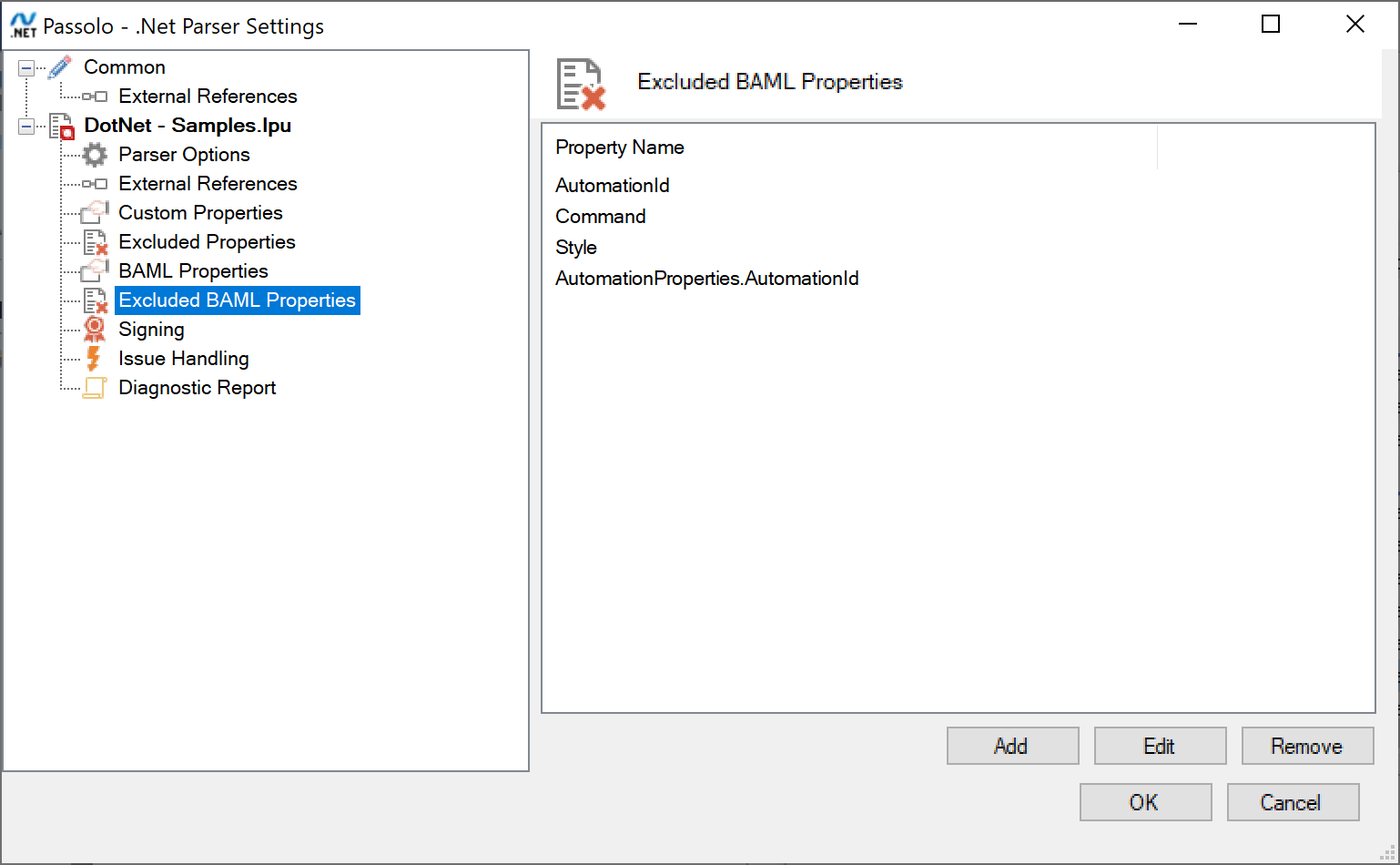
    When you are saying "automatically hiding BAML resources", have you looked into the .NET parser capabilities that would allow you to exclude BAML properties from being parsed into the Passolo. Does that fit your needs?

    Passolo .Net Parser Settings window showing the Excluded BAML Properties section with a list of properties: AutomationId, Command, Style, and AutomationProperties.AutomationId.

    I previously was in contact with some of your colleagues, so please ask them and send a direct mail to me. 

    emoji


    Generated Image Alt-Text
    [edited by: RWS Community AI at 9:54 AM (GMT 1) on 25 Jul 2025]
Reply
  • I still need to ask some more questions about the purpose. Maybe it will also be better to discuss this offline by mail.

    When you are saying "automatically hiding BAML resources", have you looked into the .NET parser capabilities that would allow you to exclude BAML properties from being parsed into the Passolo. Does that fit your needs?

    Passolo .Net Parser Settings window showing the Excluded BAML Properties section with a list of properties: AutomationId, Command, Style, and AutomationProperties.AutomationId.

    I previously was in contact with some of your colleagues, so please ask them and send a direct mail to me. 

    emoji


    Generated Image Alt-Text
    [edited by: RWS Community AI at 9:54 AM (GMT 1) on 25 Jul 2025]
Children
No Data