
How to check if a string in a translation list is currently selected?

Hello,

I want to perform certain tasks via a macro on the data of manually selected strings in one or more opened translation lists.

To do that I first need to check, which strings were selected manually before.
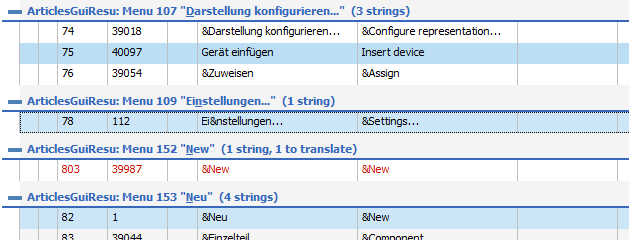
Screenshot of a translation list with multiple entries, some entries have 'New' in the source and target columns.

There seems to be no COM method or property to check if a string is currently selected. Among other things I had a look at "PslTransString.State", but there is no state like "Selected".

The only possibility I have found so far is to assign a special comment to the selected strings. Fortunately this also works for strings in multiple opened translation lists (although the "NOTE" in "Translation Comment" states something else).
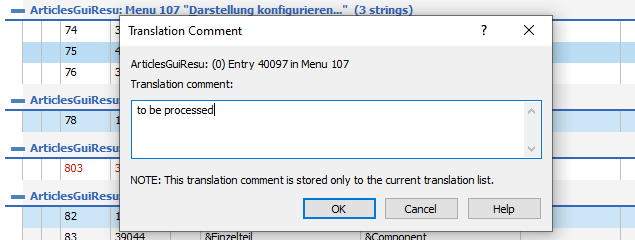
Popup window titled 'Translation Comment' with a field containing the text 'to be processed' and a note about the comment being stored only to the current translation list.

The comments of all selected strings are set to "to be processed" afterwards.

The macro could then identify all selected strings via the assigned special comment and perform some operations on the string data (to preserve already existing comments the macro first needs to store already existing comments in a list and rewrite them in the end).

To have to assign a special comment first (e.g. a single character like "§")  to the selected strings is a bit laborious for the user.

Would be nice if there exists a simpler method to detect selected strings in a translation list.

Have I perhaps overlooked something in the COM reference?

Best regards

Karl-Heinz


Generated Image Alt-Text
[edited by: RWS Community AI at 2:52 PM (GMT 0) on 14 Nov 2024]
emoji
Parents
  • Without knowing whether you are looping a single PslTransList entries or a complete view with multiple lists PslTransDisplay you can access the selected string entries with a simple selector modifier. Instead of

         For i = 1 To PslTransList.StringCount()

    use

         For i = 1 To PslTransList.StringCount(pslSelection)

    which then just loops the selected string entries.

    PS: Forget to add the you need to select just the selected entries using

    Dim t As PslTransString
    Set t = PslTransString.String(i, pslSelection)

    emoji
Reply
  • Without knowing whether you are looping a single PslTransList entries or a complete view with multiple lists PslTransDisplay you can access the selected string entries with a simple selector modifier. Instead of

         For i = 1 To PslTransList.StringCount()

    use

         For i = 1 To PslTransList.StringCount(pslSelection)

    which then just loops the selected string entries.

    PS: Forget to add the you need to select just the selected entries using

    Dim t As PslTransString
    Set t = PslTransString.String(i, pslSelection)

    emoji
Children
No Data
