Set culture property in Passolo?

Hello,

development told me that my translated dll fils (parsed with Michrosoft .NET parser as usual) all had the attribute culture = neutral instead of the language. The language attribute is, howevver, set correcly:
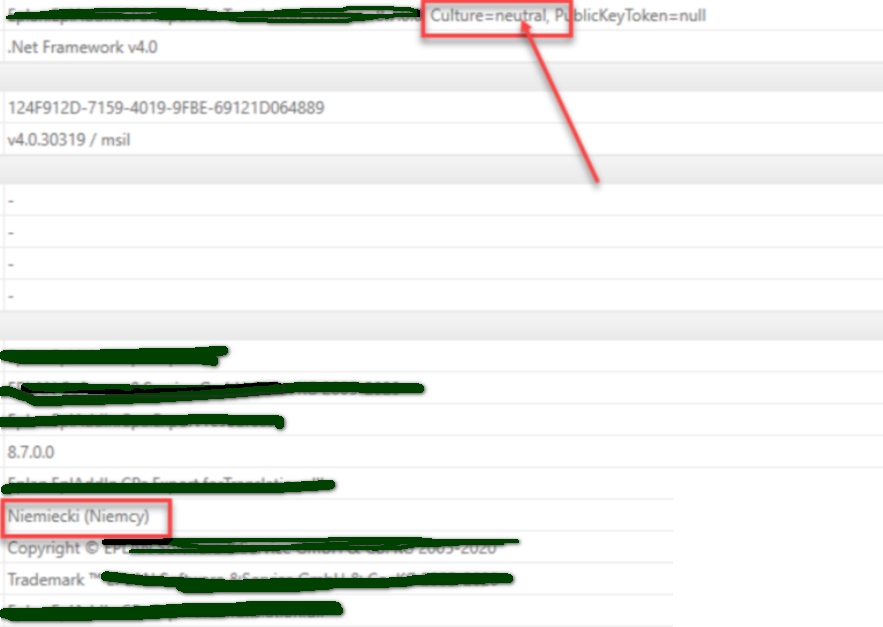
Screenshot of .NET Add-In properties showing 'Culture=neutral' and 'PublicKeyToken=null' highlighted with a red box and arrow pointing to it.

All other projects work, also from this customer and I don't recall having changed anything *but the target path rules* (which, Ihoped, changed only exactly that ;:-))

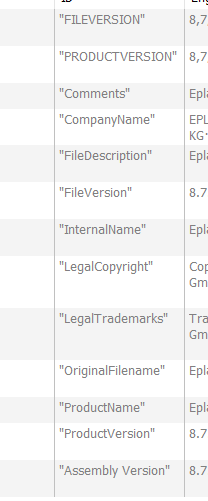
I don't see the culture in the version strings either (which I ususally lock for translation)
Screenshot of .NET Add-In properties with the language set to 'Niemiecki (Niemcy)' highlighted in red at the bottom.

Is there a way to change this property in Passolo at all or do you think the issue might be with the source files?


Generated Image Alt-Text
[edited by: RWS Community AI at 3:11 PM (GMT 0) on 14 Nov 2024]

emoji
Parents
  • Hello Yvonne,

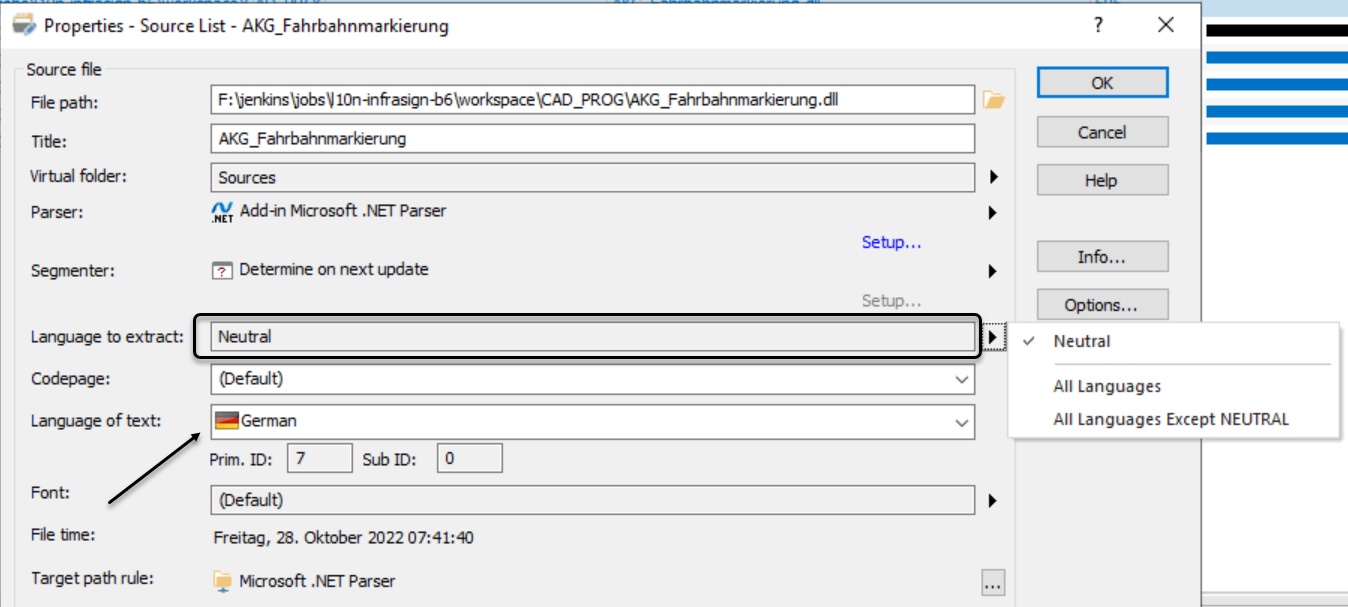
    in our .NET projects the source DLLs are also neutral, but in Passolo you declare what neutral should be treated as:

    Trados Studio Properties dialog showing source list with language set to Neutral and language of text as German.

    Then you set up your target languages:

    List of target languages including German, English, Dutch, Spanish, French, and Italian with corresponding file paths and names.

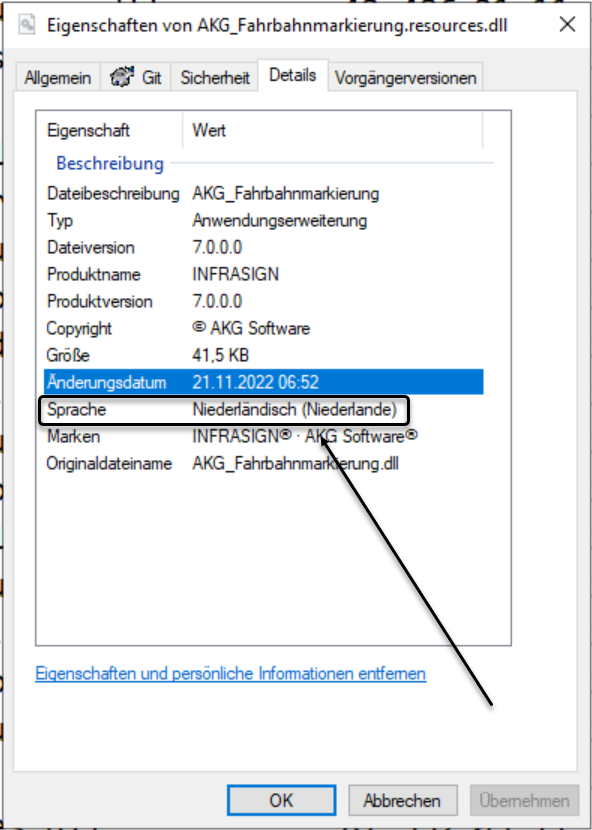
    And in the generated assemblies (*.resources.dll) you can see the languae on the Details tab of the file in Windows explorer, for example:

    Details tab in Windows Explorer showing language of AKG_Fahrbahnmarkierung.resources.dll as Dutch (Niederlande).

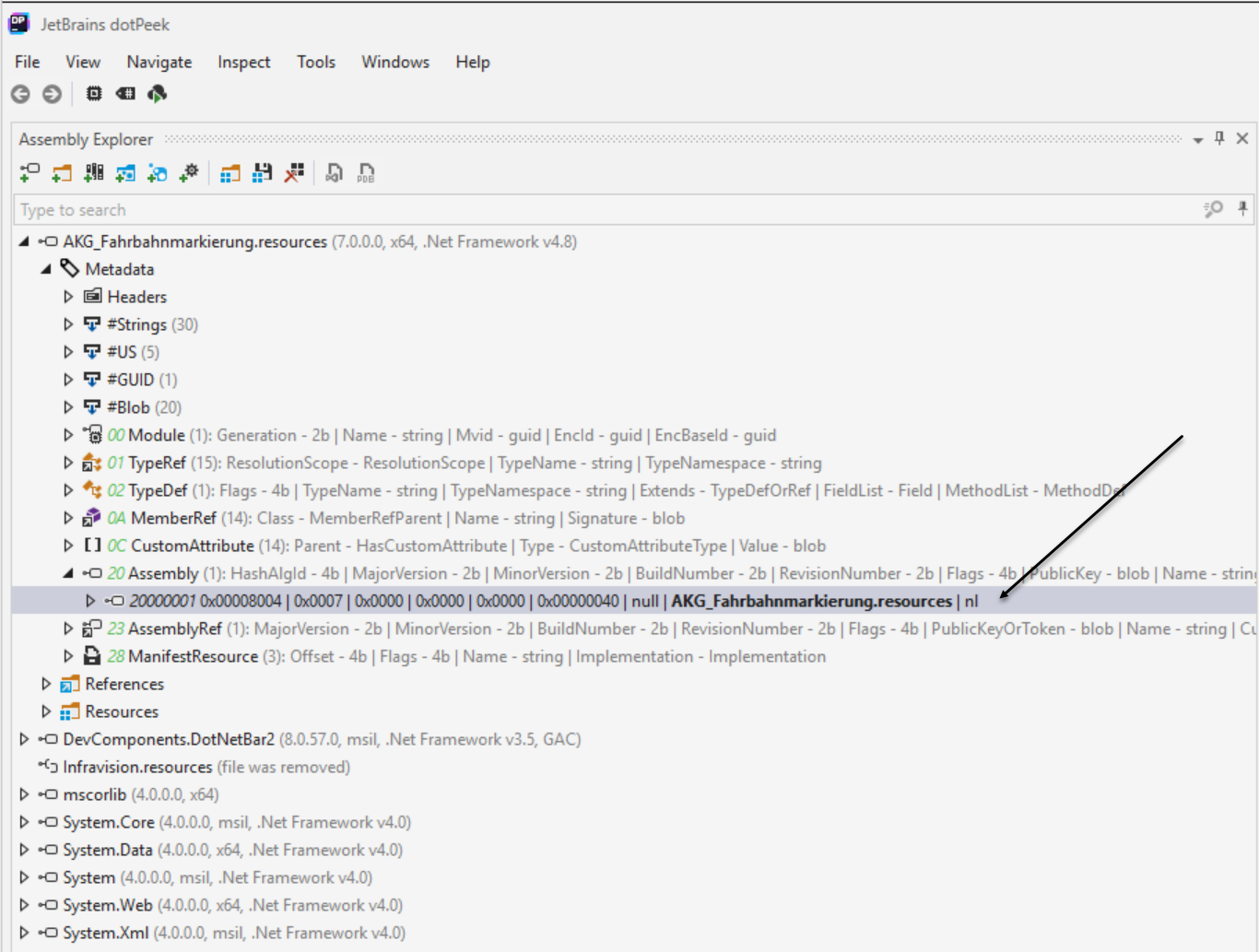
    If you inspect the target DLL using a tool like DotPeek or JustDecompile you'll finde the culture code here:

    DotPeek Assembly Explorer showing metadata and resources of AKG_Fahrbahnmarkierung.resources.dll with culture code 'nl'.

    So if you set your source language all the rest should be handled by Passolo.

    HTH,
    Franz-Josef

    emoji


    Generated Image Alt-Text
    [edited by: Trados AI at 10:36 AM (GMT 0) on 4 Mar 2024]
Reply
  • Hello Yvonne,

    in our .NET projects the source DLLs are also neutral, but in Passolo you declare what neutral should be treated as:

    Trados Studio Properties dialog showing source list with language set to Neutral and language of text as German.

    Then you set up your target languages:

    List of target languages including German, English, Dutch, Spanish, French, and Italian with corresponding file paths and names.

    And in the generated assemblies (*.resources.dll) you can see the languae on the Details tab of the file in Windows explorer, for example:

    Details tab in Windows Explorer showing language of AKG_Fahrbahnmarkierung.resources.dll as Dutch (Niederlande).

    If you inspect the target DLL using a tool like DotPeek or JustDecompile you'll finde the culture code here:

    DotPeek Assembly Explorer showing metadata and resources of AKG_Fahrbahnmarkierung.resources.dll with culture code 'nl'.

    So if you set your source language all the rest should be handled by Passolo.

    HTH,
    Franz-Josef

    emoji


    Generated Image Alt-Text
    [edited by: Trados AI at 10:36 AM (GMT 0) on 4 Mar 2024]
Children
No Data