I am not able to access or setup servers in SDL Trados Studio 2019

After a breakdown SDL Trados Studio 2019 refuses to connect to servers (e.g. Groupshare), although they are available, the credentials are correct, and internet connection is excellent. I have also tried to delete servers and add them again, but I got the following error message after the first step of setup: "Failed to connect to server. Please check your server connection settings, network and internet connections, and that the server is available".  As mentioned above, everything is fine with internet connection etc. This problem affects all servers, not just a specific one.

Please let me know if you need further information and thank you very much for your help!

Parents Reply
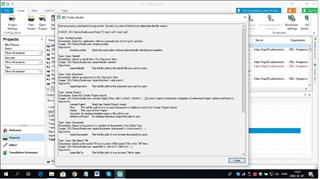
  • Hi Steven, Studio crashed several weeks ago, so I won't be able to send you full stack trace. I made a screenshot of the error message I got when I tried to open the Groupshare project I was working on when the breakdown happened, but only a part of it can be seen. Disappointed

    I receive Multiterm-related error messages as well, if the project contains a server-based Multiterm. I will try to save the XML file according to your instructions.

    Error message in Trados Studio indicating a problem with opening a Groupshare project, with partial visibility of the error details.

    emoji


    Generated Image Alt-Text
    [edited by: Trados AI at 6:41 AM (GMT 0) on 5 Mar 2024]
Children