
 Translate


Hi guys,
I just received a complimentary trial licence for Trados Studio 2026 Professional. I copied the licence key given to me, installed Trados 2026, and entered it, but it said there was an error.
However, in the licence section online, it now says:
Users: 1
In Use: 1
Available: 0
if I try to start Trados Studio 2026, I am told to activate, but that key doesn't work, and I am then told:
"The product licence has been deactivated, and Trados Studio will now exit. To start Trados Studio again, you must activate the product. "
OK, fine, so I figured I would just deactivate it and try it again. However, this is impossible. I tried clicking that button:
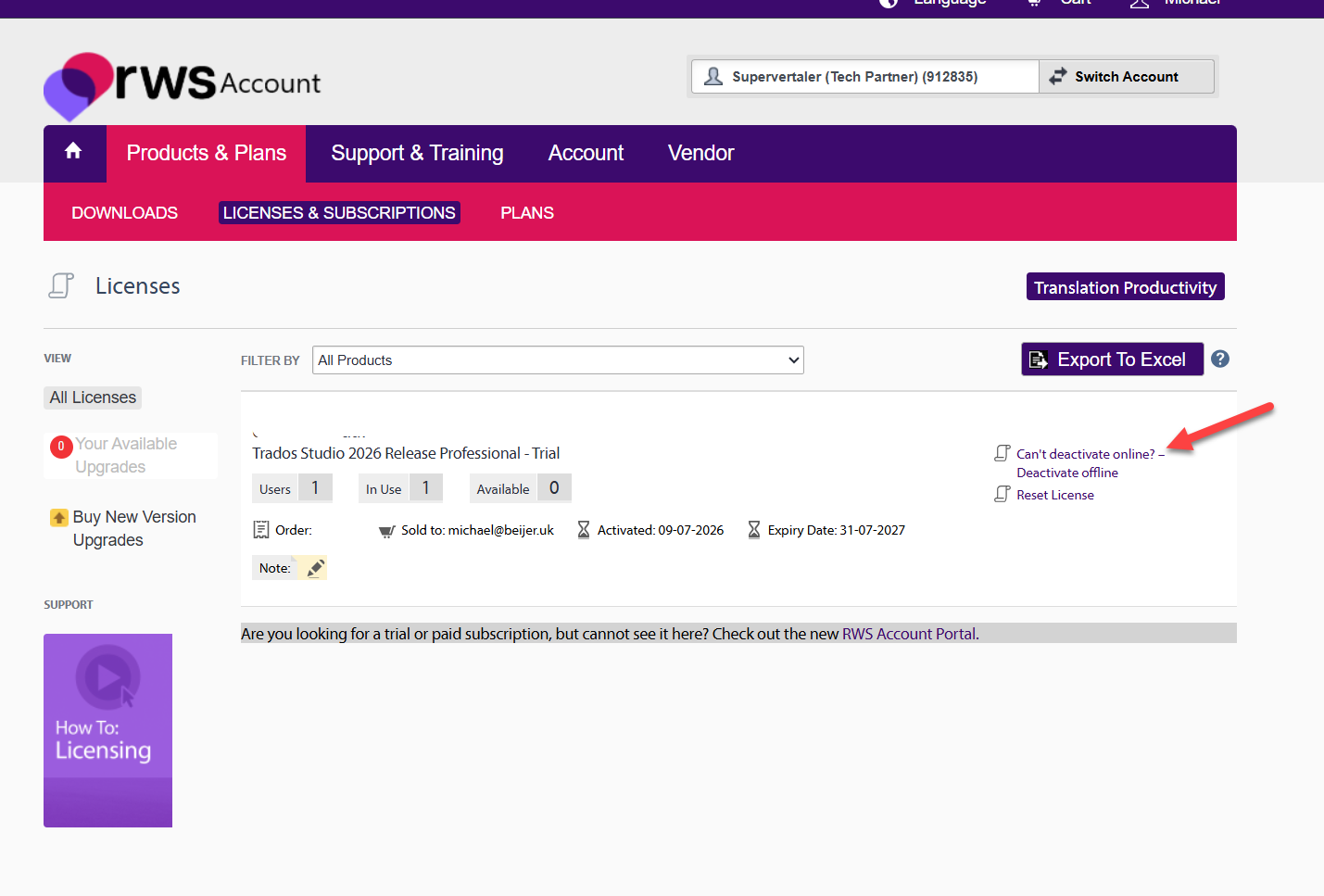
Which took me to this page:
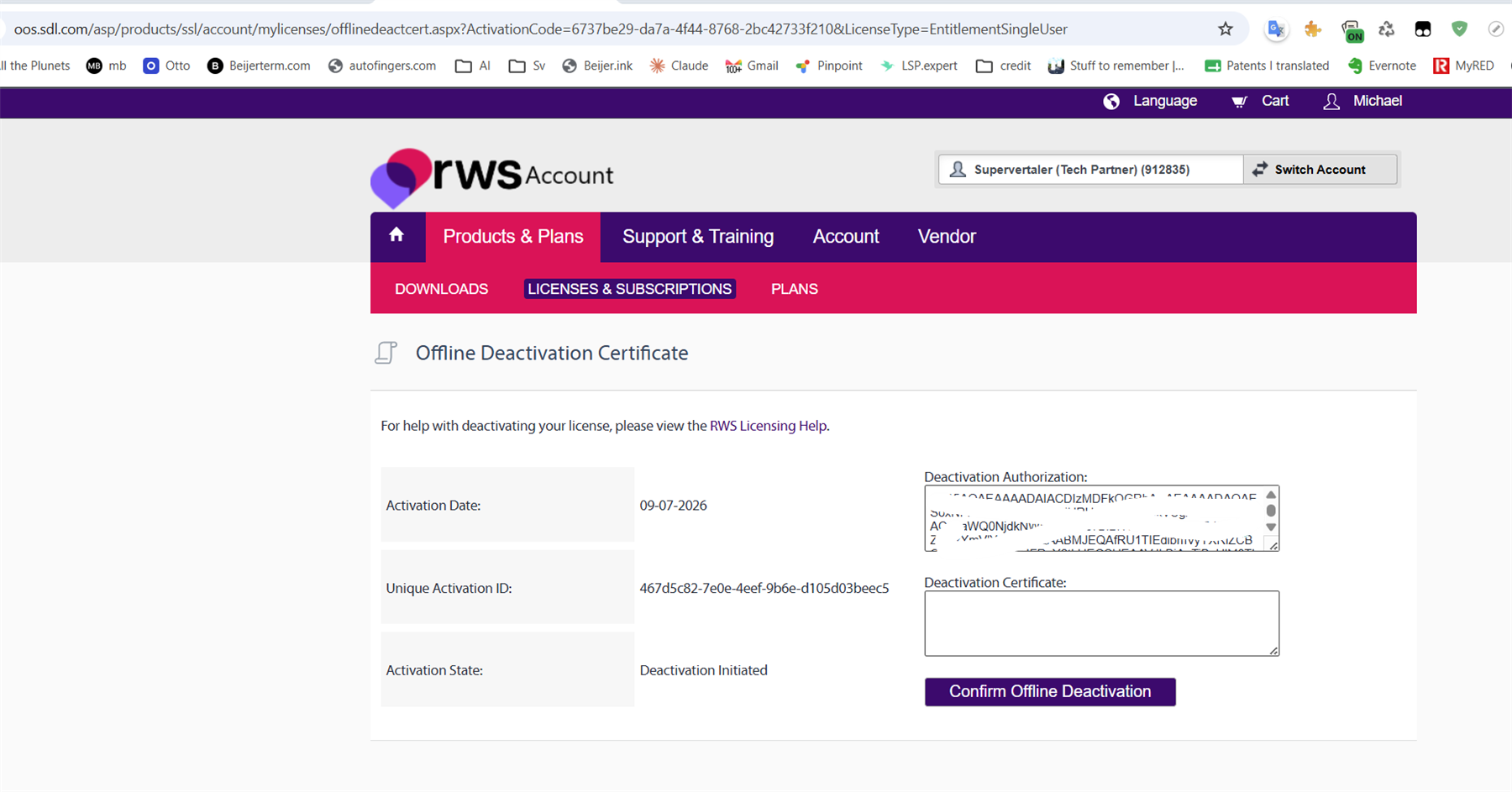
I then received an email (with subject "Offline Deactivation Authorization") with a code in it, so I figured, "Oh, I'll copy that code, and I'll paste it in the box." I did so and clicked "Confirm offline deactivation".
I then got the following error:
"An error has occurred with your offline-deactivation. If you continue to have problems, please. Please log a support request."
Ha ha, OK, fine. I will log a support request, I figured. First of all, I don't have a "Support and Maintenance Agreement". So I click this button:
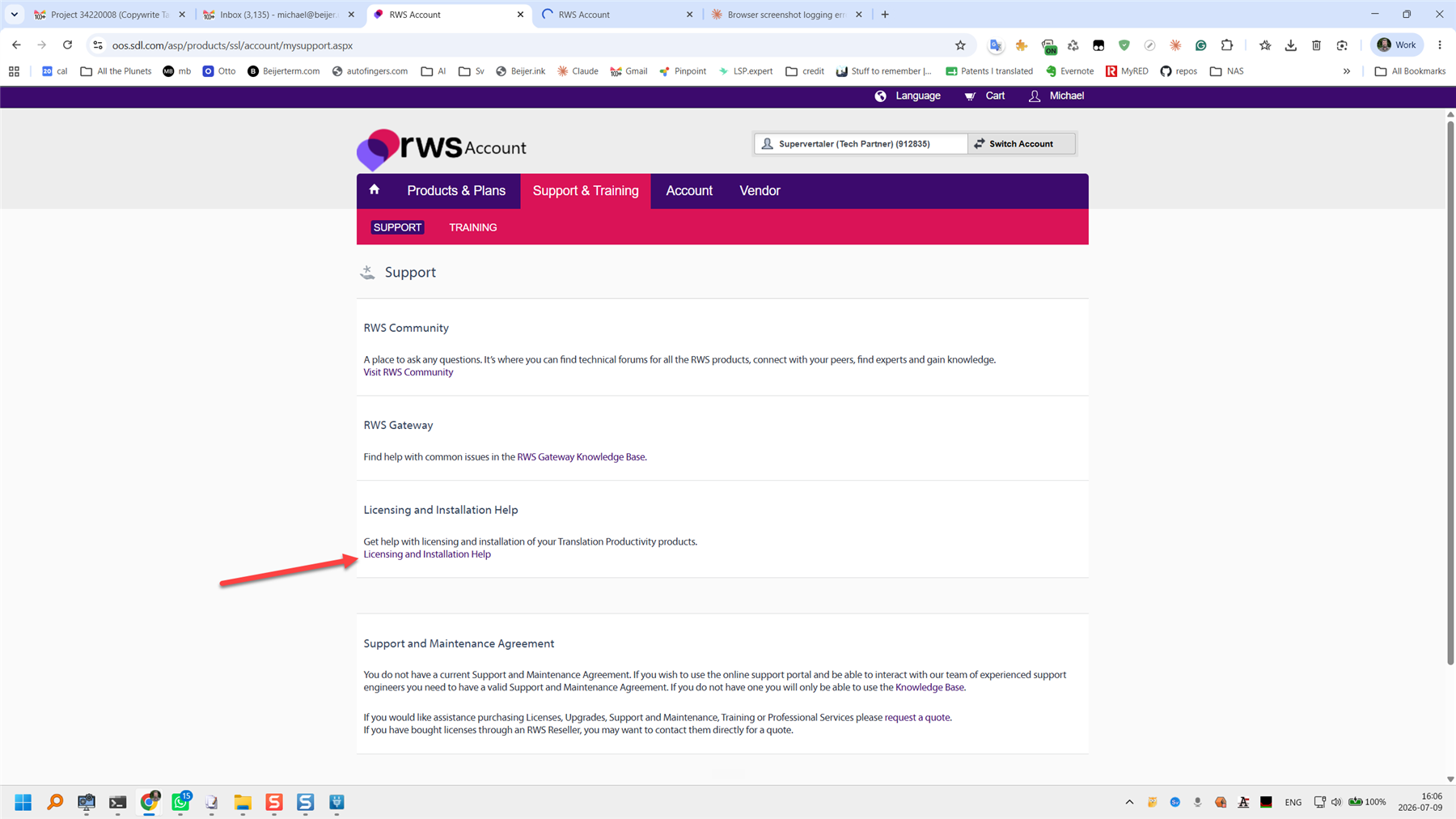
This takes me to this page:
It says log in for support. It does say for users who have an active support contract. However, I figure why not try and click it?
I click the login link, and I'm taken to
https://gateway.rws.com/csm?id=csm_login
This redirects me through two or three different pages, and eventually I am auto-redirected back to:
Stuck in an endless loop.
In short, I tried to use the fresh trial licence. I now have a licence in use, although Trados Studio says it won't work and closes automatically. I can't contact support.
Can someone reading this help me figure out what's going on here? Paul Filkin or Daniel Brockmann


