Trados 2022 SR2 licence activation

Dear Sir or Madam

I need your expertise and help with my Trados Studio 2022 Freelance Plus SR 2 on my new PC.

Trados version: Trados Studio 2022 SR2 - 17.2.12.19268 

OS: Windows 11

I have the Trados Studio 2022 SR2 version on my old PC which I recently replaced with a new desktop on which I intended to use the same software, which I am sure I am allowed to do, so I just downloaded and installed the software on the new desktop. And it was working fine, but a few days ago a new dialog box started appearing, telling me to activate  the software, see the screenshot.below.
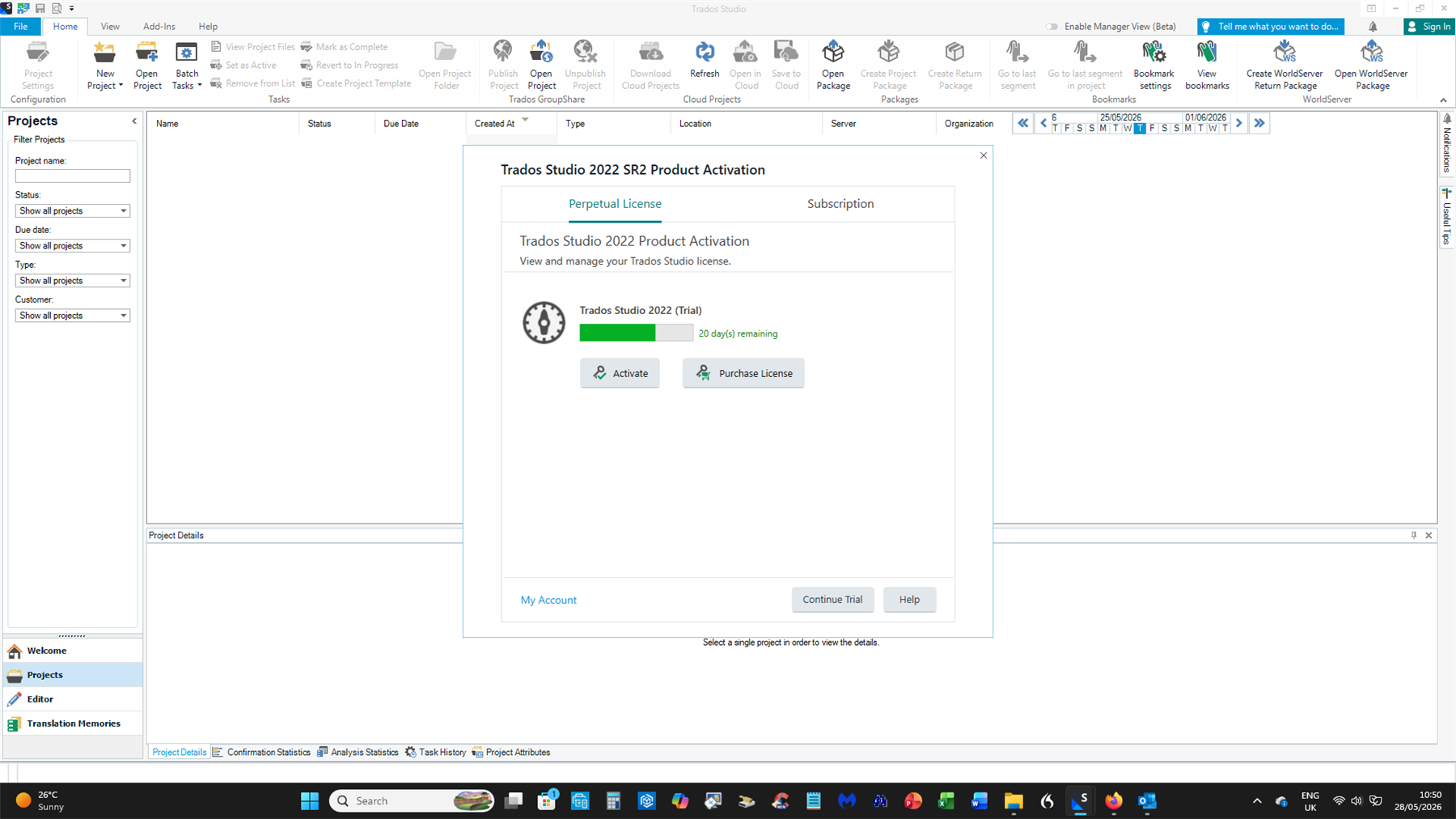
Trados Studio 2022 SR2 Product Activation window showing a trial version with 20 days remaining, options to activate or purchase a license, and navigation buttons at the bottom.

This mentions a trial version that I do not even remember selecting at any point – I have  a version without an expiry date after all!

I assumed that the activation code referred to was the licence key for Studio 2022 Freelance Plus SR 2 (see the second screenshot below)

but that didn't work and quite frankly, I find the explanations and instructions within the Help section or online as clear as mud. Looking for a needle in a haystack, so how do I move forward?

What do I have to do to start using Trados 2022 SR 2 on my new computer without any hassle such as a countdown for a trial version like this?

I look forward to your reply, offering a working solution.

Kind regards,

Paul de Wit


Please do not post your personal details and the license details on a public forum!!!! I have deleted the screenshot!
[edited by: Anca Stoian at 2:06 PM (GMT 1) on 4 Jun 2026]
emoji
Parents
  • Hi ,

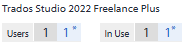
    Your license indeed has two activation fulfilments, but both are In Use as you can see below or in your RWS Account. The two fulfillments activate with the same activation code and you can use that on two devices.

     Screenshot showing Trados Studio 2022 Freelance Plus license details with 'Users' set to 1, 'In Use' set to 1, and both values marked with an asterisk.

    If you did not deactivate it before installing it on a different computer you need to reset it, please see the article on how to reset a license. Since yours is a Plus license, you need to choose which of the two to reset.

    https://gateway.rws.com/csm?id=kb_article_view&sysparm_article=KB0038545

    And as a future reference, when you want to move Trados from one computer to a new one, you need to deactivate it first on the old computer, because the system does not deactivate it automatically when you change computers. 

    After you perform the reset of the license, you are going to see at In Use that instead of 1 1 you are going to have 1 0/ or 0 1 which means one fulfilment is now available to use to activate Trados.

    Best regards,

    Anca

    Anca Stoian RWS Group

    emoji


    Generated Image Alt-Text
    [edited by: RWS Community AI at 2:13 PM (GMT 1) on 4 Jun 2026]
  • As for your answer to my question(s): I did not deactivate the software on the old computer because I intend to use it offline as a backup PC.

    I did not quite understand the bit “If you did not deactivate it before installing it on a different computer you need to reset it, please see the article on how to reset a license. Since yours is a Plus license, you need to choose which of the two to reset.”

    My question here is: if I reset the licence on my new PC, the one which I’m using now to communicate with you, I hope that would not result in me being unable to use Trados on that computer. And would it stop the message about the trial version from appearing?

     I would like to have more information on this before I start the reset procedure on my new computer - just to be on the safe side.

    I look forward to your reply.

    Kind regards,

    Paul.

    emoji
  • Hi ,

    I will try to explain the activation-deactivation system for licensing.

    A license needs activation in order to function as full license and not in trial mode. This means when you install it first, it starts in trial mode and you can activate the product by using the activation code the license has from the RWS Account. Activating it, the licensing system behind this registers that and in the RWS Account you are going to see it as In Use instead of Available.

    When you want to install it on a different computer, you need to deactivate it first on the current one and when you do that, the licensing system registers that the license has been returned and it will appear as Available. If you don't deactivate it, in the system the license remains registered as In Use, even if you uninstall it from your computer. Uninstalling Trados does not mean deactivating it. 

    The Plus license allows you to activate Trados on two computers at the same time, but if you do not deactivate one of them when you intend to change computers or you do a fresh installation of Windows, the licensing system still sees it as In Use. Since deactivation can only be done when you still have access to Trados, the alternative to return the license and have it Available again is the reset license procedure. The reset basically forces the license to go to Available mode bypassing the deactivation procedure, without needing Trados or the computer where it was installed to be available (sometimes a computer crashes and you just end up getting a new one or changing Windows or a component like the SSD and you need to install Trados again).

    One can do this reset procedure 3 times per year from their RWS Account following the steps in the article I have already provided.

    As for how to active or deactivate a license, we have a playlist showing the steps for both offline and online activation, you can see it below but it is also pinned when you go to the Licensing page in the forum

    https://www.youtube.com/playlist?list=PLeCTib6EEYZHfZBaRI2ZsRm3r8bKGq-Qz

    On your new PC you indicated it is in trial mode - which means it was not activated, performing the reset should not affect the Trados you installed there. If you are still using it on the old computer, then that activation may be affected if you don't recall when you activated it the last time. If you follow the article I have mentioned about the reset, you can see that clicking the button takes you to seeing when the two fulfilments were last used and you can choose which to reset based on whether you are still using or not Trados on your old computer and when you activated it there last.

    The licensing system does not register information about which computer has which fulfilment, it registers the date of when the activation was done.

    Now, regarding technical support for Trados - a customer can purchase a paid support contract that offers them the option to either open themselves a case with the technical team and then to also contact them via phone. In order to purchase such contract, the customer needs to be on the latest version of Trados. You can read more about this here:  https://www.trados.com/support/support-and-maintenance/

    Otherwise, we don't have a Customer Support Department that can be contacted by phone. But we offer a wide range of other support options, including online resources Translation Software Resources - RWS, community-driven assistance from other Trados users and also myself and some other colleagues here in the forum https://community.rws.com/product-groups/trados-portfolio/  and also there is the live chat. The live chat team is not technical support, but we can help with product information and known troubleshooting. Also, if the issue a customer presents here in the forum is not solved with known articles and troubleshooting, we can also open a case with the technical team from the forum, so they can get assistance from our colleagues in the technical team.

    Please let me know if you have other questions.

    Also, if you only use Trados on that new computer and wish to have the license reset for both activations, please let me know and I will open a case with the technical team to reset them both at the same time. Or you can do the reset procedure as explained in the article.

    Best regards,

    Anca

    Anca Stoian RWS Group

    emoji
  • Hello again Ms Stoian

    I managed to reset the licence for the trial and activate SR2 with the activation code. Trial dialog box does not appear any more so it seems to all OK now.

    Thank you for your help.

    Have a good weekend.

    Paul.

    emoji
Reply Children