
 Translate


Dear Sir or Madam
I need your expertise and help with my Trados Studio 2022 Freelance Plus SR 2 on my new PC.
Trados version: Trados Studio 2022 SR2 - 17.2.12.19268
OS: Windows 11
I have the Trados Studio 2022 SR2 version on my old PC which I recently replaced with a new desktop on which I intended to use the same software, which I am sure I am allowed to do, so I just downloaded and installed the software on the new desktop. And it was working fine, but a few days ago a new dialog box started appearing, telling me to activate the software, see the screenshot.below.
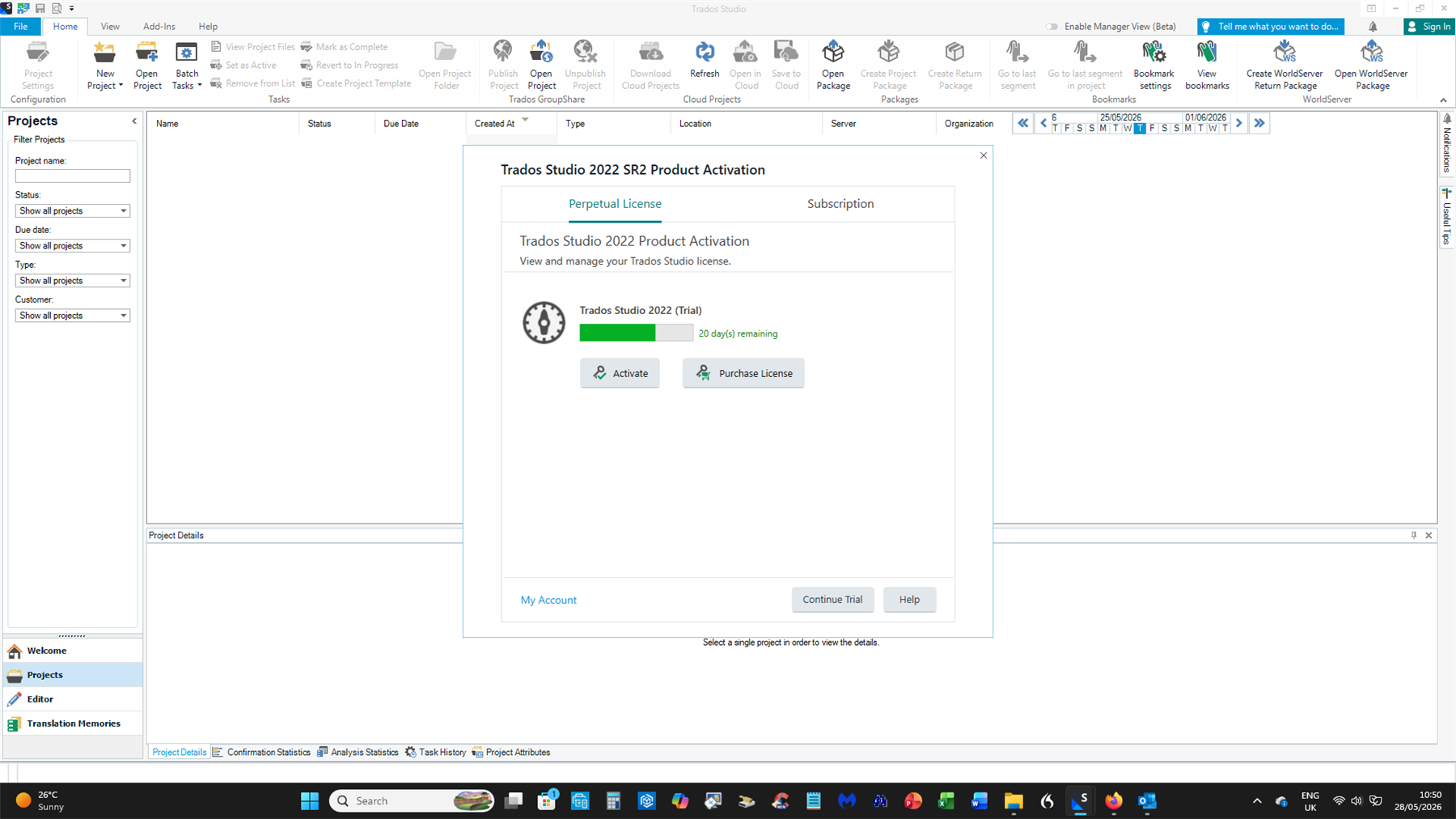
This mentions a trial version that I do not even remember selecting at any point – I have a version without an expiry date after all!
I assumed that the activation code referred to was the licence key for Studio 2022 Freelance Plus SR 2 (see the second screenshot below)
but that didn't work and quite frankly, I find the explanations and instructions within the Help section or online as clear as mud. Looking for a needle in a haystack, so how do I move forward?
What do I have to do to start using Trados 2022 SR 2 on my new computer without any hassle such as a countdown for a trial version like this?
I look forward to your reply, offering a working solution.
Kind regards,
Paul de Wit
Please do not post your personal details and the license details on a public forum!!!! I have deleted the screenshot!
[edited by: Anca Stoian at 2:06 PM (GMT 1) on 4 Jun 2026]

