 Translate


Where do I log a ticket? I need to urgently talk to a technician about installing Trados and find it very hard to navigate this website and to get in touch with anyone for help. I was told by customer service I need to make a post here first


Where do I log a ticket? I need to urgently talk to a technician about installing Trados and find it very hard to navigate this website and to get in touch with anyone for help. I was told by customer service I need to make a post here first
Could you please provide more details about your issue? Which version of Trados Studio do you own? I wasn’t able to locate a valid subscription using the email you’ve used here in the Community (the last subscription expired on 02-Apr-2025).
Looking forward to your reply.
Kind regards,
Ana Sabo | RWS Group
___________________
Design your own training!
You've done the courses and still need to go a little further, or still not clear?
Tell us what you need in our Community Solutions Hub



Hi Sara Winge
Please check this article at point 4. you have links to how to uninstall Trados and Multiterm, you need to uninstall both
Best regards,
Anca
Anca Stoian | RWS Group
I have now managed to uninstall Trados and install the version from the translation agency (Traddos 2022). When I try to open the application I get these 2 error messages: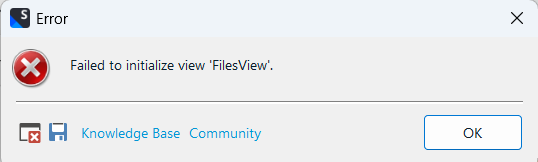
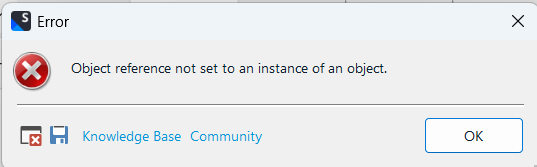
What is the issue?
Hi Sara Winge
A reset might help you with this. To do this just close Trados Studio and then delete these folders:
%appdata%\Trados\Trados Studio\Studio17\
%appdata%\Trados\Trados Studio\17\
You will lose your plugins, and also your settings, but your projects and other resources will remain untouched. Putting the plugins back is trivial via the integrated appstore.
If you can't find these folders then you need to unhide your hidden files/folders:
Then restart Trados Studio and see if that helped.
Kind regards,
Ana Sabo | RWS Group
___________________
Design your own training!
You've done the courses and still need to go a little further, or still not clear?
Tell us what you need in our Community Solutions Hub
I'm not able to see thise folders and also not able to unhide them allthough following the sent link.
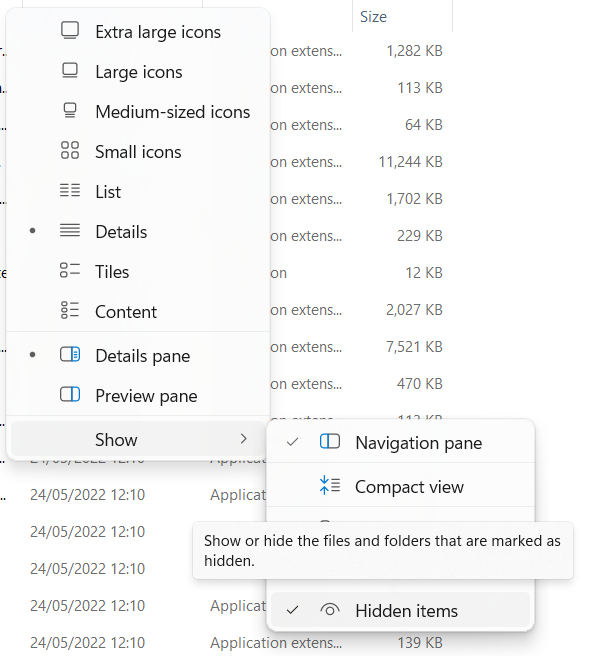
How do I find these folders?
Please see if this article helps - Showing hidden files, folders and extensions on Windows operating systems - RWS Customer Support
Kind regards,
Ana Sabo | RWS Group
___________________
Design your own training!
You've done the courses and still need to go a little further, or still not clear?
Tell us what you need in our Community Solutions Hub
The boxes are already checked but I still receive the same 2 error messages when trying to open Trados.
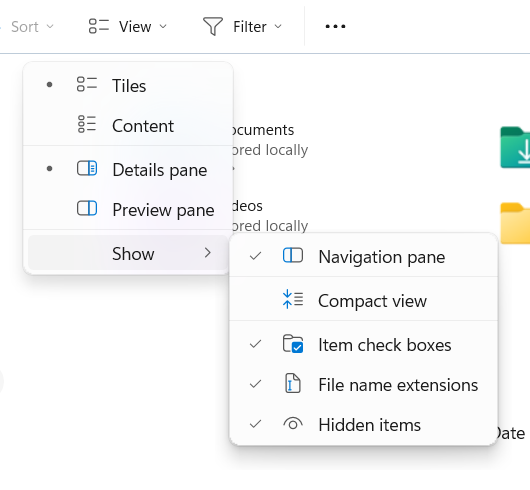
I need help urgently with this please
Hi Sara Winge
Thank you for your reply.
In this case, the issue will need to be investigated further by our technical team. However, since the license was provided by the translation agency, the license owner (the agency) would need to open a support case on your behalf gateway.rws.com/csm
Could you please contact the agency and ask them to assist you by raising a case with our support team? Once they do, we’ll be able to investigate the issue in more detail and help resolve it as quickly as possible.
Kind regars,
Ana Sabo | RWS Group
___________________
Design your own training!
You've done the courses and still need to go a little further, or still not clear?
Tell us what you need in our Community Solutions Hub