Cannot deactivate my Trados 2019 license online or offline in my old laptop. I need to reactivate it in my new laptop. I have tried resetting, after receiving error messages, I reset it to the max of 3 times. Now I cannot reset the license.

Hi Team,

I hope this message finds you well.

I cannot deactivate my Trados 2019 License online or offline in my old laptop. I need to reactivate it in my new laptop. I have tried resetting, after receiving error messages, I reset it to the max of 3 times. Now I cannot reset the license and I am stuck.

When I wanted to generate deactivation certificate, this area appears (screenshot):
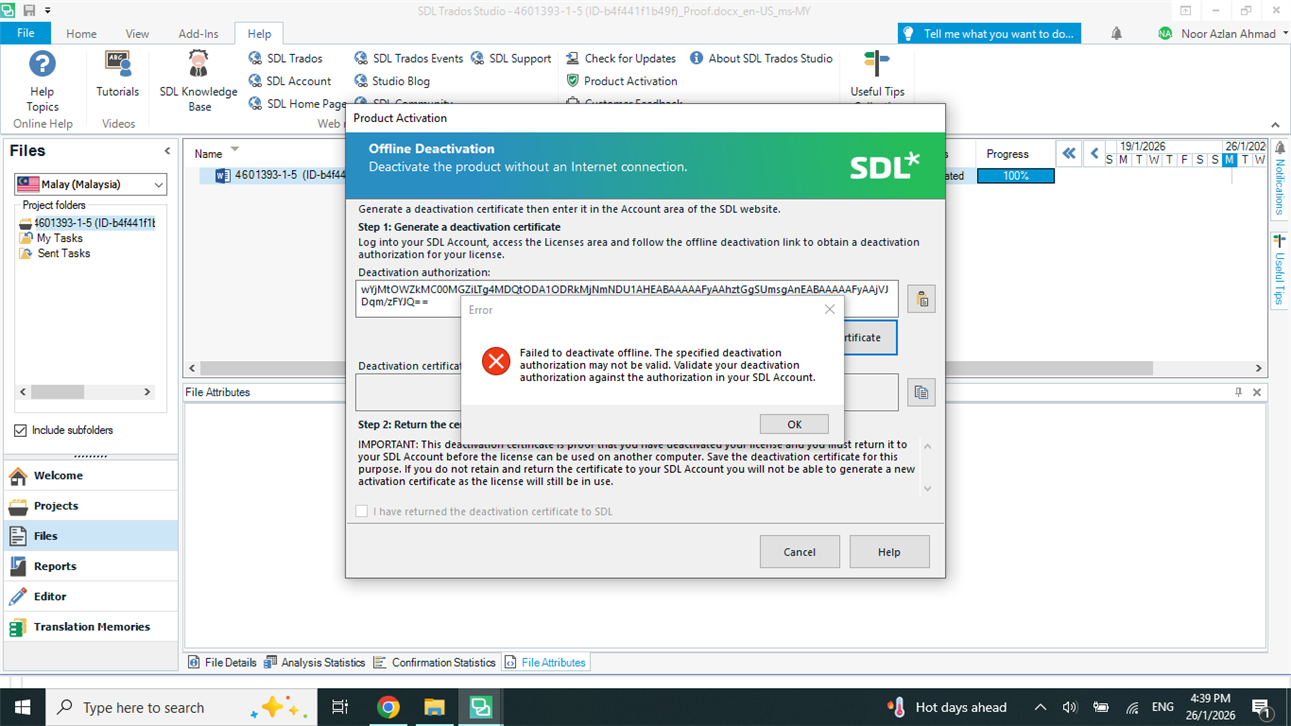
A screenshot of the SDL Trados Studio interface showing the Offline Deactivation window. An error message states: 'Failed to deactivate offline. The specified deactivation authorization may not be valid. Validate your deactivation authorization against the authorization in your SDL Account.' The error message includes an 'OK' button.

Since I did not manage to deactivate it, I accidently reset the license to the max of 3 times. So now, I cannot transfer the license to my new laptop. I really need assistance from the team. What is the next course of action. I look forward to hearing from you very soon.

Best regards

Noor Azlan Ahmad


Generated Image Alt-Text
[edited by: RWS Community AI at 8:45 AM (GMT 0) on 26 Jan 2026]

emoji
Parents
  • Hi  

    We will be pleased to help you with this problem so have logged a support case on your behalf. We do prioritise customers who have a support contract so please keep in mind it could take up to 48 hours, especially over a weekend, but rest assured we will contact you as soon as we can. You will be contacted at the email address used for this Community. Support Case Id: CS0037923

    Elisa Maxim| RWS Group

    Design your own training!
    You've done the courses and still need to go a little further, or still not clear?
    Tell us what you need in our Community Solutions Hub

    emoji
  • Hi Elisa,

    I hope this message finds you well.

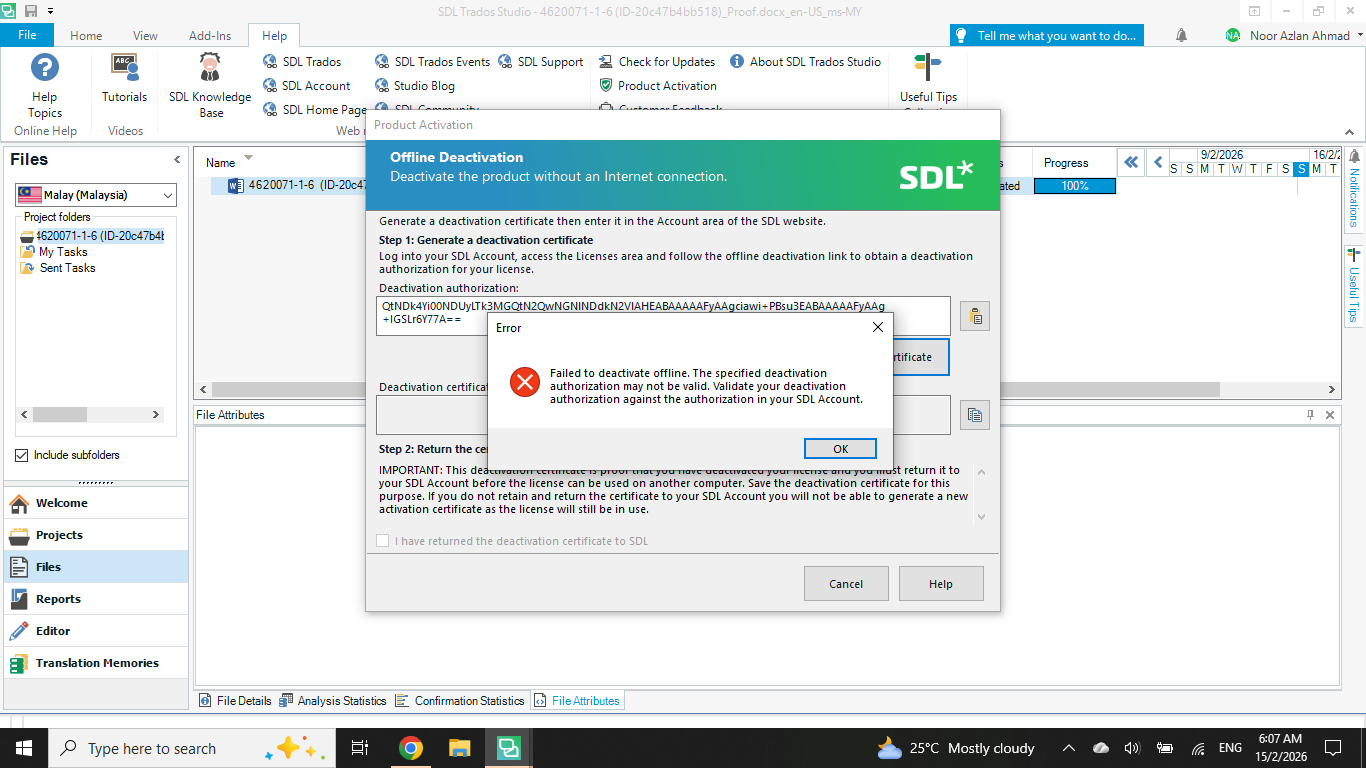
    Again, I just tried to deactivate my Trados 2019 Offline, but I still receive this message:

    A screenshot of the SDL Trados Studio interface showing the Offline Deactivation window with an error message. The error states: 'Failed to deactivate offline. The specified deactivation authorization may not be valid. Validate your deactivation authorization against the authorization in your SDL Account.' The OK button is visible in the error dialog.

    The specified deactivation was from my email which was sent to me right after I clicked on deactivate offline. I still cannot transfer the license to my new laptop. Please help me out. Thanks in advance.

    Best regards

    Noor Azlan Ahmad

    emoji


    Generated Image Alt-Text
    [edited by: RWS Community AI at 10:17 PM (GMT 0) on 14 Feb 2026]
Reply
  • Hi Elisa,

    I hope this message finds you well.

    Again, I just tried to deactivate my Trados 2019 Offline, but I still receive this message:

    A screenshot of the SDL Trados Studio interface showing the Offline Deactivation window with an error message. The error states: 'Failed to deactivate offline. The specified deactivation authorization may not be valid. Validate your deactivation authorization against the authorization in your SDL Account.' The OK button is visible in the error dialog.

    The specified deactivation was from my email which was sent to me right after I clicked on deactivate offline. I still cannot transfer the license to my new laptop. Please help me out. Thanks in advance.

    Best regards

    Noor Azlan Ahmad

    emoji


    Generated Image Alt-Text
    [edited by: RWS Community AI at 10:17 PM (GMT 0) on 14 Feb 2026]
Children
No Data