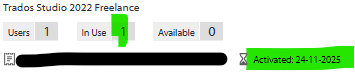
When I try to deactivate Trados Studio in my old PC to activate it in a new one, I get this error message

I am following the instructions but somehow the process is blocked. Last Saturday when I deaactivated on the old PC in the new PC there came many other message errors like Internet settings and when activating offline the activation certificate failed 3 times. How shall I proceed? Thank you!
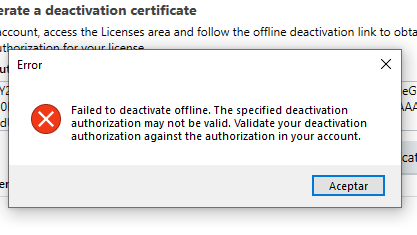
Error message window with red cross icon stating 'Failed to deactivate offline. The specified deactivation authorization may not be valid. Validate your deactivation authorization against the authorization in your account.' and an 'Aceptar' button.


Generated Image Alt-Text
[edited by: RWS Community AI at 8:37 AM (GMT 0) on 25 Nov 2025]

emoji
Parents Reply
  • Thank you. I'll do exactly that and wait for the technical team.

    When the license was reset yesterday my first try was to Activate it on the new computer but it failed again. And on my new computer the license was ready for use without doing anything on my side. It was today that I try to start over again by Deactivating it on the old computer.

    Somehow the info stated on your side does not match the info I see on my PCs. Does this make any sense?

    I confirm I am not touching anything and that I am working on the program on the old computer right now on a project. 

    Thank you!

    emoji
Children
No Data