Deactivation / Activation of License

Dear All,

I have problems with deactivation of my license. I have first reset it in my rws account and waited for 30 mins. On opening Trados Studio 2019 I wanted to perform offline deactivation which did not work because of an invalid certificate and the online deactivation required a connection to the activation server, which did not work as well. 

What can I do here ?

Kind regards,
Ute

emoji
Parents Reply
  • If it is showing Deactivate license, then the license is already active.

    Please take a screenshot and share it here. Thank you.

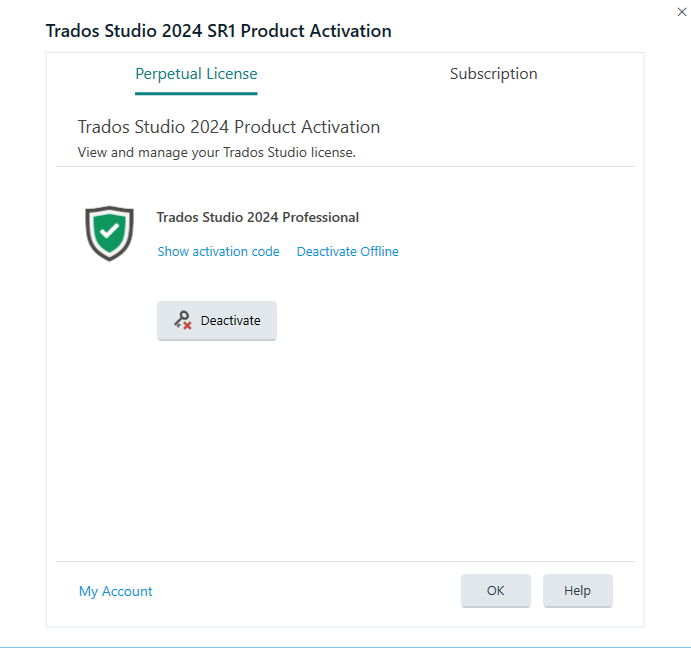
    Just as example, this is how my active Trados 2024 license looks like, as you can see, the option I have is Deactivate - which means my license is active. 

    If you have a similar view - of course with 2019 instead of 2024, then you activated the license.

    Trados Studio 2024 SR1 Product Activation window showing Perpetual License tab selected. The license status is active with a green shield icon and a Deactivate button displayed.

    Anca Stoian RWS Group

    emoji


    Generated Image Alt-Text
    [edited by: RWS Community AI at 8:23 PM (GMT 1) on 23 Oct 2025]
Children
No Data