Adding-termbase Window Shows No .sdltb File

Hi,

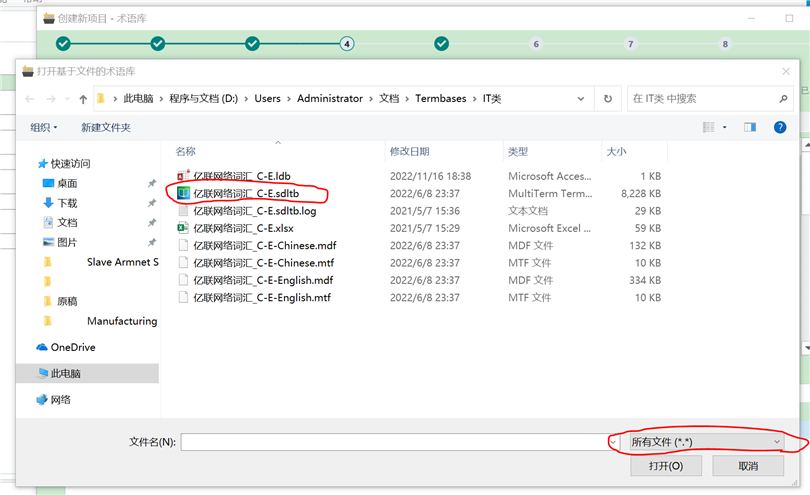
I have updated Studio 2021 to the latest version 9338. When I add a termbase file during creation of a new project, the window is blank showing nothing (please see Fig 1), but actually there is a .sdltb files in the folder. Now I change the extension to all files, this .sdltb file appears (please see Fig 2). This also happens to other file folds where there are many sdltb files. Therefore, I think there is a bug for the adding-termbase window showing .sdltb files. This is the first time I meet this issue since I started using Studio versions a few years ago.

Could anyone help?

Thanks.
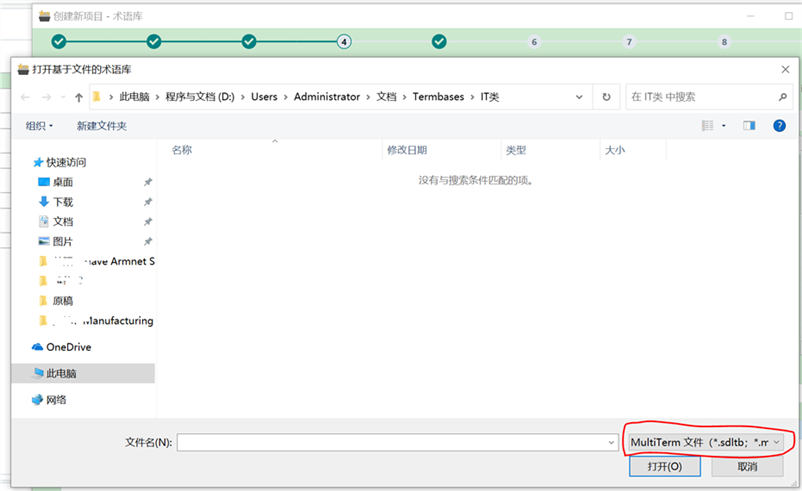
Trados Studio 2021 termbase file addition window is blank, despite .sdltb files being present in the folder.                         Trados Studio 2021 termbase file addition window displays .sdltb files after changing the file extension filter to all files.


Generated Image Alt-Text
[edited by: Trados AI at 1:44 PM (GMT 0) on 4 Mar 2024]

emoji
Parents Reply
  • Thank you, Walter.

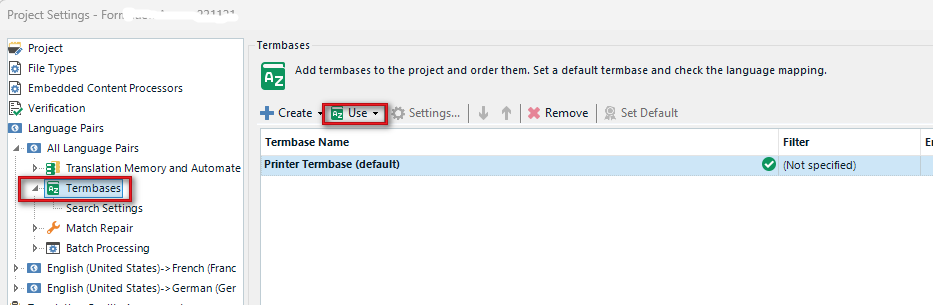
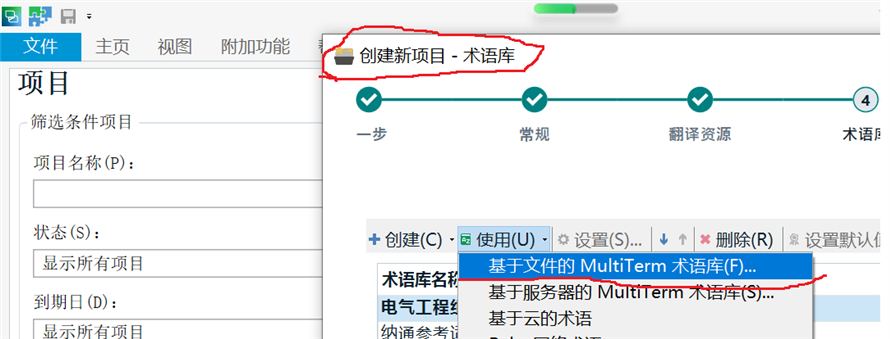
    I just tried as the way you said and find this problem persists. I generally add termbase files during creating a new project thru File → New → New Local Project → 3 consecutive steps → New Project - Termbase: MultiTerm termbase based on file... (as shown in the Fig).

    I doubt there may be some problem in the Win 10 system startup items and will try to find out.

    Thanks.

    Trados Studio screenshot showing the New Project - Termbase section with an option selected for MultiTerm termbase based on file. No visible errors or warnings. 

    emoji


    Generated Image Alt-Text
    [edited by: Trados AI at 1:44 PM (GMT 0) on 4 Mar 2024]
Children
No Data