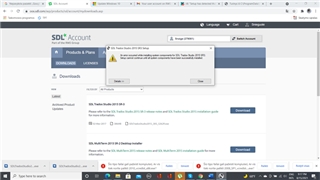
"Setup has detected that the file ...vcredist_x86.exe has changed since it was initially published"

When trying to install Trados Studio on a new computer, I receive the above message and the installation fails. Please help me urgently as I have to complete my translation projects quickly and cannot do this in my old computer since it was broken.

Best regards

Snage B.

Parents
  • Go to C:\ProgramData\Package Cache\SDL\Dependencies and install the necessary dependancy from there. Then change there to the folder of your Studio version and run the setup.exe from there.

    _________________________________________________________

    When asking for help here, please be as accurate as possible. Please always remember to give the exact version of product used and all possible error messages received. The better you describe your problem, the better help you will get.

    Want to learn more about Trados Studio? Visit the Community Hub. Have a good idea to make Trados Studio better? Publish it here.

Reply
  • Go to C:\ProgramData\Package Cache\SDL\Dependencies and install the necessary dependancy from there. Then change there to the folder of your Studio version and run the setup.exe from there.

    _________________________________________________________

    When asking for help here, please be as accurate as possible. Please always remember to give the exact version of product used and all possible error messages received. The better you describe your problem, the better help you will get.

    Want to learn more about Trados Studio? Visit the Community Hub. Have a good idea to make Trados Studio better? Publish it here.

Children