Trados Business Manager – End of Life Announcement

Trados Business Manager (TBM) has reached end of life. Following the discontinuation of TBM sales on 31 October 2023, all maintenance and support services will conclude on 31 October 2024.
What Does This Mean for TBM Users?

  • End of Services: RWS will no longer provide any services related to the installation or updating of TBM.
  • Existing Installations: TBM will remain functional where already installed, but the RWS support team will not offer assistance in troubleshooting issues, addressing reported problems, or providing further development for TBM.
  • Documentation: The TBM documentation has been removed from docs.rws.com.
  • Community Support: The community forum for TBM will remain accessible in a read-only format for users to reference if needed.

Unable to connect to database

Questions:

1. Unable to connect to database. Where do I find the credentials for the connection to the database? Tried to use localhost with disable https to access TBM but it just renders lot's of connection error messages 

2. We have a domain that we want to use for the TBM access. How can we connect the domain to the installation? 

emoji
  • Hello, Magnus,

    1. When you install database server, there is step to configure access (Windows user or specified login/password). If you use default settings in the installation, then Windows user should be used. In IIS Manager, open advanced settings for the application pool and select Identity there who has access to the database server. For example, you can provide Administrator there, This is mentioned in the installation instructions:

    community.rws.com/.../installing-sdl-trados-business-manager-team-enterprise

    2. Domain question is not specific to TBM, but to server administration. It's easy to find in any search engine how to bind your domain to your server and then bind it to web app in IIS manager. In general, you point your domain to dns server according to your hosting provider instructions, and then just add binding to that URL in web site properties in IIS manager. So the first step here is to search instructions from your hosting provider.

    I'm also not a network or server administrator, so I don't think I can provide more detailed instructions (my knowledge is very limited in this field, and it does not related to TBM, but to servers in general), because this all affect security on the server, and it should be configured properly. 

    emoji
  • Ok, thanks. I think I'm at the right place but not sure what's missing. Can I please send you some screenshots by email? 

    emoji
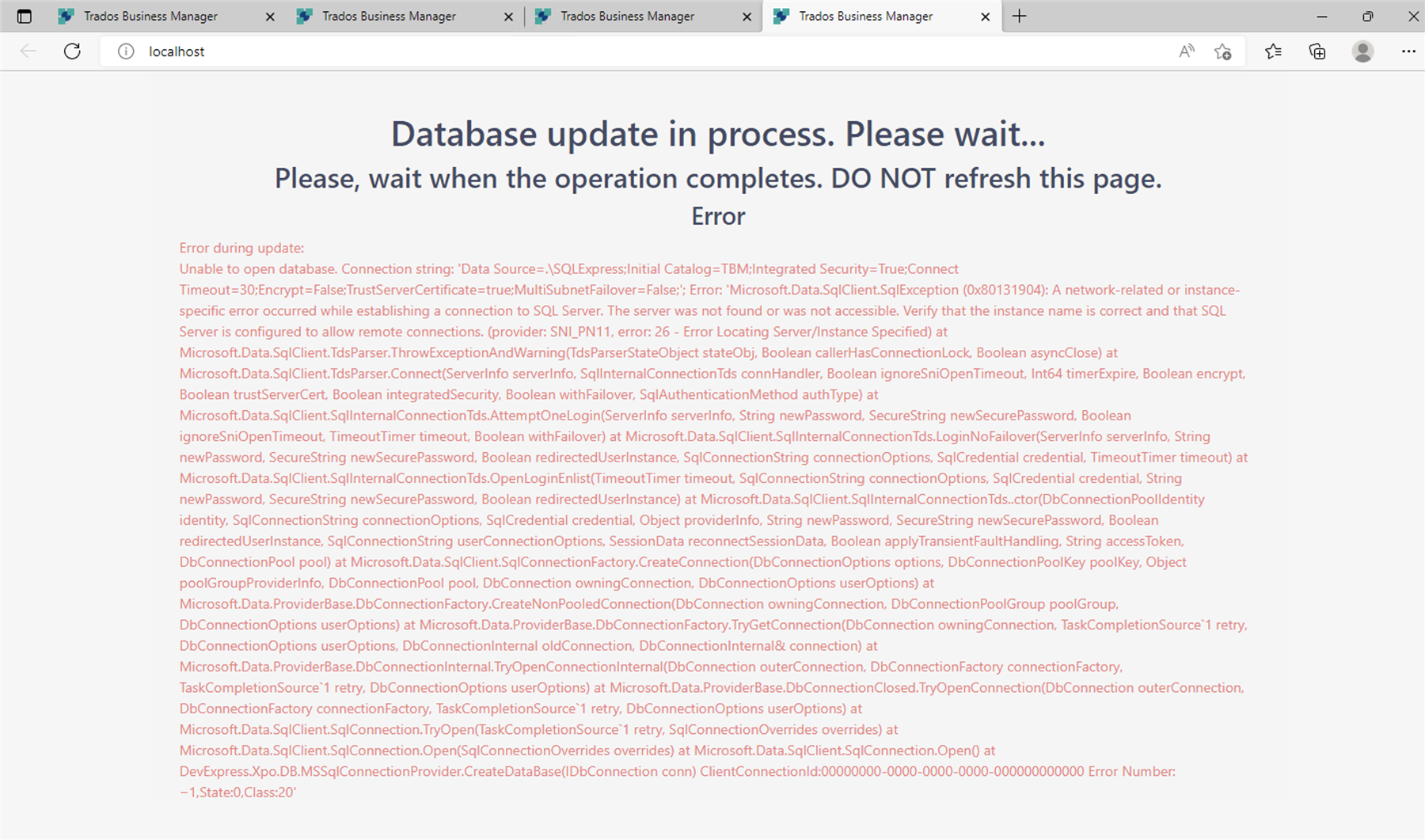
  • Screenshot of Trados Studio error message displaying 'Database update in process. Please wait... Error during update: Unable to open database. Connection string: Data Source=SQLExpress;Initial Catalog=TBM;Integrated Security=True;Connect Timeout=30;Encrypt=False;TrustServerCertificate=true;MultiSubnetFailover=False; Error: Microsoft.Data.SqlClient.SqlException: A network-related or instance-specific error occurred while establishing a connection to SQL Server. The server was not found or was not accessible. Verify that the instance name is correct and that SQL Server is configured to allow remote connections. (provider: SNI_PN11, error: 26 - Error Locating ServerInstance Specified)' and a stack trace of the error.I've followed all instructions (to my best knowledge) and also ticked dbcreator rights for the user but am still getting the same error view when browsing localhost. 

    emoji


    Generated Image Alt-Text
    [edited by: Trados AI at 10:59 AM (GMT 0) on 4 Mar 2024]
  • Hi Magnus,

    Excuse me for delays with replies. I'm off this week, so have limited access here.

    From this error, it seems that SQL server is not visible by the application. It's not about user credentials. So, you use .\SQLExpress. Two questions here:

    1. TBM and SQL Server are installed on the same machine?
    2. Are you sure that SQL Server instance name is SQLExpress? You could change it during installation.

    Also, one suggestion: please try to use machine name instead of dot: PC_NAME\SQLEXPRESS. For example, in my case it will be EUGENE-PC\SQLEXPRESS. You can find computer name by opening properties of the This PC in the File explorer.

    I will also send you a message by email so you can answer me there in case of any sensitive data.

    emoji