
 Translate


In the Comments window, the Comment column is far too narrow to show the actual comment text – you only ever see the first word or two (see screenshot: 45 comments, none of them readable). Widening the column doesn't really solve it either, since comments are often several lines long.
Request: add a preview pane at the bottom of the Comments window that displays the full text of the comment currently selected in the list, updating as you move the selection with the mouse or arrow keys – much like the reading pane in an email client.
Ideally the pane would:
- update on single-click / arrow-key selection, with no extra click needed
- be resizable and collapsible, and remember its size between sessions
- allow the text to be selected and copied (and, better still, edited in place)
- also show the full metadata for that comment (author, date, severity, segment)
Clicking a row already takes you to the relevant segment in the editor, and that should stay as it is – but with large numbers of comments, jumping to every single segment just to find out what a comment says is very slow. Being able to scan the list and read each comment in place would be a huge time-saver on review-heavy projects.
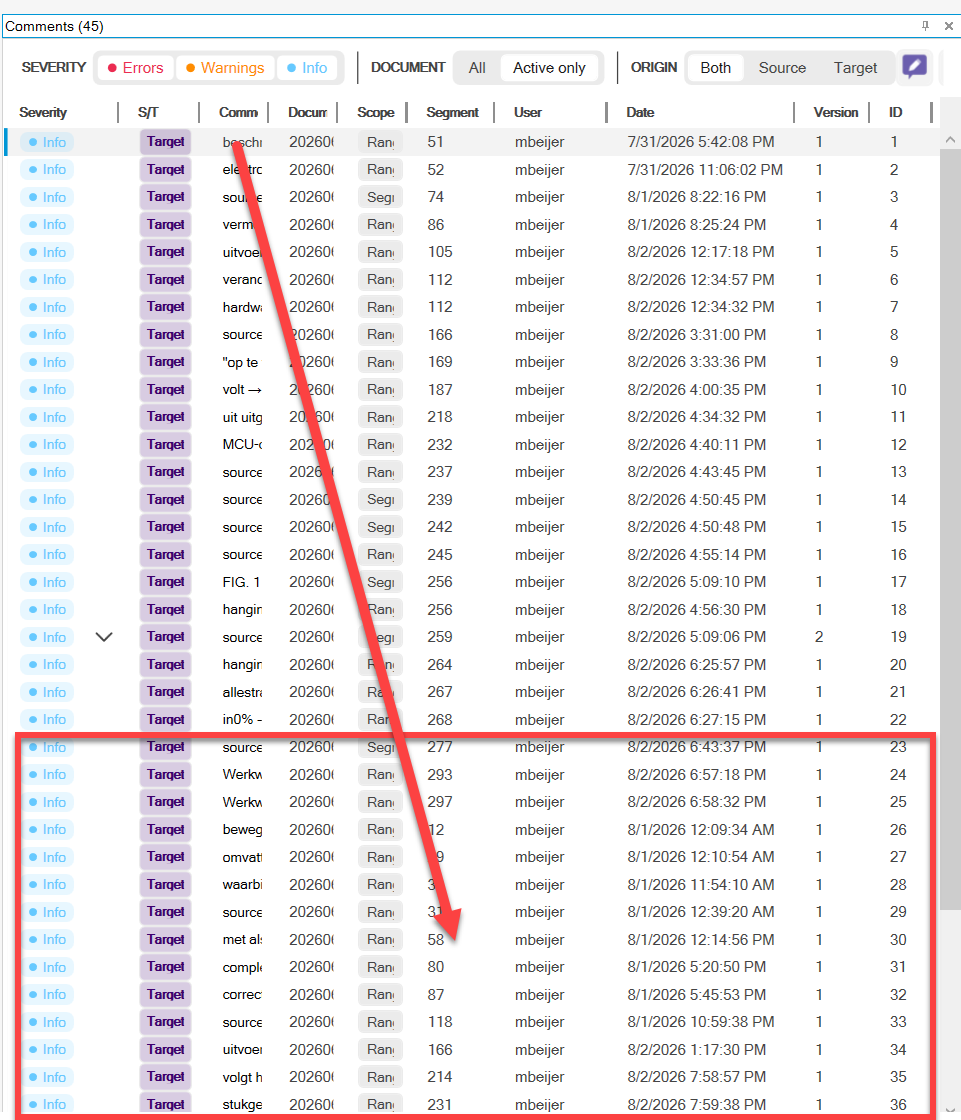
In the screenshot above, I can imagine the preview pane being where the rectangle is!
Michael
