Translate


Dear Studio Developers,
Problem
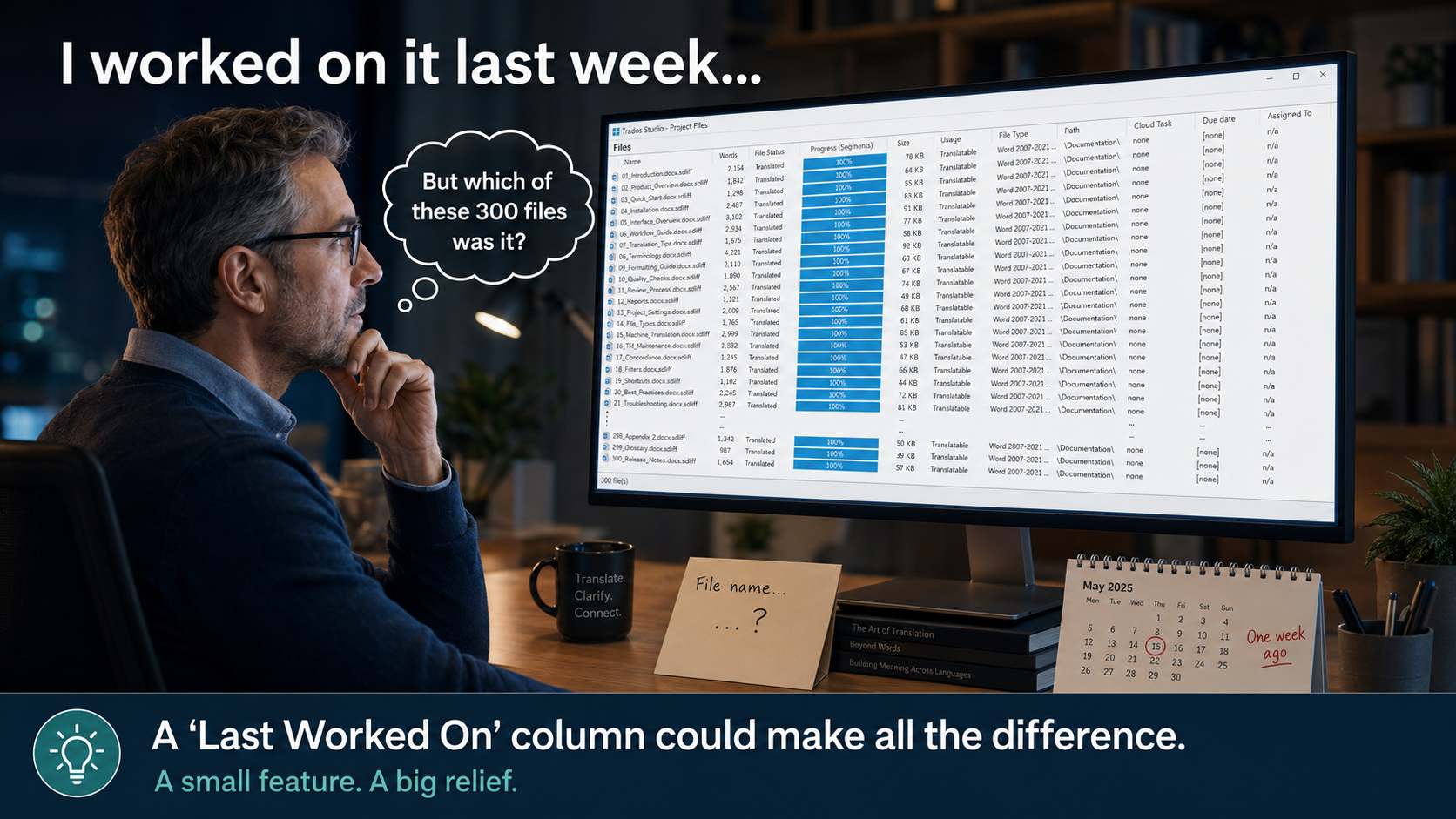
The Files view in Trados Studio allows users to sort project files by several criteria, including file name, word count, file status, progress, size, file type, path, due date and assignee. However, it provides no way to identify or sort files according to when they were last opened, edited or processed in Studio.
This becomes a serious workflow limitation in large projects containing hundreds of files. A project may contain 300 files or more, and a translator or reviewer may work on several files during a session without completing them in a simple alphabetical or sequential order.
When returning to the project, there is currently no quick way to answer basic questions such as:
- Which files did I work on most recently?
- What was the last file I edited?
- Which files did I process yesterday or on a particular date?
- Which recently processed files do I need to revisit?
- Users must rely on memory, manually record file names, search through a very long list, or repeatedly open files to determine whether they are the ones recently processed. File status and translation progress do not solve this problem: many files may share the same status or show 100% progress while having been processed on entirely different dates.
Proposed Solution
Please add a new sortable column to the Files view, preferably named:
Last Worked On
This column should display the date and time when the file was most recently opened and meaningfully processed in the Translation Editor—for example, when a segment was edited, confirmed, its status changed, or the file was saved.
Users should be able to:
- Display or hide the column through the existing column-selection options.
- Sort it in ascending or descending order.
- Place the most recently processed files at the top of the Files view.
- Filter files by a specific date or date range, if possible.
- Retain this information after closing and reopening Studio or the project.
A useful date-and-time format would be:
04 August 2026, 2:35 PM
Alternatively, Studio could provide two separate columns if the underlying events need to be distinguished:
- Last Opened
- Last Modified
However, a single reliable Last Worked On column would address the essential workflow need.
Expected Behaviour
- When a project file is opened but no work is performed, Studio may update Last Opened, if that separate field is implemented.
- When a segment is edited, confirmed, its status changed, or the file is saved, Studio updates Last Worked On.
- Clicking the column header sorts all project files by this timestamp.
- Descending sorting immediately shows the most recently processed files at the top.
- The timestamp is stored with the project and remains available in later Studio sessions.
- The information is based on activity within Studio rather than relying solely on the operating system’s file-modification date, which may be changed by copying, packaging, synchronisation or other external operations.
Why This Is Important
This is not merely a convenience for large projects. It is basic workflow history and navigation information.
In projects containing hundreds of files, users need a reliable way to resume work, revisit recently processed files, perform follow-up QA, investigate an issue reported after delivery, or identify what was handled during a particular working session.
The absence of this information makes file navigation unnecessarily slow and forces users to maintain external notes for something Studio should be able to track automatically.
Business and Productivity Benefits
This enhancement would:
- Allow translators and reviewers to resume work immediately.
- Save considerable time in projects containing hundreds of files.
- Make recently edited files instantly identifiable.
- Improve QA and revision workflows.
- Reduce the risk of revisiting the wrong file or overlooking a recently processed one.
- Provide better visibility into project activity and working history.
- Eliminate the need for external notes merely to remember the last files processed.
Summary
Trados Studio already provides many useful file-sorting criteria, but it omits one of the most practical: when each file was last worked on.
Adding a persistent, sortable Last Worked On date-and-time column—and ideally date filtering—would resolve a genuine and recurring productivity problem, particularly in large multifile projects. This limitation is currently painful in everyday professional use and deserves to be addressed as a priority.