Translate


Hi,
I’m trying to open a WorldServer Package file using Studio 2021 API.
In Studio 2017 there was no way (I knew) to open directly a WSXZ file in Studio using the API. But the File Type WSXliff was available and--with quite a bit of extra code--we could manage to process WSXZ files.
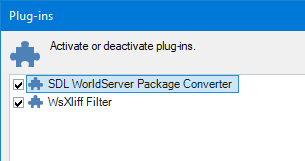
In Studio 2021, WSXZ packages are handled with a separate component to install via AppStore. Once installed, we get two plugins: “SDL WorldServer Package Converter” and “WsXliff Filter”.
How can I use those plugins with the API?
Ideally there would be some direct way to call the converter, but I have no idea how.
The WsXliff filter seem to be properly installed, but I can’t see it in the File Types list when using the Studio UI and the previous code we have for Studio 2017 doesn’t work: the .xlf files in the .wsxz package are seen as references instead of translatable files.
Any pointer on how to either use directly the converter, or somehow make WsXliff file type work like it used to would be very appreciated.
Thanks
-yves