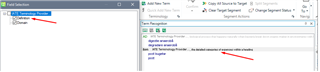
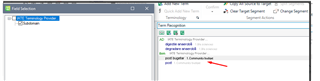
How/where are EntryField objects displayed for Custom Terminology Providers?

I've built a custom terminology provider. The terms in the termbase have additional fields, such as gender, plurality, etc., which I have declared as instances of IEntryField on the EntryTerm object.

But where can I expect to see these fields?

And importantly, how can I present a term as being forbidden for us - i.e., indicate that a term should not be used?

The hitlist settings offer a preview showing the field values adjacent to the term's text...
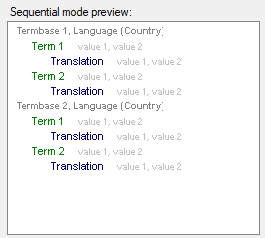
Screenshot of Trados Studio's Sequential mode preview displaying two termbases with terms and their translations, but additional fields like gender and plurality are not visible.

...but my field values don't appear in the Term Recognition or Termbase Search panels...
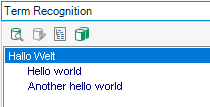
Screenshot of Trados Studio's Term Recognition panel showing translations for 'Hallo Welt' but without any additional fields or indication of forbidden terms.

Here is the object which is being displayed, showing that it's Fields property is populated...
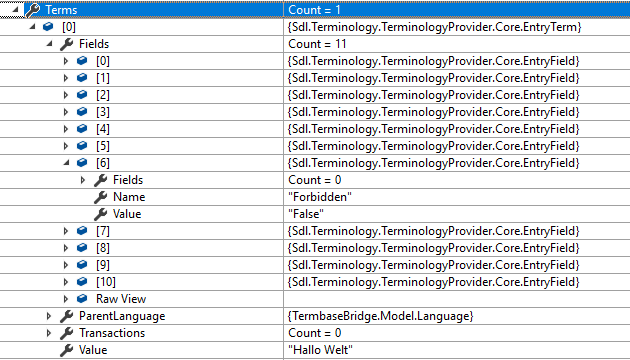
Screenshot of Trados Studio's object properties with an EntryTerm object expanded to show a populated Fields property, including a 'Forbidden' field set to 'False'.

What more do I need to do to have these fields presented in the UI?


Generated Image Alt-Text
[edited by: Trados AI at 1:13 PM (GMT 0) on 5 Mar 2024]
Parents
  • Hello   ,

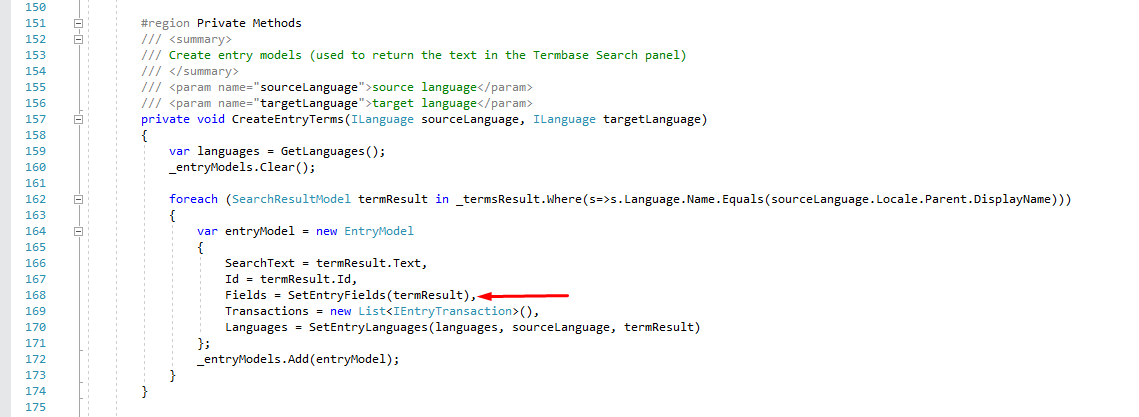
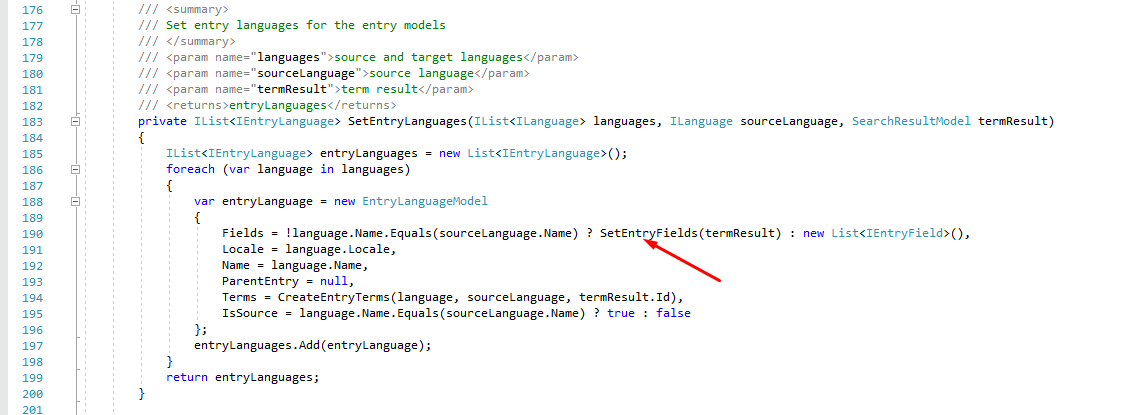
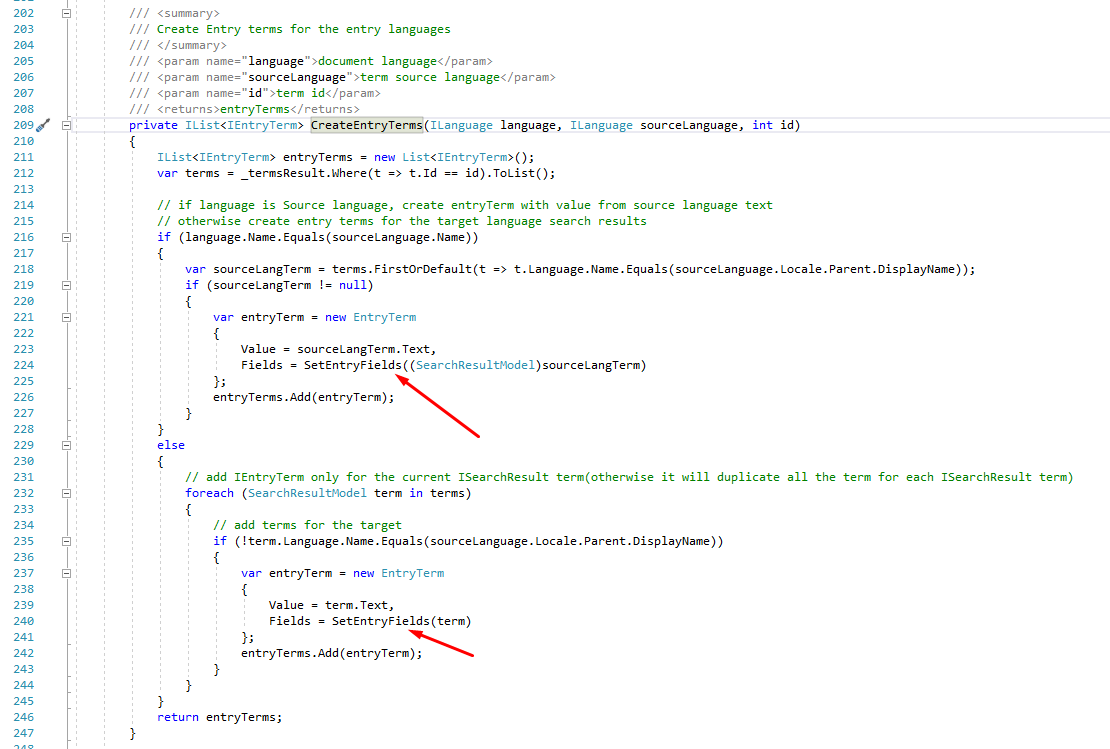
     You can look as a reference on how to display the entry fields in the IATE Terminology application found as open source app on the Github https://github.com/sdl/Sdl-Community/tree/master/IATETerminologyProvider, in IATETerminologyProvider.cs class . I managed to display the entry fields by setting them up in the following places (all the below methods are defined in the IATETerminologyProvider.cs class):

    1. When creating the entry terms for the search result

    2. When setting the entry languages for the entry terms


    3. When creating the entry terms for the entry languages


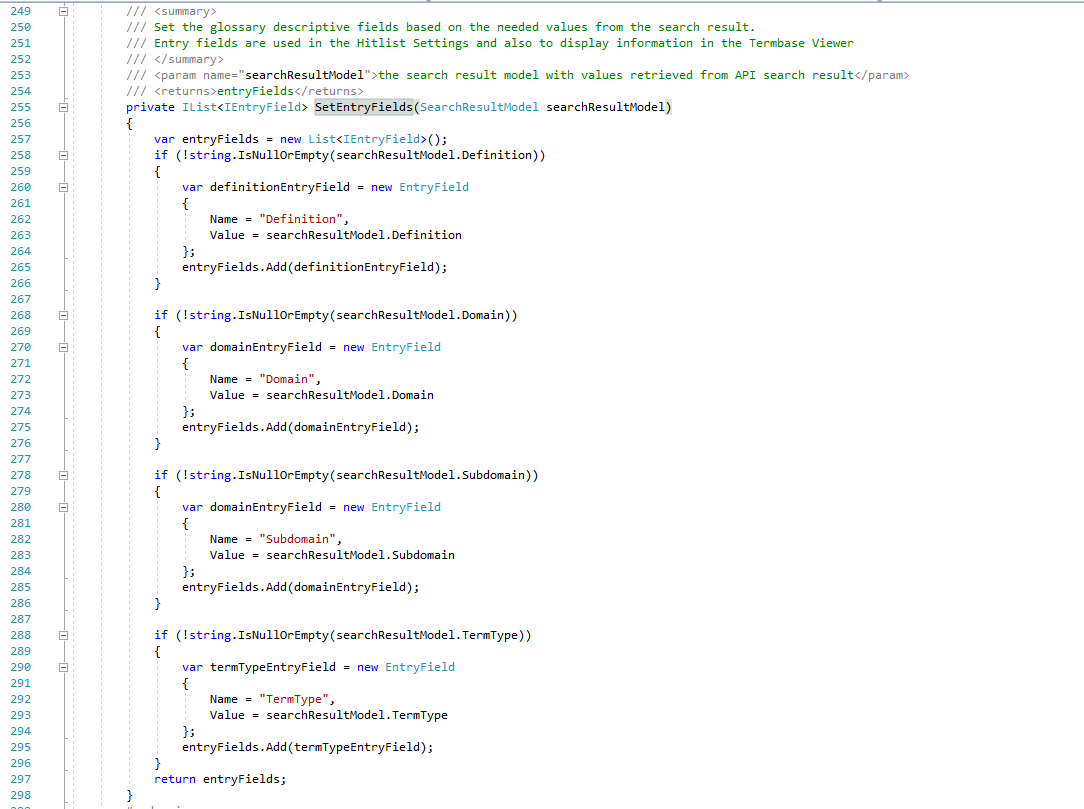
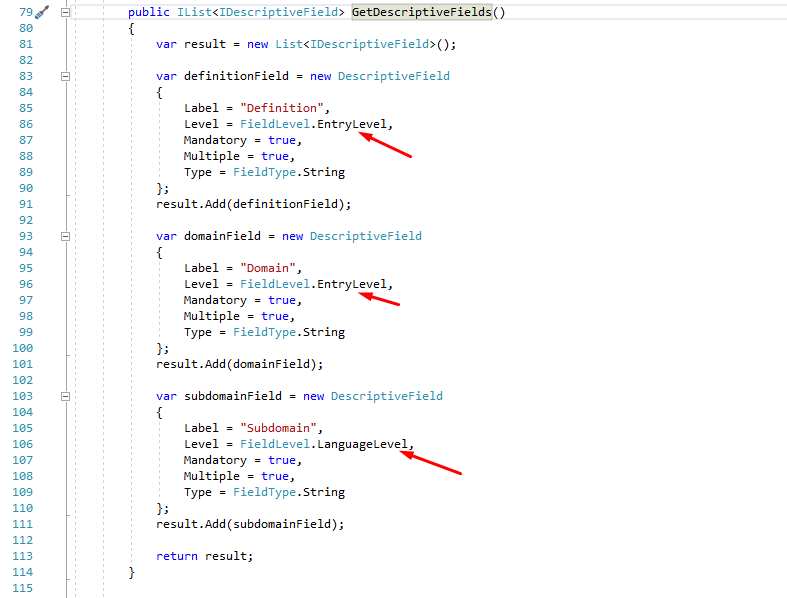
    The method which generates the glossary descriptive fields based on the needed values looks like: (the method can be found in the same  IATETerminologyProvider.cs class)


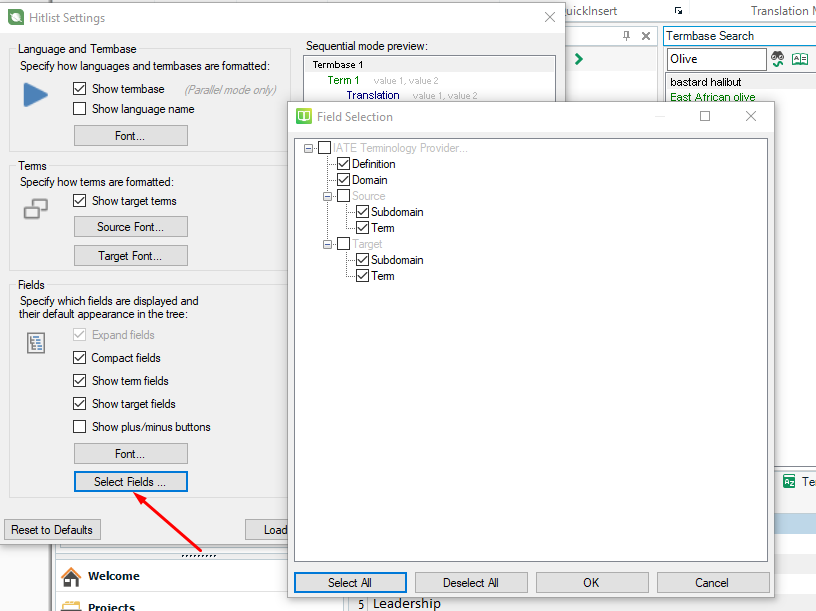
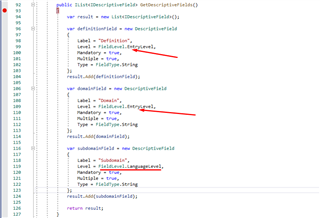
    The descriptive fields which are shown in the Term Search/Term Recogniton grids and can be displayed using the Hitlist Settings option are defined as follows:

    (the method can be found in the same IATETerminologyProvider.cs class)


    For more references you can also check the documentation http://producthelp.sdl.com/SDK/TerminologyProviderApi/2017/html/3a2c3997-09ac-4c63-a1ac-a5dc463997f0.htm 


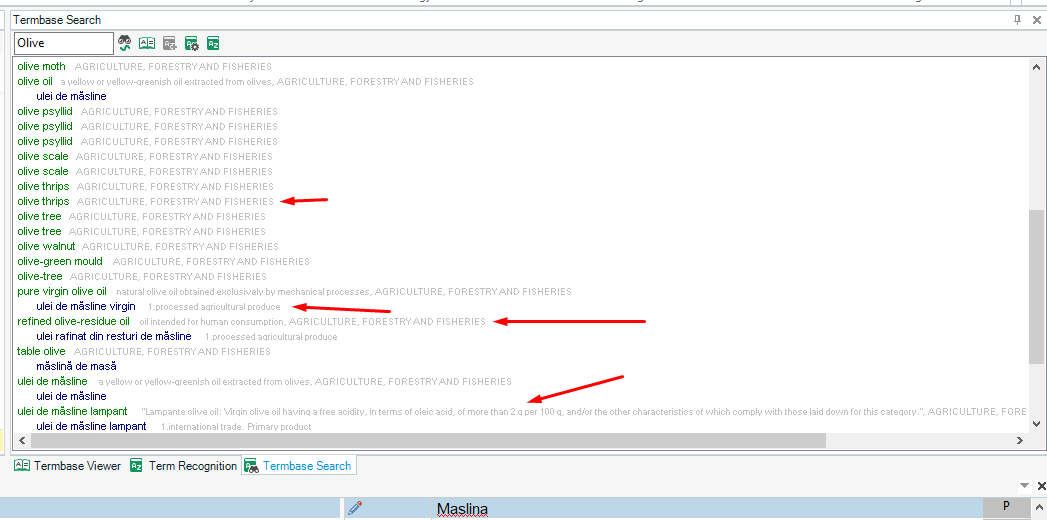
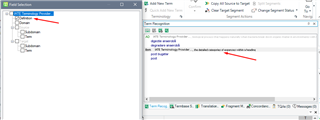
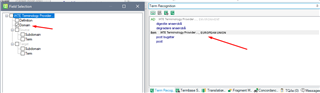
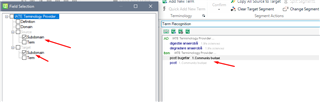
    The provider entry fields looks like in the below print screens in IATE Terminology Provider: (you can also setup the fonts of the entry fields from the Hitlist settings)


    With kind regards,

    Florentina Caputa

    With kind regards,

    Florentina Caputa

  • Hi Florentina,

    Could you please help me to find out, how can we modify/update Glossary Fields in hitlist settings runtime?.

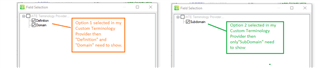
    E.x.: I have Custom Terminology Providers. Inside that we have two options.

    If Option 1 selected then need to show  field as First Name, Last Name in hitlist settings.

    If Option 2 selected then need to show  field as Middle Name in hitlist settings.

    Currently its display Option 1 fields. If we select Option 2 then hitlist settings still display old values. If we restart SDL studio then only hitlist settings updated and display Option 2 fields.

    Thanks,

    -Harshad

Reply
  • Hi Florentina,

    Could you please help me to find out, how can we modify/update Glossary Fields in hitlist settings runtime?.

    E.x.: I have Custom Terminology Providers. Inside that we have two options.

    If Option 1 selected then need to show  field as First Name, Last Name in hitlist settings.

    If Option 2 selected then need to show  field as Middle Name in hitlist settings.

    Currently its display Option 1 fields. If we select Option 2 then hitlist settings still display old values. If we restart SDL studio then only hitlist settings updated and display Option 2 fields.

    Thanks,

    -Harshad

Children