How to correctly declare an icon for a ribbon action?

While building a Trados Studio plugin I can't seem to get the icon to display for my ribbon action.

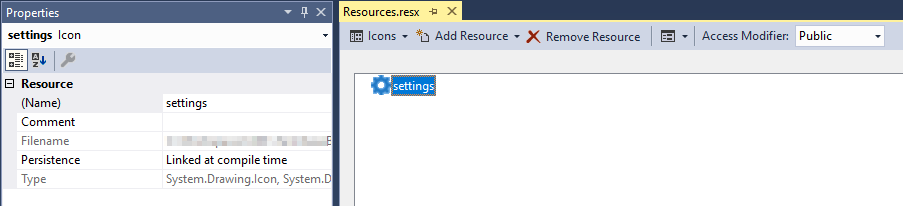
I've added an icon to the project's properties..

Screenshot of Trados Studio's Resources.resx window showing the 'settings' icon added under the Icons tab.

I have then referenced this on my implementation of AbstractViewControllerAction...

[Action("SupertextTerminologyProviderSettings_Projects",
    ContextByType = typeof(ProjectsController),
    Description = "...",
    Name = "Terminology Provider Settings",
    Icon = "settings")]
[ActionLayout(typeof(SupertextRibbonGroup), 2, DisplayType.Normal)]
public class ProjectsViewSettingsAction : AbstractViewControllerAction<AbstractViewController>
{
    protected override void Execute()
    {
        // ...
    }
}

But the icon doesn't appear...
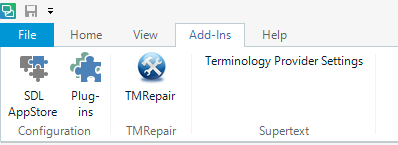
Screenshot of Trados Studio ribbon with a missing icon for 'Terminology Provider Settings' in the Add-Ins tab.

What have I missed?


Generated Image Alt-Text
[edited by: Trados AI at 1:07 PM (GMT 0) on 5 Mar 2024]
  • Hi  

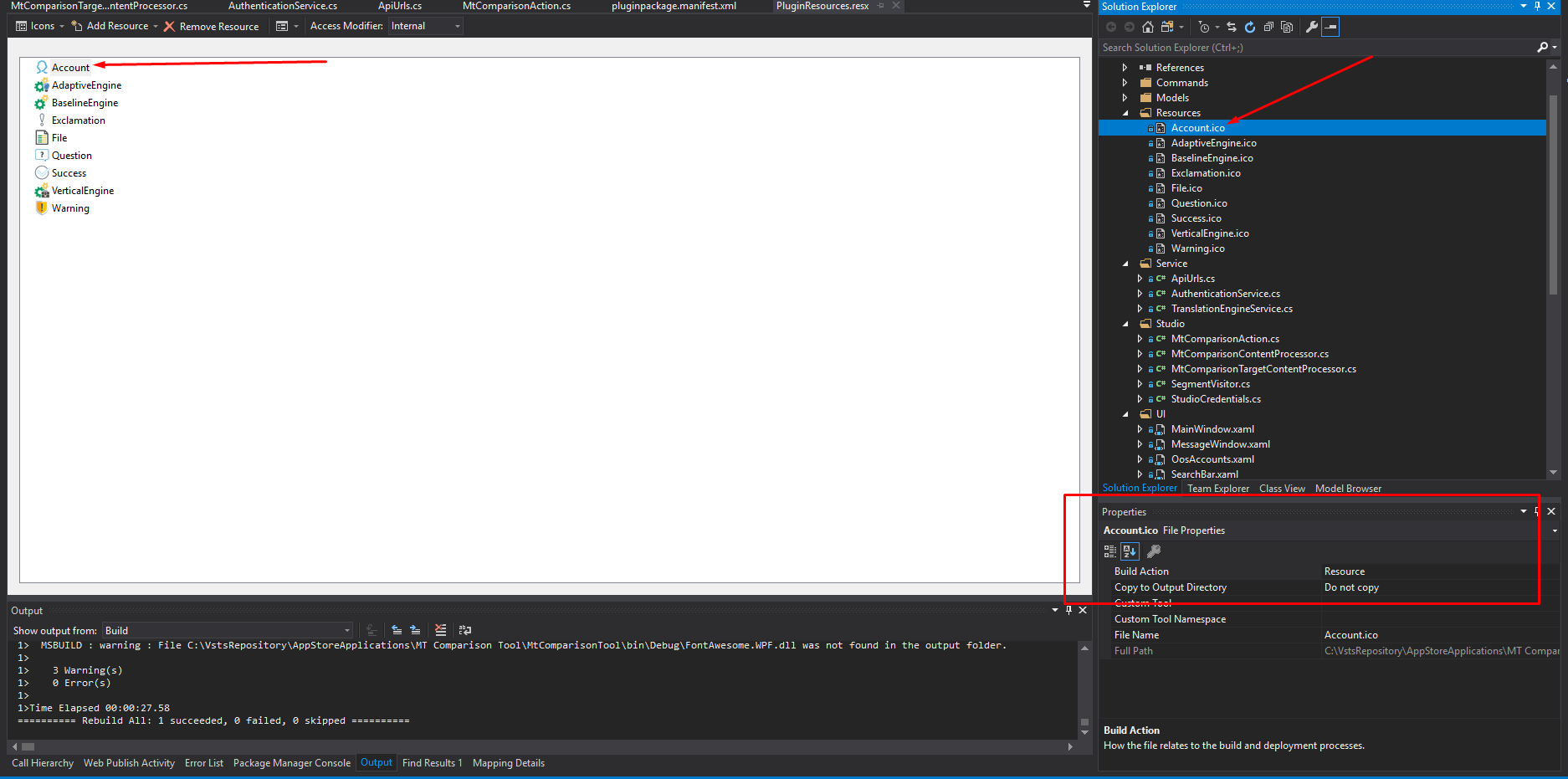
    Please take a look at the following screenshot and make sure the properties for the icon are set as follows: 

    Screenshot of Trados Studio project properties window with a red box highlighting the 'Build Action' set to 'Resource' and 'Copy to Output Directory' set to 'Do not copy'.

    Build Action: "Resource"

    Copy to Output Directory: Do not copy


    Generated Image Alt-Text
    [edited by: Trados AI at 1:08 PM (GMT 0) on 5 Mar 2024]
  • Hi,

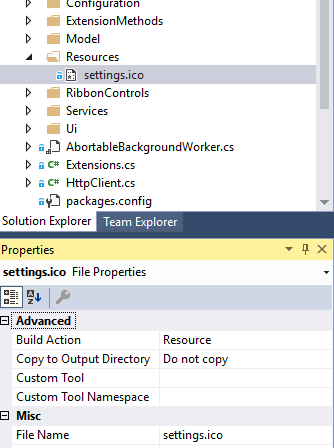
    I have the same options set...

     Screenshot of Trados Studio Solution Explorer showing settings.ico file selected with its properties displayed, including Build Action set to Resource.


    And the properties for the project-wide resources (does this matter?)...

    Screenshot of Trados Studio Resources.resx properties window with settings icon selected, showing Persistence set to Linked at compile time.


    For 'Persistence' I have tried both "Linked at compile time" and "Embedded in .resx" and neither seem to work.

    Are there any pertinent properties of the icon file itself? Is there a maximum or minimum size which will be displayed? I think my .ico file contains a range of sizes - might this cause a problem?


    --UPDATE--

    Sorry, my fault - I was looking at the wrong .resx file: I was working with the out-of-the-box Resources.resx under the project's Properties, whereas the standard Trados plugin project has a PluginResources.resx at the root level of the project, and this is where the icon should be added, not in Resources.resx.


    Generated Image Alt-Text
    [edited by: Trados AI at 1:08 PM (GMT 0) on 5 Mar 2024]